 Buy
Buy Rent
Rent Sell
Sell New
New Prices







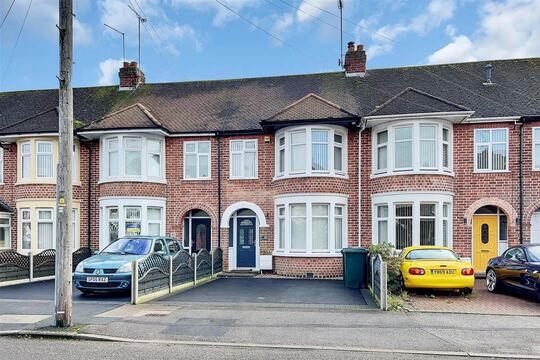

CRM Match tells you which homes in your database are on the market, and who they're with.
Every valuation that went quiet, every vendor you sold for, every landlord who said "not yet" is still sitting in your CRM. Upload the export and CRM Match shows you what has happened to each home since, priced per record, with your own columns kept when you take it back.
How CRM Match works
Five steps from CSV export to your list back.
Nothing to set up. Export what you already have, upload it, see your exact price, and come back to your results.
Export your CRM as a CSV
Any CSV with a header row and an address column works. Include the full address and postcode. Include a last-contact date column, so we can tell you which homes have changed hands since the date on your record. If you have your own reference, name that column too. Nothing in your file is renamed or dropped.
Upload it and see your total
Drop in the file and choose Clean or Snapshot. You see the exact price, VAT included, before anything is charged, and you pay from your PAYG wallet.
We match nationally
Every record is matched against the whole country, not one area. Big lists run as a queued job with a progress bar, so you can leave the page while it works.
Your CRM export
Matched
nationally
Your list back
See what has happened to each home
Filter your results by tier, matched or unmatched, changed hands, or on the market now, and sort by address, last sale, value, rent or price.
Take it back into your CRM
Export a CSV with every one of your original columns, and our fields added alongside, ready to load back into your CRM. Add Tracking to any matched home and it keeps watching.
The database you're already sitting on
Nobody starts a CRM. It just accumulates.
Every branch has years of contacts sitting untouched: valuations nobody re-checked, vendors who moved on, landlords who weren't ready yet. None of it is deleted, and almost none of it is looked at again, because there's been no quick way to know which of those homes has moved since. CRM Match checks each one for you.

Lapsed valuations
Homeowners you valued who never listed. See which of those homes is on the market now, and with whom.
Past vendors
Homes you sold, and whether they have changed hands again since.
"Not yet" landlords
Investors who said they'd hold. See whether the home is now on the market to let, and the rent asked.
Enquiries nobody chased
A form fill or a call that didn't convert. Each address comes back with its last sale and what it's worth now.
One record, two lives.
- The old record never changes. CRM Match tells you what has happened to the home since you last spoke.
- You still hold the relationship: the name, the history, the reason they trusted you the first time. CRM Match tells you when it's worth picking up the phone.
Illustrative home and figures.
A morning with CRM Match.

1 · Before the desk fills up
Export the lapsed-valuations list
A quick CRM export of the valuations that never turned into an instruction. Keep your own columns: nothing is renamed or dropped.

2 · Upload and match
See your price, then let it run
Your exact total comes up before you pay. Large lists run in the background, so you can get on with your morning.

3 · Before the day starts
Call the homes that have moved
Filter to "on the market" or "changed hands" and start there, with the agent and the price in front of you. Not a script. A reason.
The old way vs CRM Match
Most agencies don't re-check their old records at all.
Not because the records aren't worth it, but because there's never been a fast way to know which homes have moved.
| Task | With CRM Match | Without it |
|---|---|---|
| Finding which homes are on the market | On upload, with the agent and price (Snapshot) | One address at a time, if at all |
| Knowing which homes changed hands | Every matched record, against your last-contact date | Rarely checked |
| Where matching looks | The whole country | Wherever you remember to look |
| Keeping on top of it | Tracking alerts in-app and by email | Re-check the list by hand |
| Getting it back into your CRM | One CSV with every original column kept | Retype it, or rebuild the sheet |
| What it costs to start | A free sample of up to 100 records | Hours of someone's time |
What's in your CSV
Whatever your CRM already exports.
Address
RequiredThe only column CRM Match must have. Include the full address and postcode.
Last contact or record date
OptionalUsed to tell you whether a home has changed hands since the date on your record. Without it, we use the upload date, so homes read as not changed hands. Include it.
Your reference
OptionalYour own record ID. It's shown on Tracking alerts so you know which record a home belongs to. It can't be a name, email or phone column.
Everything else
KeptNames, numbers and notes stay in your file and come back in your export untouched. They're never put in a Tracking alert.
A header row, please
CRM Match reads your column names from the first row. Call your columns what you like and point CRM Match at the right ones.
No row cap
Big lists run as a queued job, and you can leave the page while it works.
Blank rows skipped
An empty row is skipped. Every other row counts as a record, including duplicates and rows that don't match.
Your data, your contacts
It's your CRM. We treat it that way.
You own it. We're your processor.
We process your list only on your instructions: to match, export, upgrade and track. You accept the processor terms before you upload.
Encrypted, and for your branch only
Your file and results are encrypted and readable only by your branch. No other agent or branch can see them.
Deleted after 30 days, or sooner
We delete your upload, results and export access 30 days after the job finishes, or straight away when you select Delete now.
Tracking keeps the minimum
Tracking keeps only the address, the property reference and your own reference while the home is tracked and paid for. Cancelling deletes them. Alerts never include contact names, phone numbers or emails.
What it costs
Per record you send, matched or not.
All prices + VAT.
Clean
10p per record + VAT
Matched to the property, with its last sale, sale history and whether it has changed hands since the date on your record.
Snapshot
25p per record + VAT
Everything in Clean, plus estimated value and suggested rent, whether it's on the market now for sale or to let, and which homes went with another agent, with who and when.
Tracking
3p per home a month + VAT
Alerts when a home you track is listed for sale or to let (with the agent and price), passes 8 weeks on the market, or gets a new EPC.
For 1p more per home a month, so 4p, it also tells you about price reductions, homes withdrawn from the market, and time on market.
No minimum, no contract, cancel any time.
Start on Clean and upgrade the same homes to Snapshot within 30 days for 15p per record + VAT. Paid from your PAYG wallet, with your exact total shown before you pay.
Try it first: one free sample of up to 100 records with Snapshot data, once per branch.
Clean
7p per record + VAT
Matched to the property, with its last sale, sale history and whether it has changed hands since the date on your record.
Snapshot
20p per record + VAT
Everything in Clean, plus estimated value and suggested rent, whether it's on the market now for sale or to let, and which homes went with another agent, with who and when.
Tracking
2p per home a month + VAT
Alerts when a home you track is listed for sale or to let (with the agent and price), passes 8 weeks on the market, or gets a new EPC.
Price reductions, homes withdrawn from the market and time on market are included.
No minimum, no contract, cancel any time.
Start on Clean and upgrade the same homes to Snapshot within 30 days for 13p per record + VAT. Paid from your PAYG wallet, with your exact total shown before you pay.
Founder 250 rates apply to active Founder 250 members, for as long as they stay members.
Try it first: one free sample of up to 100 records with Snapshot data, once per branch.

Who this is for
Every branch has a back catalogue.
Independent branches
Years of local relationships in one CRM, and no one free to go back through them. CRM Match does the checking in the time it takes to export a file.
Multi-branch groups
Each branch uploads its own list, and only that branch can see it. Each branch's uploads are deleted on their own schedule.
Anyone who's just switched CRM
Migrating systems is when an old database usually gets forgotten. Match the export before it's archived, and take the results back into the new system with your columns kept.
What you do with your results
Your list back, ready to use.
Export
One CSV with every one of your original columns, and ours added alongside, ready to load back into your CRM.
Upgrade
Ran it on Clean? Move the same homes to Snapshot within 30 days for the difference, with no re-upload.
Track
Add any matched home to Tracking, and get an alert in-app and by email when it's listed, passes 8 weeks on the market or gets a new EPC.
Questions
Before you upload your list.
What do I need to run a CRM match?
A CSV from your CRM with a header row and an address column. Include the full address and postcode.
A last-contact date and your own reference help, and every other column is kept.
You need to be signed in to your home.co.uk agent account.
How many records can I upload at once?
There's no row cap. Big lists run as a queued job, and you can leave the page while it works.
Which of my records will match?
We match each address against the whole country, not one area.
A full address with its postcode gives the best chance of a match.
Every job tells you how many records were submitted and how many matched.
Do I pay for records that don't match?
Yes. Every record you send is priced at its tier, matched or not, and duplicates count as records.
You see the exact total before you pay.
What does each tier tell me?
Clean: the matched address, last sale, sale history and whether the home has changed hands since the date on your record.
Snapshot: adds estimated value and suggested rent, whether it's on the market now for sale or to let, with the agent and price, and which homes went with another agent.
Estimates and suggested rents are automated, not valuations.
What does Tracking alert me about?
A home you track being listed for sale or to let, passing 8 weeks on the market, or getting a new EPC.
For 1p more per home a month: price reductions, withdrawals and time on market.
Alerts come in-app and by email.
They report changes from the day you start, not past history.
How do I pay?
From your PAYG wallet on home.co.uk. No subscription and no contract.
Tracking is taken monthly in advance for the homes you track, and you can cancel any time.
Is there a free trial?
Yes: one free sample of up to 100 records with Snapshot data, once per branch.
Is my CRM data shared with anyone?
No. We hold it only as your processor, encrypted and readable only by your branch.
We delete your upload and results 30 days after the job finishes, or straight away when you select Delete now.
We don't use it for marketing or anything else.
Can I get my results back into my CRM?
Yes. The export is a CSV with every one of your original columns, and ours added alongside.
More tools
Explore the rest of the estate agent toolkit

Patch
See who is likely to move before anyone else
A live map of your territory scored for likelihood to move — reductions, withdrawals, fall-throughs, stale stock and landlord stock, each with a full property dossier.

Property Reveal
Unmask the owner behind any likely mover
Pay-per-address owner reveal on hot properties — single or bulk — so your canvassing letter lands with a name on it, not "Dear Homeowner".

Canvassing Campaigns
Direct mail that lands when it matters
Branded letters to scored cohorts in your patch — printed, posted and tracked for you, with cadence sequences and auto-canvass rules that enrol newly-hot homes.

Letter Designer
Design the letter they keep
A full letter design editor with AI copy assistance and AI-generated artwork — every mailing in your brand, saved as templates your whole branch can reuse.

AI Market Appraisal
Walk in with the valuation already done
AI valuation with comparables and an AI council that stress-tests the number — appraisal-ready before you reach the doorstep.

Valuation Leads
Homeowners asking to be valued
Inbound valuation requests from home.co.uk delivered to your branch — statuses, auto-accept, delivery rules and per-lead intelligence in one inbox.

My Market
Your market share, measured honestly
Branch-level market intelligence — share of new instructions, competitor branch ranking, demand and stock trends across your outcodes.

Scoreboard
Every letter traced to its instruction
Outreach-to-outcome attribution — which campaigns, reveals and canvass rules actually turned into valuations and instructions, and what they cost you.

Canvas
The design studio built for agents
A full design studio inside the platform — brand kit, templates, folders, sharing and AI image tools for every piece of collateral your branch produces.

Photo Studio
Every listing photo, magazine-grade
AI photo enhancement, virtual staging and automatic room sorting — phone shots in, listing photography out.

Social Studio
A week of social in one sitting
AI social assets in your brand — Instagram analysis, market-stat templates and ready-to-post creative for every listing and win.

The Home feed
Post once, be seen by local movers
A free, Instagram-style feed on home.co.uk: photos, carousels and reels, new listings that post themselves, and a branch profile that gathers followers.

Your agency profile
The page sellers land on
Your free public page on home.co.uk: your homes, the badges you have earned, your Home feed posts and a free valuation button, with optional extras you add by the month.

Articles
Your local content engine
An AI article pipeline from idea to published — keyword research, outlines, drafts, freshness updates and batch series that make you the local authority.
Website Studio
A new agency website by Friday
White-label, AI-assisted agency websites with custom domains — designed, built and hosted on the platform, synced to your brand kit and stock.

Widgets
Your site, powered by portal data
Embeddable valuation and property widgets for your own website, with analytics on every visitor interaction.

Ads Manager
Local advertising, self-serve
Banner campaigns across the home.co.uk network — targeting, impression estimates, creative tools and transparent billing, run from your dashboard.

Print Shop
From design to doormat
Print your Canvas designs as physical collateral — catalogue pricing, checkout and delivery handled from the same studio you designed in.

AI Visibility
Be the answer AI gives
See how your agency shows up across AI engines — visibility checks, brand mentions, tracked prompts and traffic correlation with your Google Analytics.

Listings Manager
Your stock, one command centre
Create, edit and publish listings with full media management, version history and imports — plus outbound feeds to the major portals.

CRM Sync
Plugs into the CRM you already run
Listing sync with Apex27, Alto, Jupix, Street, Rex, Loop, Domus, Expert Agent and more — stock flows in automatically, no re-keying.

Performance Analytics
Know which photo sells the house
Per-listing analytics — photo performance, price health and live view counts across your whole stock.

AML Checks
Compliance that bills the client
Anti-money-laundering identity checks with certificates stored against the deal — and bill-the-client payment so compliance stops costing you money.

Proof of Ownership
Title checked before you list
HM Land Registry titles bought in-platform via Business Gateway — pay-as-you-go or billed to the client, stored against the property.

Material Information
Part A, B and C without the chase
Material-information disclosure packs per property, with seller invites that collect the answers for you.

HomeSign
Signed before the seller cools off
E-signatures built in — send terms of business, track them from sent to signed, and keep every signed document stored against the lead it belongs to.

Referrals
Revenue from every completion
Referrals across eight services — conveyancing, mortgages, removals, surveys and more — with milestone tracking and payouts on business you already have.

Inigo
The AI assistant that knows your patch
Ask questions over your own market, patch and stock data — streamed, grounded answers inside the platform.
One platform for the branch. Every tool included.
Join home.co.uk and get the estate-agent toolkit with your account: market intelligence, canvassing, design studio, AML and ID checks and listings tools in one place. No lock-in. Pay only for the premium tools you actually use.
Quick setup · Built for UK estate agents · Trusted UK property platform since 1995