 Buy
Buy Rent
Rent Sell
Sell New
New Prices







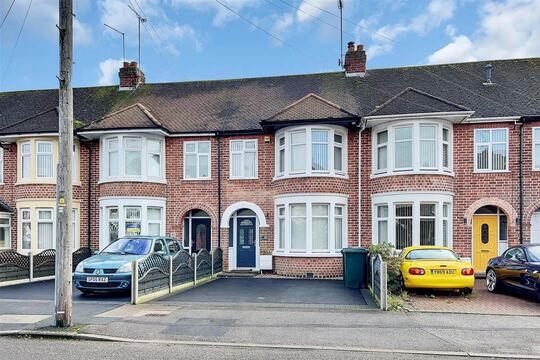

A homeowner just asked to be valued.
They typed their own address into home.co.uk. That request lands straight in your branch inbox — masked contact details, one-tap accept, and the property intelligence to make the call worth making before you've even dialled.
How it works
From a typed-in address to a locked-in lead.
No portal to refresh, no inbox to trawl. The homeowner does the asking; your branch does the accepting.
A homeowner asks to be valued
They type an address into a Seller valuation widget on home.co.uk, or leave details against a listing via the Buyer enquiry magnet — or they're moving through the homemove.com platform and a Homemove referral fires. Every one of these is first-party demand: nobody cold-called them.
Routed to the branch that covers the postcode
The request resolves against branch coverage — explicit coverage areas, featured-outcode credits, or simple proximity — out of 10,616 UK agency branches listed on home.co.uk. It's not broadcast to every agent within ten miles; it lands on the one branch whose patch it actually is.
It lands in the inbox, contact details locked
The card shows the property address, postcode, rough type and any message left — enough to judge the lead. The homeowner's name, email and phone stay locked until your branch accepts. That gate runs server-side, not just as a blur in the interface.
Auto-accept, or a one-tap Accept
A branch with auto-accept switched on and the Homemove addendum signed never has to be at a desk — the lead accepts itself the instant it arrives. Everyone else taps Accept (or Reject, with an optional reason) straight from the card.
Contact unlocks, intelligence attaches
The homeowner's details are now visible, and the Lead Command Centre opens up in full — property facts, an instant valuation range, propensity-to-list, nearby competition, price-per-square-foot and market timing, all composed from data the platform already holds.
Work it through your own pipeline
Contacted, then Valuation Booked, then Completed — logged against your branch, not the shared request, so one branch can't quietly close out a lead for a sibling branch still working it. Add notes as you go; export to your CRM in one click once it's accepted.
Four sources, one inbox
Every lead arrives already labelled.
You never have to ask "where did this even come from?" — a coloured source badge answers it on every card.
Valuation widget
A homeowner uses the embedded seller valuation widget on home.co.uk to ask what their property is worth — direct, first-party intent to sell or let.
Buyer enquiry magnet
Someone browsing a listing leaves their details through the buyer-side lead magnet, and it surfaces as a seller-facing valuation opportunity for the covering branch.
Homemove referral
A homeowner moving through the homemove.com moving platform is referred for a valuation. These carry the Homemove partner introduction fee on acceptance.
Your own leads
A phone call, a walk-in, a referral from an existing client. Add it by hand and it lands pre-accepted against your branch, in the same inbox as everything else.
Trust by design
Nobody sees a name until someone accepts.
The property address and rough details are visible on every card so you can judge whether a lead is worth accepting. The homeowner's name, email and phone number stay locked — not blurred in the interface, actually withheld by the server — until an assignment on your branch is accepted.
- Every unlock is logged against the accepting assignment, not a shared status flag other branches could ride on
- A CRM export and the Proof of Ownership deep-link are gated behind the same accept — no route to the PII without it
- Auto-accept still respects the gate — it accepts the assignment, it doesn't skip the unlock

The Lead Command Centre
Every accepted lead arrives with its own dossier.
Click a card and the full panel slides in — composed from data the platform already holds, so there's nothing extra for the homeowner to fill in and nothing extra for you to go and look up.
Property
Bedrooms, bathrooms and EPC pulled from the property record, falling back to whatever the homeowner stated if we don't hold a match.
Instant valuation range
A low–mid–high band built from comparable evidence, so you walk in with a starting point rather than a blank page.
Propensity to list
The same likely-to-move signal that powers Patch, attached automatically to any lead we hold a matched property for.
Competition, pricing & timing
Nearby competitor branches, price-per-square-foot for the street against the wider area, and average days on market — the context you'd otherwise gather by hand before the call.
Mockup shown with an illustrative example lead. Every section degrades gracefully to nothing when the underlying data isn't available for a property — no section ever shows an invented figure.
Delivery & routing
You decide who sees what, and when.
A single-branch shop and a ten-branch group need different plumbing. Delivery rules are set per branch, per lead type — not a single global switch.

Per-branch or company inbox
Per-branch mode gives each branch its own recipients. Company inbox mode routes every lead of that type to one shared address instead — useful for a group that triages centrally before dispatching to branches.
Three ways to name a recipient
The branch email
Whatever address the branch already has on file
A specific team member
Route straight to the negotiator who works that patch
A custom address
A shared triage inbox, a CRM drop address — anything you like
Each recipient can also be scoped to sales-only or lettings-only, so nobody's inbox fills up with the wrong channel.
Auto-accept: two switches, both must be on
Auto-accept only fires when the branch toggle is on and the branch's company has signed the Homemove auto-accept addendum — checked server-side on every single delivery, never just trusted from the toggle. Turn it on and a pending assignment accepts itself the moment it lands, notes stamped on the audit trail, no human race to be first.
Only on Homemove-referred leads
An introduction fee of 0.25% applies on acceptance — or 0.20% for Founder 250 members. Leads from your own Seller widget or Buyer enquiry magnet carry no fee, auto-accepted or not.

A day in the life
From a pocket buzz to a booked valuation.
How a branch negotiator turns an inbound lead into an appointment without leaving the shop floor.
A card lands on the branch inbox
A homeowner two streets from the office has just asked to be valued through the Seller widget. It arrives tagged Pending, address and postcode visible, name and number locked.
One tap to accept
The negotiator glances at the property type and postcode, taps Accept from the card — no need to open anything first — and the contact block unlocks instantly.
The Lead Command Centre is already open
Property facts, an instant valuation range and the propensity signal are sitting there before the phone's even been picked up — the negotiator reads the dossier for thirty seconds before dialling.
Contacted, then Booked
The call connects. Status moves to Contacted with a note, and once a date's agreed, to Valuation Booked — visible to the whole branch, not just the negotiator who took the call.
Off to the doorstep with the dossier
Comparable evidence, propensity band and market timing already reviewed — the valuation appointment starts from an informed footing instead of a cold open.
Before & after
The scattered inbox vs one that routes itself.
| What happens | The old way | Valuation Leads |
|---|---|---|
| Where a lead lands | Personal mobile, a portal alert, a forwarded email | One shared branch inbox |
| Who sees the contact details | Whoever opens the email first, no record kept | Locked until an assignment is accepted, logged either way |
| Two branches, one postcode | Both branches phone the homeowner, sometimes on the same afternoon | Routed to the covering branch; delivery rules decide the rest |
| Property context before the call | A quick search on the portal, if there's time | Attached automatically to the lead |
| Getting it into the CRM | Retyped by hand from the email | Send to CRM, one click |
| Knowing where a lead came from | Guesswork from the subject line | Source-tagged: Seller, Buyer, Homemove or Direct |
| A lead nobody actions | Sits in an inbox indefinitely | Expires after 7 days, cleanly |
Speed to lead
See exactly where you rank.
Every accept is timestamped against the moment the lead arrived. Your dashboard turns that into a percentile rank against every other branch on the platform — not a raw number you have to interpret against nothing — plus a live curve showing how leads convert to instructions across five response bands, with your own branch's leads overlaid on the platform picture.
The bars below are illustrative — your dashboard shows the real curve for your branch and the platform.
Instruction rate by response time · illustrative
Bucket labels match your dashboard exactly. Bar lengths here are for illustration only — the platform doesn't publish these figures.
Who uses Valuation Leads
Built for one branch or twenty.

The high-street independent
One branch, one inbox. Every lead the postcode sends is yours to work — no coordination overhead to set up first.
The multi-branch group
Switch to a company inbox for central triage, or keep per-branch delivery and let coverage areas do the routing — your call, per lead type.
A franchise-network branch
Ownership of an instruction is resolved per viewing branch, not the brand as a whole — a sibling branch's win never quietly counts as yours, or costs you a fee it shouldn't.
Ops & branch admin
Configure delivery mode, name recipients, scope them to sales or lettings, and decide which branches get auto-accept — all without touching a single individual lead.
After you accept
The compliance chain is already queued up.
Accepting the lead doesn't just unlock a phone number — it opens the same panel that takes the instruction all the way to a sale-ready file.

AML
Anti-money-laundering identity checks against the vendor, matched by branch and email.
Proof of Ownership
A pre-filled Land Registry title check, launched straight from the lead's own address and postcode.
Material Information
Create the disclosure pack in one click, seeded with the vendor's details from the lead you just accepted.
Part of the toolkit
Inbound leads meet outbound intelligence.
Valuation Leads is the demand that comes to you. Pair it with the tools that go looking for demand, and the ones that turn an accepted lead into a signed instruction.
AI Market Appraisal
Turn an accepted lead into an appraisal-ready number with comparables and an AI council, before you've left the office.
Patch
The same likely-to-move scoring that powers the propensity signal on every lead — as a live map of your whole territory.
CRM Sync
Send an accepted lead to your CRM in one click, or set up full two-way sync so nothing needs re-keying at all.
AML Checks
The identity check queued up the moment you accept a lead — bill it to the client so compliance stops costing you money.
Proof of Ownership
Pre-filled from the lead's address and postcode the moment you accept — title checked before you're back from the doorstep.
Inigo
Ask questions about a specific lead — comparables, timing, pitch angle — right from the Lead Command Centre panel.
Questions
Everything you'd ask before switching on.
Where do valuation leads actually come from?
Four places, and every lead is tagged so you always know which: the Seller valuation widget (a homeowner asks for a valuation directly on home.co.uk), the Buyer enquiry magnet (a buyer browsing a listing leaves details and it surfaces a seller-side lead), a Homemove referral (a homeowner moving through the homemove.com moving platform), or Direct — a lead you or a colleague added by hand. Each card in the inbox carries a coloured source badge so you can see the channel at a glance.
Is a lead assigned to my branch automatically, or do I have to go looking for it?
Automatically. When a homeowner requests a valuation, home.co.uk resolves the postcode to the branch that covers it and creates the assignment there — you do not search a portal or refresh a page. Where your branch has featured-outcode coverage or explicit coverage geometry set, that's used to route the request precisely.
Can I see the homeowner's name and phone number before I accept the lead?
No — contact details are locked server-side, not just hidden in the interface, until one of your branches accepts the assignment. The property address, postcode, rough property type and any message the homeowner left are visible straight away so you can judge the lead; the name, email and phone number unlock the moment you tap Accept.
What does auto-accept do, and is there a catch?
When a branch turns on auto-accept, every new pending assignment for that branch is accepted the instant it arrives — no one has to be at a desk. It only activates when two things are both true: the branch has the toggle on, and the branch's company has signed the Homemove auto-accept addendum, which is checked server-side on every delivery, not just trusted from the toggle. The one thing to know: a small introduction fee (0.25%, or 0.20% for Founder 250 members) applies whenever you accept a lead referred via the Homemove partner agreement — auto-accepted or not, and regardless of whether you'd have spoken to that homeowner anyway. Leads from your own Seller widget or Buyer enquiry magnet carry no such fee.
What if more than one of our branches could handle a lead?
Delivery rules are set per branch and per lead type, in two modes: per-branch, where each branch gets its own recipients, or company inbox, where every lead of that type routes to one shared address. Recipients can be the branch's general email, a specific team member, or a custom address — and can be scoped to sales or lettings only, so a lettings negotiator isn't copied on every sales valuation and vice versa.
What is the Lead Command Centre?
The slide-in panel that opens when you click a lead card. It composes property facts, an instant valuation range, a propensity-to-list signal, nearby competitor branches, price-per-square-foot for the street versus the wider area, and average days on market for the property — all in one place, alongside the compliance chain (AML, Proof of Ownership, Material Information) once you've accepted. Before you accept, the panel shows a masked teaser of the same sections; nothing sensitive ships to the browser until the accept-gate opens server-side.
Does a lead expire if nobody actions it?
A pending assignment expires 7 days after it's created if no one on the branch has accepted or rejected it. Accepted leads don't expire — they move through your own working pipeline (Contacted, Booked, Completed) at your pace.
Can I add a valuation lead that didn't come through home.co.uk?
Yes. There's a self-serve manual entry for leads you've picked up yourself — a phone enquiry, a walk-in, a referral from another client. It lands pre-accepted against your own branch, tagged Direct, with no notification noise and no move-signal side effects, so your own pipeline sits in the same inbox as everything home.co.uk sends you.
Can I get an accepted lead into my CRM without retyping it?
Yes — a Send to CRM button appears on any accepted lead, exporting the seller's details and property information in a normalised schema that both the native button and the CRM Chrome extension understand. It's entitlement-gated the same way the rest of the lead is: only leads your branch has accepted can be exported, so masked contact details never leave the building.
Does Valuation Leads handle both sales and lettings?
Yes. Every lead carries a sales or lettings type, and your branch only sees the products it handles — a branch that only does lettings won't be offered sales valuation products, and delivery recipients can be scoped to one channel or the other so the right person on your team sees the right leads.
More tools
Explore the rest of the estate agent toolkit

Patch
See who is likely to move before anyone else
A live map of your territory scored for likelihood to move — reductions, withdrawals, fall-throughs, stale stock and landlord stock, each with a full property dossier.

Property Reveal
Unmask the owner behind any likely mover
Pay-per-address owner reveal on hot properties — single or bulk — so your canvassing letter lands with a name on it, not "Dear Homeowner".

Canvassing Campaigns
Direct mail that lands when it matters
Branded letters to scored cohorts in your patch — printed, posted and tracked for you, with cadence sequences and auto-canvass rules that enrol newly-hot homes.

Letter Designer
Design the letter they keep
A full letter design editor with AI copy assistance and AI-generated artwork — every mailing in your brand, saved as templates your whole branch can reuse.

CRM Match
Which homes in your database are on the market
Upload a CSV from your CRM and see what has happened to each home since: its last sale, whether it has changed hands, its value and rent, and whether it's on the market now and with whom. From 10p per record + VAT, with a free 100-record sample.

AI Market Appraisal
Walk in with the valuation already done
AI valuation with comparables and an AI council that stress-tests the number — appraisal-ready before you reach the doorstep.

My Market
Your market share, measured honestly
Branch-level market intelligence — share of new instructions, competitor branch ranking, demand and stock trends across your outcodes.

Scoreboard
Every letter traced to its instruction
Outreach-to-outcome attribution — which campaigns, reveals and canvass rules actually turned into valuations and instructions, and what they cost you.

Canvas
The design studio built for agents
A full design studio inside the platform — brand kit, templates, folders, sharing and AI image tools for every piece of collateral your branch produces.

Photo Studio
Every listing photo, magazine-grade
AI photo enhancement, virtual staging and automatic room sorting — phone shots in, listing photography out.

Social Studio
A week of social in one sitting
AI social assets in your brand — Instagram analysis, market-stat templates and ready-to-post creative for every listing and win.

The Home feed
Post once, be seen by local movers
A free, Instagram-style feed on home.co.uk: photos, carousels and reels, new listings that post themselves, and a branch profile that gathers followers.

Your agency profile
The page sellers land on
Your free public page on home.co.uk: your homes, the badges you have earned, your Home feed posts and a free valuation button, with optional extras you add by the month.

Articles
Your local content engine
An AI article pipeline from idea to published — keyword research, outlines, drafts, freshness updates and batch series that make you the local authority.
Website Studio
A new agency website by Friday
White-label, AI-assisted agency websites with custom domains — designed, built and hosted on the platform, synced to your brand kit and stock.

Widgets
Your site, powered by portal data
Embeddable valuation and property widgets for your own website, with analytics on every visitor interaction.

Ads Manager
Local advertising, self-serve
Banner campaigns across the home.co.uk network — targeting, impression estimates, creative tools and transparent billing, run from your dashboard.

Print Shop
From design to doormat
Print your Canvas designs as physical collateral — catalogue pricing, checkout and delivery handled from the same studio you designed in.

AI Visibility
Be the answer AI gives
See how your agency shows up across AI engines — visibility checks, brand mentions, tracked prompts and traffic correlation with your Google Analytics.

Listings Manager
Your stock, one command centre
Create, edit and publish listings with full media management, version history and imports — plus outbound feeds to the major portals.

CRM Sync
Plugs into the CRM you already run
Listing sync with Apex27, Alto, Jupix, Street, Rex, Loop, Domus, Expert Agent and more — stock flows in automatically, no re-keying.

Performance Analytics
Know which photo sells the house
Per-listing analytics — photo performance, price health and live view counts across your whole stock.

AML Checks
Compliance that bills the client
Anti-money-laundering identity checks with certificates stored against the deal — and bill-the-client payment so compliance stops costing you money.

Proof of Ownership
Title checked before you list
HM Land Registry titles bought in-platform via Business Gateway — pay-as-you-go or billed to the client, stored against the property.

Material Information
Part A, B and C without the chase
Material-information disclosure packs per property, with seller invites that collect the answers for you.

HomeSign
Signed before the seller cools off
E-signatures built in — send terms of business, track them from sent to signed, and keep every signed document stored against the lead it belongs to.

Referrals
Revenue from every completion
Referrals across eight services — conveyancing, mortgages, removals, surveys and more — with milestone tracking and payouts on business you already have.

Inigo
The AI assistant that knows your patch
Ask questions over your own market, patch and stock data — streamed, grounded answers inside the platform.
One platform for the branch. Every tool included.
Join home.co.uk and get the estate-agent toolkit with your account: market intelligence, canvassing, design studio, AML and ID checks and listings tools in one place. No lock-in. Pay only for the premium tools you actually use.
Quick setup · Built for UK estate agents · Trusted UK property platform since 1995