 Buy
Buy Rent
Rent Sell
Sell New
New Prices






Design the letter they keep.
Most canvassing mail gets binned before the kettle boils. Letter Designer is the full editor behind every letter you send — brand-true templates, an AI copy assistant, AI-generated artwork — so the one that lands on your patch is the one that survives past the doormat.
How Letter Designer works
Six steps from blank canvas to print run.
It's the same editor whether you're starting a fresh design or refreshing last quarter's letter — a real canvas, not a form with a preview.
Pick a creative, or start blank
Choose from 16 fixed, brand-true letter creatives — grouped into seller prospecting, social proof, competitor & switching, withdrawn & expired, old valuation revival, landlord and brand farming — or open a blank A5 or A4 canvas and build your own from nothing.
Your brand, already applied
Your branch's logo, brand colour and tone of voice are resolved server-side and dropped into the template's placeholders the moment it loads — nobody has to hand-pick a hex code. If your branch hasn't set a brand colour yet, the template's own designed palette shows through instead of defaulting to house pink.
A real design surface, not a mail-merge form
Templates, Elements, Text, AI artwork, your own uploads and mail-merge data all live in a left-hand toolbar; a Layers panel and a Properties panel sit on the right. Drag, resize, restack, undo, redo — the same canvas editing surface used across the design studio, set to true A5/A4 print dimensions with bleed and safe-zone guides built in.
Need a hand with the wording?
Ask the AI copy assistant for a draft
Pick your creative and hit "Suggest copy" — the assistant proposes one on-brand variant, in your firm's tone of voice, that you edit in place before it goes anywhere near the canvas. Any number it uses is one you supplied; it never does the arithmetic itself.
Generate bespoke artwork, or upload your own
Type a prompt, choose square, portrait or landscape, and a generated image drops onto the canvas ready to resize and position. Prefer your own photography? Upload it straight into the same panel — both paths land on the same layer stack.
Save — and it's already in your campaign
Save exports the canvas at true print resolution and stores the design against your company, then hands you straight back to the Campaigns builder with the design already attached. No downloading a PDF and re-uploading it somewhere else — one editor, one save, one send.
The fridge test
Two letters land on the doormat. Only one gets kept.
Every canvassing letter competes for the same three seconds on a hallway table. Craft is the difference between the bin and the fridge door.
Generic mail-merge doc
Same template as every agent on the street. No brand colour, no imagery, "Dear Homeowner" — and it reads like it. Straight in the recycling.
Designed on Letter Designer
Your brand, real craft, a genuine reason to get in touch — written on your figures, not invented ones. The one that ends up under a magnet.
From screen to street
Design it once. We take it from there.
Letter Designer is the design step — the print run, envelope and post are all handled by the same account, no separate print supplier to brief.

1 · Design
Build it in the editor
Pick a creative, let the AI draft the wording, drop in bespoke artwork. Save when it looks right — no separate export step.

2 · Print
Picked up by your campaign
Attach the design to a cohort in the Campaigns builder. Standard or premium paper, A5 or A4 — the print run goes out under the same account.
3 · Post
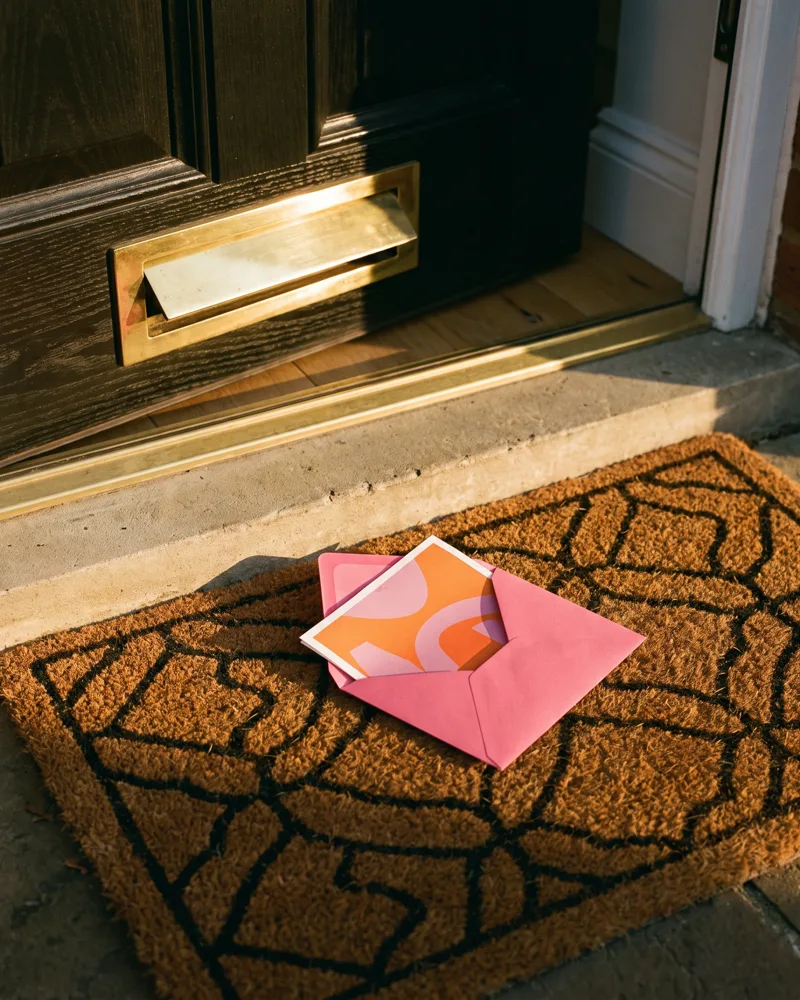
On the doormat, in your brand
The homeowner sees your logo and colours before they open it — a letter that looks like it came from a real, local agent, because it did.
Under the hood
One save. No handoff between tools.
A saved design isn't a file you then have to go and attach somewhere. It's the same record the Campaigns builder, the print run and the cost projection all read from.
Design it
The canvas, saved as PNG + editable JSON
Saved to your library
Owned by the company — every branch can reuse it
Attached to a campaign
Picked up in the Campaigns builder by design ID
Printed & posted
One print run, tracked from send to delivery
AI copy, on a leash
It proposes. You approve.
The copy assistant drafts one on-brand variant for the creative you've chosen, in your firm's tone of voice. Three rules stop it going rogue.
Numbers are yours, not its
You inject the figures — a comparable price, a days-on-market stat. The copy is checked afterwards for any number that isn't one of yours; if it slips one in, the draft is regenerated, not sent.
Never a name, never a home address
There's no owner or occupant name in the data behind the letter, so nothing can be addressed to a person. Landlord letters are forced to the property address too — a proprietor's home address can never reach the page.
Never a blank letter
If the AI can't produce a clean draft — provider outage, a stubborn number it won't drop — you get a safe, plainly written template instead, stitched from the same figures you gave it. You can always edit it freely.
Bespoke artwork, on demand
Type a prompt. Get an image, not a stock photo.
No more hunting a stock library for a house that half-looks like yours. Describe the scene and a generated image drops straight onto the canvas, ready to resize and position like any other element.
- Three formats — square, portrait or landscape — so the image fits the space you've left for it.
- Prompt-only, always. No recipient name, address or campaign data is ever sent to the image generator — just the words you type.
- Comes back finished. One request, one image — no queue to babysit, no polling for a result.
- Or upload your own. Your listing photography and generated artwork sit on the exact same canvas layer stack.
Describe the artwork
The creative library
16 letters. Every stage of your patch.
A fixed, reviewed library of letter creatives, grouped by what the homeowner is going through — not just a folder of loose templates.

Seller prospecting
- Thinking of selling?
- Free valuation
- What's your home worth now?
- We have buyers waiting
Social proof
- We've sold near you
- Sold quickly nearby
- Another home sold on your street
Competitor & switching
- Still on the market?
- Time for a fresh strategy?
Withdrawn & expired
- Did your move not go to plan?
- Relaunch your home, properly
Old valuation revival
- Are you still thinking of moving?
- The market has moved since we spoke
Landlord
- Sell, let, or refinance?
- Is your rental working hard enough?
Brand farming
- Your local property update
Brand and data, wired in
Every template loads already speaking your brand.
Your brand, resolved server-side
Your branch's display name, logo and brand colour are looked up the moment the editor opens — not typed in by hand each time. A darker shade for accents is derived automatically from your primary colour, so headers and body text stay legible without you touching a colour picker.
No brand colour set yet? Templates fall back to their own designed palette instead of collapsing to house pink, so a letter never looks unfinished while you get your brand kit set up.
Mail-merge fields, with safe fallbacks
Drop any of these tokens into a text box and it resolves per property at send. Every one has a fallback, so a missing data point never leaves a broken placeholder in a printed letter.
Notably absent: any owner or occupant name field. There isn't one to insert — every letter addresses the property, never a person.
Print-ready, not print-hopeful
Designed at the size it actually prints at.
No "design at any size and hope it fits" — the canvas is the real page, with bleed and safe-zone guides matched to genuine print geometry.
| Detail | A5 | A4 |
|---|---|---|
| Physical size | 148 × 210mm | 210 × 297mm |
| Export resolution | 1748 × 2480px | 2480 × 3508px |
| Bleed margin | 3mm, on every edge | |
| Safe zone | 5mm — keep text and logos clear of the trim line | |
| Standard paper | 118–148gsm — a quality everyday option for most letters | |
| Premium paper | 148–216gsm — thick, durable stock that lands like a letter worth keeping | |
Your exact per-letter cost — VAT included, before anything prints — comes from the same size-and-paper choice you make here, discounted automatically on Pro and Founder tiers.
Illustrative, not a promise
A first draft, the honest way.
Rough, illustrative figures for building one letter from nothing — your own speed will vary with how fussy you are about the layout.
How it compares
Letter Designer vs the alternatives.
| Capability | Letter Designer | Photocopied flyer |
|---|---|---|
| True print-size canvas with bleed/safe guides | Yes | No |
| Brand colour, logo & tone applied automatically | Yes | No |
| AI copy assistant, numbers agent-injected only | Yes | No |
| AI-generated artwork on the canvas | Yes | No |
| Property mail-merge fields with safe fallbacks | 10 fields | No |
| Saves shared across your whole company | Yes | No |
| Attaches straight into a print-and-post send | One click | Manual |
| Looks like a photocopied flyer | Never the goal | Always |
A day in the life
A "sold near you" letter, before your first viewing.
How a branch negotiator turns a fresh sale into a canvassing letter to the surrounding streets, the same morning.
A sale gets agreed
Fresh SSTC on a three-bed semi. The branch wants a letter out to the surrounding streets before someone else's board goes up first.
Open "We've sold near you"
The template loads with the branch logo and brand colour already on the page. No fiddling with a colour picker before the real work starts.
Suggest copy, drop in the real figure
The AI copy assistant proposes a draft. She injects the actual asking price achieved and the area name; the assistant works those into the wording rather than guessing a number of its own.
Generate a street scene
A quick prompt — a tree-lined street of similar homes, late afternoon light — and the artwork drops onto the canvas. Resized to fit the space left for it, done.
from open to saved
She saves. Straight back into the Campaigns builder with the design attached, ready to pick the streets and send.
Who uses Letter Designer
Built for whoever's job it is to fill the diary.
Negotiators & listers
Turn a fresh instruction or a completed sale into a canvassing letter to the surrounding streets the same day, without waiting on a marketing team.
Branch marketers
Build the branch's core set of letter designs once, save them to the company library, and let every negotiator reuse a properly designed template instead of rolling their own.
Multi-branch groups
A design saved by one branch is available to every branch under the same company, so a group with several offices keeps one consistent letter library, not eight.
Part of the toolkit
Letter Designer feeds the rest of your win-instructions stack.
It's the design step in a longer chain — the tools below feed it an audience, or take its output to print.
Canvassing Campaigns
Picks up your saved design, builds the scored cohort of homeowners to send it to, and handles the print run, cadence and tracking.
Property Reveal
Unmasks the owner behind a likely-mover property so your campaign has a real address to send the finished letter to.
Patch
Scores your whole territory for likelihood to move, so you know which streets deserve a letter this week and which don't yet.
Canvas
The same design studio, brand kit and AI image tools that power Letter Designer — for every other piece of collateral your branch produces.
Print Shop
Take any Canvas design to physical print beyond letters — boards, window cards and other branch collateral, checked out from the same studio.
Scoreboard
Traces every letter you send back to the instruction it helped win, so you know which creative in the library is actually earning its place.
FAQ
Common questions about Letter Designer
What exactly is Letter Designer?
Letter Designer is the canvas editor inside your Campaigns account for designing print-and-post letters — a drag-and-drop layout surface at true A5 or A4 print size, with an AI copy assistant, AI-generated artwork and your brand applied automatically. Finished designs save to your company's design library and attach directly to a Campaigns send.
Do I have to start from a blank page?
No — pick from 16 brand-true letter creatives across seller prospecting, social proof, competitor & switching, withdrawn & expired, old valuation revival, landlord and brand farming, or open a blank A5 or A4 canvas. Every template loads with your branch's logo, brand colour and tone of voice already applied.
Will the AI copy assistant invent facts or numbers?
No. Every number in an AI-drafted letter is one you supplied — the assistant is instructed to use only those figures and the response is checked afterwards. Any invented number triggers a regeneration, and if a clean draft still can't be produced you get a safe deterministic template instead — never a blank letter.
Does the AI address the homeowner by name?
No. The underlying data holds no owner or occupant name, so every letter addresses the property generically — "your home in the area" — never a person. Addressing is always forced to the property, never a proprietor's home address, even for landlord letters drawn from Land Registry data.
What happens to my prompt when I generate AI artwork?
Only the prompt you type is sent to the image generator — never any recipient, address or campaign data. The image comes back ready to use and drops straight onto the canvas.
What are the merge fields, and what shows if a field is empty?
Ten tokens cover property type, bedrooms, postcode, estimated value, last sold price and date, energy rating, and agent name, phone and website — insert any of them into a text box. Each has a sensible fallback (postcode falls back to "your area", estimated value to "its current value") so a letter never renders with a broken placeholder.
Can the rest of my branch reuse a design I've made?
Yes. Saved designs belong to your company, not just you, so any branch under the same account can pick them up again from the design library the next time they build a campaign.
Can I edit a design I've already saved?
Yes — reopen it from the Campaigns Design step and it loads back into the full editor at its original size. Saving again stores a new version in your library; the original stays untouched, so past sends are never silently rewritten under you.
What sizes and paper can I design for?
A5 and A4, both at true print geometry with the correct bleed and safe-zone margins built into the editor, so nothing important sits too close to the trim. Choose standard paper for everyday sends or premium stock for a letter that's meant to be kept.
Will I know what a letter costs before I send it?
Yes — the same cost projection the Campaigns builder uses shows your per-letter and total price, VAT included, before anything goes to print. It reflects the exact figure you'll be charged, worked out from size, paper and your account's tier.
Letter Designer is part of the estate-agent toolkit used across 10,616 UK agent branches on home.co.uk.
More tools
Explore the rest of the estate agent toolkit

Patch
See who is likely to move before anyone else
A live map of your territory scored for likelihood to move — reductions, withdrawals, fall-throughs, stale stock and landlord stock, each with a full property dossier.

Property Reveal
Unmask the owner behind any likely mover
Pay-per-address owner reveal on hot properties — single or bulk — so your canvassing letter lands with a name on it, not "Dear Homeowner".

Canvassing Campaigns
Direct mail that lands when it matters
Branded letters to scored cohorts in your patch — printed, posted and tracked for you, with cadence sequences and auto-canvass rules that enrol newly-hot homes.
CRM Match
Which homes in your database are on the market
Upload a CSV from your CRM and see what has happened to each home since: its last sale, whether it has changed hands, its value and rent, and whether it's on the market now and with whom. From 10p per record + VAT, with a free 100-record sample.

AI Market Appraisal
Walk in with the valuation already done
AI valuation with comparables and an AI council that stress-tests the number — appraisal-ready before you reach the doorstep.

Valuation Leads
Homeowners asking to be valued
Inbound valuation requests from home.co.uk delivered to your branch — statuses, auto-accept, delivery rules and per-lead intelligence in one inbox.

My Market
Your market share, measured honestly
Branch-level market intelligence — share of new instructions, competitor branch ranking, demand and stock trends across your outcodes.

Scoreboard
Every letter traced to its instruction
Outreach-to-outcome attribution — which campaigns, reveals and canvass rules actually turned into valuations and instructions, and what they cost you.

Canvas
The design studio built for agents
A full design studio inside the platform — brand kit, templates, folders, sharing and AI image tools for every piece of collateral your branch produces.

Photo Studio
Every listing photo, magazine-grade
AI photo enhancement, virtual staging and automatic room sorting — phone shots in, listing photography out.
Social Studio
A week of social in one sitting
AI social assets in your brand — Instagram analysis, market-stat templates and ready-to-post creative for every listing and win.

The Home feed
Post once, be seen by local movers
A free, Instagram-style feed on home.co.uk: photos, carousels and reels, new listings that post themselves, and a branch profile that gathers followers.

Your agency profile
The page sellers land on
Your free public page on home.co.uk: your homes, the badges you have earned, your Home feed posts and a free valuation button, with optional extras you add by the month.

Articles
Your local content engine
An AI article pipeline from idea to published — keyword research, outlines, drafts, freshness updates and batch series that make you the local authority.
Website Studio
A new agency website by Friday
White-label, AI-assisted agency websites with custom domains — designed, built and hosted on the platform, synced to your brand kit and stock.
Widgets
Your site, powered by portal data
Embeddable valuation and property widgets for your own website, with analytics on every visitor interaction.
Ads Manager
Local advertising, self-serve
Banner campaigns across the home.co.uk network — targeting, impression estimates, creative tools and transparent billing, run from your dashboard.
Print Shop
From design to doormat
Print your Canvas designs as physical collateral — catalogue pricing, checkout and delivery handled from the same studio you designed in.

AI Visibility
Be the answer AI gives
See how your agency shows up across AI engines — visibility checks, brand mentions, tracked prompts and traffic correlation with your Google Analytics.

Listings Manager
Your stock, one command centre
Create, edit and publish listings with full media management, version history and imports — plus outbound feeds to the major portals.

CRM Sync
Plugs into the CRM you already run
Listing sync with Apex27, Alto, Jupix, Street, Rex, Loop, Domus, Expert Agent and more — stock flows in automatically, no re-keying.

Performance Analytics
Know which photo sells the house
Per-listing analytics — photo performance, price health and live view counts across your whole stock.

AML Checks
Compliance that bills the client
Anti-money-laundering identity checks with certificates stored against the deal — and bill-the-client payment so compliance stops costing you money.

Proof of Ownership
Title checked before you list
HM Land Registry titles bought in-platform via Business Gateway — pay-as-you-go or billed to the client, stored against the property.
Material Information
Part A, B and C without the chase
Material-information disclosure packs per property, with seller invites that collect the answers for you.

HomeSign
Signed before the seller cools off
E-signatures built in — send terms of business, track them from sent to signed, and keep every signed document stored against the lead it belongs to.

Referrals
Revenue from every completion
Referrals across eight services — conveyancing, mortgages, removals, surveys and more — with milestone tracking and payouts on business you already have.

Inigo
The AI assistant that knows your patch
Ask questions over your own market, patch and stock data — streamed, grounded answers inside the platform.
One platform for the branch. Every tool included.
Join home.co.uk and get the estate-agent toolkit with your account: market intelligence, canvassing, design studio, AML and ID checks and listings tools in one place. No lock-in. Pay only for the premium tools you actually use.
Quick setup · Built for UK estate agents · Trusted UK property platform since 1995