 Buy
Buy Rent
Rent Sell
Sell New
New Prices





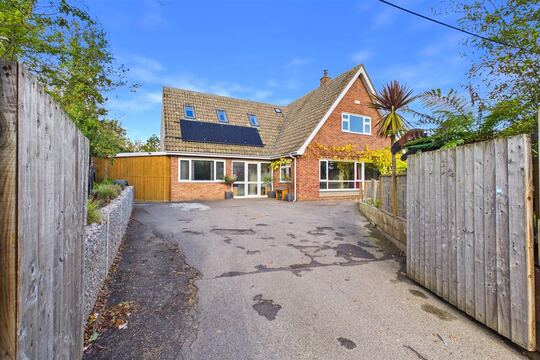
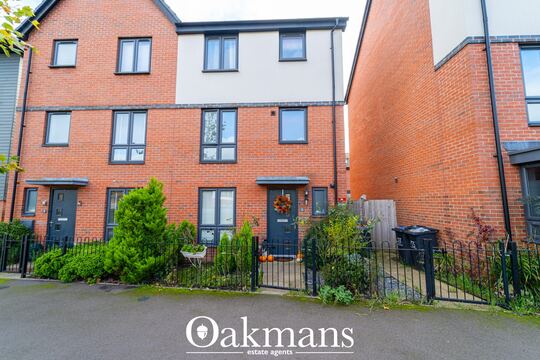
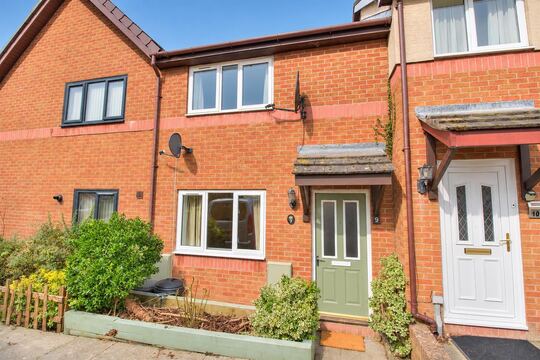
Every snag, pinned and graded.
Walk the plot room by room. Pin each defect to its location with photos, an urgency grade and an automatic reference number — then hand the buyer and the developer one branded PDF before you leave the site.
How it works
Five steps from front door to punch list.
Snagging isn't a Level 2 — it's dozens of small defects, each tied to a room, a photo and a developer action. The builder is shaped around that walk, not around a Word template.
Set up the plot
Enter the plot details once — address, plot number, site name, developer, site manager and handover date. Select the inspection type (pre-completion, 11-month or 2-year warranty walk-through) and the warranty provider (NHBC, LABC, Premier Guarantee or ICW) so the cover-letter framing matches the scheme. The cover page builds itself from what you enter, stamped with your firm logo, RICS number and signature from firm settings.
Walk the property, pinned to a location
Open capture mode on your phone and pin your current location — Kitchen, Hallway, Master Bedroom, External, or any custom location you add for unusual layouts. Every snag you log flows to the pinned room automatically, so there is no re-tagging between defects. The pre-defined location list mirrors a full snagging checklist; basements, annexes and communal areas take custom locations and sub-locations.
Capture each snag in seconds
Description, urgency grade (Low / Medium / High / Critical), photos — as many as the defect needs, there is no photo limit. A unique reference number is assigned at the moment of capture (1.1.3 — first location, first sub-area, third snag) and the record is timestamped, so the developer's trades can locate every defect without ambiguity and the audit trail starts on-site, not at the desk. Works offline; syncs when you reconnect.
Generate the branded PDF
One tap assembles the report: cover page with plot and developer details, a summary table by urgency, then each location in walk order with every snag's photo appendix beneath it. Critical and High items lead so the site manager can triage from page one. Send it to the buyer and developer by secure share link — no account needed on their side — or export a Word (.docx) copy for site teams that mark up documents by hand.
Re-walk, update, re-issue
Remediation is a cycle, not a document. On each developer visit, mark snags In Progress or Resolved with dates and contractor notes, add anything new you find, and re-issue the same report — original reference numbers intact throughout. The status lifecycle carries the full history across every visit, which is exactly the trail a warranty provider or your PI insurer wants to see. Bookings from Compare Surveyors land in your CRM pipeline so the re-walk is scheduled alongside the rest of your diary.
From painter's tape to handover
Find it. Grade it. Hand it over.
The craft is in the finding. The builder's job is to make sure nothing you find gets lost between the window reveal and the developer's inbox.

1 · The finding
Mark what the builder missed
A chipped reveal, a proud screw head, a sealant gap. You spot it; the builder logs it — location pinned, photo attached, reference number assigned before you take another step.

2 · The judgement
Grade it on the spot
Low, Medium, High or Critical — your professional judgement, set in two taps while you're still crouched at the skirting. No AI second-guessing your call; the grade you assign is the grade the developer reads.

3 · The handover
The buyer takes the keys informed
The buyer accepts the keys with a branded, referenced defect list already in the developer's hands — and a live share link that tracks every fix from Pending to Resolved.
The record, structured
A snag is a record, not a row in a spreadsheet.
Every defect carries the same structure: where it is, what it is, how urgent it is, what it looks like, and what has happened to it since. That structure is what makes the PDF actionable — and defensible.
Chipped paint to reveal corner, approx 15 mm. Make good and repaint to match.
One snag, fully addressed
Reference 1.1.3 means first location, first sub-area, third snag — assigned automatically at capture and stable across every re-issue. The location breadcrumb, photos, urgency grade and capture timestamp travel with the record into the PDF, so a joiner can walk straight to the kitchen window reveal without phoning anyone.
Urgency ladder · graded on-site
Four grades, triaged for the developer
Colour-coded urgency runs through the capture screen, the snag list and the PDF. The report leads with Critical and High so the site manager can sequence the trades from page one — and the buyer can see at a glance which items genuinely matter before accepting the keys.
The floorplan walk
Scroll the walk. Watch the list build.
An illustrative pre-completion walk of a four-bed plot — hall to kitchen to bedroom to bathroom. Every pin is a snag: located, graded, referenced.
Scuffed newel post · paint runs
Worktop chip · sealant gaps
Skirting gaps · stiff window
Grout lippage · loose tap
48 snags → one branded PDF
Referenced, graded, ready to send
How it looks in practice
Plot 27, Maple Way — booked Friday, closed in two weeks.
A four-bed semi, pre-completion inspection on Friday morning. The buyer takes the keys on Monday — informed, not hopeful.
Arrive before the site office opens
Plot details were entered the night before — developer, site manager, handover date, NHBC as warranty provider. The report already has its cover page; all that's missing is the walk.
Walk room by room, phone in hand
Kitchen first: a scratched worktop edge becomes 1.1.1 (Medium, two photos). A missing socket plate becomes 1.1.2. Hallway, lounge, stairs, bedrooms, bathrooms, externals — location pinned once per room, every snag flowing to the right place.
Captured on-site
- 40 snags with photos, urgency grades and automatic reference numbers
- Each record timestamped at capture — the audit trail starts on-site
No desk work waiting
- Photos attach to the snag as they're taken — no folder sorting later
- Works offline in plots with no signal; syncs from the car
on-site, then Generate from the car
The PDF assembles in seconds: cover page, summary table (3 Critical, 12 High, 19 Medium, 6 Low), then each location in walk order with its photo appendix. Buyer and developer both have it before the car leaves the kerb.
The buyer takes the keys — informed
Legal completion goes ahead with the defect list already in the developer's hands and every item referenced. The buyer's solicitor holds the same share link; nobody is arguing later about what was raised when.
Re-walk, re-issue, close
The developer confirms 34 snags resolved. Five minutes in the report: mark them Resolved with dates and contractor initials, six remain Pending, tap Re-issue. Same document, updated status column, original reference numbers intact. Job closed without re-authoring a line.
The warranty clock
Three windows. Miss one and the leverage is gone.
New-build defect rights run on a clock — the developer's defect-liability period and the structural warranty behind it. The inspection type is recorded on every report header, so the developer and the warranty provider know exactly which window each document belongs to.
Pre-completion
Carried out before the buyer accepts the keys — typically one to five days before legal completion. This is the main punch list: defects the developer should resolve before handover, or before the buyer legally accepts the property. The report header carries the inspection type so the developer knows the timeline and the buyer knows their rights.
11-month inspection
The most time-sensitive visit. Carried out in the final weeks of the developer's one-year defect-liability period — the buyer's last formal opportunity to require the developer to act under the warranty. Select "11-month" as the inspection type and the report header makes the deadline explicit to everyone who reads it.
2-year warranty walk-through
Many new-build warranties (NHBC, Premier Guarantee, LABC) extend cover for certain defects into the second year. A 2-year walk-through checks for latent defects that only show after a full heating season — settlement cracks, moisture ingress, failing seals. The status lifecycle tracks which items the warranty provider accepts and which are escalated.
Choosing the right instrument
Snagging report vs Level 2 HomeBuyer.
Different instruments for different questions. A snagging report catches the finish; a Level 2 assesses the structure. On a new-build, many buyers commission both on the same visit.
| What it covers | Snagging report | Level 2 HomeBuyer |
|---|---|---|
| Property type | New-build only | Any residential property |
| What it catches | Finish and construction defects — paint, sealant, joinery, alignment, incomplete work | Condition of structure and services — roof, walls, damp, electrics, heating |
| Organised by | Room and location (Kitchen, Hallway, External) | RICS elements (D1–G3) |
| Grading | Urgency: Low / Medium / High / Critical | Condition ratings 1 / 2 / 3 |
| Who acts on it | Developer's trades and warranty provider | Buyer and their solicitor before exchange |
| Lifecycle | Re-walked and re-issued across developer visits | Issued once, pre-exchange |
| Qualification required | No RICS requirement — open to experienced construction professionals | RICS-qualified surveyor |
| Timing window | Pre-completion → 11-month → 2-year warranty | Before exchange of contracts |
| On this platform | Snagging Report Builder — included | Level 2 Report Writer — same account |
Combined visit? Run the snagging capture for the finish and Otto for the Level 2 — one login, one set of firm branding, two reports from the same morning on site.
Professional indemnity
When a snag is disputed, you have the receipts.
A developer arguing an item is "within tolerance" months later, a warranty provider asking whether a defect was raised in time, a PI insurer wanting the contemporaneous record — the builder creates that record by design, at the moment of capture.
Timestamped at capture
Every snag is logged with the exact date and time it was found, the urgency assigned on-site and your description as entered. The original record does not change — there is no ambiguity about what you reported or when.
Stable reference numbers
Reference 1.1.3 means the same defect on every issue of the report. In a dispute you point to the reference, the timestamp and the photo appendix — no reconstructing anything from memory or a folder of unsorted photos.
Status history with dates
Pending → In Progress → Resolved, each change dated with contractor notes. When a warranty provider asks whether the developer was given reasonable opportunity to remedy, the history answers for you.
Evidence on secure storage
Photos live on your account against the snag record, not on a phone that might be lost or wiped. Long after handover, the original evidence remains accessible and unedited — substantially stronger than a Word document with tracked changes.
What makes it different
Ten things a spreadsheet template will never do.
Phone-and-tablet-first capture
Designed for the property, not the desk. Location pinned at the top, camera-roll integration, urgency in two taps — four taps cover 95% of what you do on-site. Desk view is for the post-walk review, not the walk.
No photo limit per snag
Wide shot, close-up, ruler-for-scale, before-and-after — attach as many as the defect needs. Every photo groups under its snag in the PDF appendix, so reviewers see the full evidence without searching.
Urgency grading throughout
Low / Medium / High / Critical with colour-coded badges in the capture screen, snag list and PDF. The report leads with Critical and High so the developer can triage; the list is filterable in the UI.
Status lifecycle with timestamps
Pending → In Progress → Resolved, each change dated with contractor notes. Re-issue the same report through multiple developer visits without starting over — the history is the point.
Re-walk friendly by design
Add new snags discovered on a remediation visit, mark fixed items Resolved (with date and contractor), and choose whether the PDF shows remaining-versus-resolved or just what's still open.
Custom locations for any layout
Pre-defined rooms cover 95% of properties. Apartment blocks, basements, annexes, communal corridors and party-wall elements take fully custom locations and sub-locations.
Plot and developer metadata
Plot number, site name, developer, site manager, build stage, handover date — captured once, stamped onto every PDF. On multi-plot developments each plot is its own report with no ambiguity about which document covers which front door.
Inspection metadata that matters
Inspection date, inspector name and RICS number, weather conditions, access notes, limitations, and the inspection type — pre-completion, 11-month or 2-year — right in the header.
Warranty provider framing
Tick NHBC, LABC Warranty, Premier Guarantee or ICW at set-up and the cover-letter framing references the right scheme, so a warranty provider identifies the claim context from the document header.
Word export when a PDF won't do
Default output is a branded PDF. A .docx export is there for developer site teams that insist on marking documents up and emailing them back.
The time saving
Where the hours go — and stop going.
Typical figures for a four-bed new-build pre-completion inspection with around 40 snags. The saving isn't in the walking — it's in everything a spreadsheet-and-Word workflow makes you do afterwards.
Inspection checklist
The zones a thorough walk never skips.
A pre-completion inspection works through each zone methodically. The builder's pre-defined locations mirror these areas, so defects land in the right room without re-tagging — and nothing gets missed between the loft hatch and the meter box.
External envelope
- ●Brickwork, mortar and render
- ●Window and door frames and seals
- ●Guttering, downpipes and fascias
- ●Driveway, paths and boundary treatments
- ●External lighting and sockets
- ●Drainage channels and gullies
Ground floor
- ●Kitchen units, doors, hinges and handles
- ●Worktops — chips, scratches, unsealed joints
- ●Flooring — tiles, laminate, gaps and level
- ●Skirting, architrave and coving
- ●Socket plates, switches and covers
- ●Plastering — blown, cracked or uneven
First floor
- ●Bedroom flooring, skirting and décor
- ●Bathroom tiling — grout, sealant, lippage
- ●Staircase — balustrade, treads, nosing
- ●Landing and hallway finishes
- ●Loft hatch, ladder and insulation
- ●Windows — operation, locks, draught seals
Services
- ●Consumer unit labelling and operation
- ●Boiler commissioning documentation
- ●Mechanical ventilation and extraction
- ●Sockets and switches — function tested
- ●Hot and cold water — pressure and flow
- ●Heating — all zones and thermostats checked
Roof (visible)
- ●Roof tiles or slates — cracked or missing
- ●Ridge and hip tiles — bedded and pointed
- ●Flashings — lead or dry-fix detail
- ●Soffits, fascias and bargeboards
- ●Velux or roof light seals
- ●Party wall detail (terraced or semi)
Developer handover pack
- ●EPC rating and certificate present
- ●Boiler manual and service schedule
- ●Warranty provider documentation (NHBC etc.)
- ●Plot completion certificate
- ●Keys, fobs and access codes confirmed
- ●Meter readings recorded at handover
Combining the snagging visit with a RICS Level 2? AI photo analysis classifies your survey photos by RICS element automatically — the snagging photos stay location-grouped, the right model for each report type.
Who uses it
One tool, four kinds of inspector.
Snagging is not a RICS-regulated service — the builder is open to any UK inspector with a surveyor account, and RICS credentials carry through where they apply. Verified inspectors appear in the surveyor directory.
Independent snagging inspectors
New-build defect inspection is your income. You need fast on-site capture, a professional branded PDF and re-walks without re-authoring — the exact workflow the builder is shaped around. Many inspectors are ex-site managers, builders or architectural technologists; no RICS membership required.
RICS surveyors adding snagging
Level 2 and Level 3 work is the practice; snagging is the additional revenue stream. One account covers both — firm branding, RICS number and signature carry across every report type without a second login.
Buyers' agents and representatives
Instructed to give a buyer independent representation before completion. The secure share link means buyer, solicitor and developer all read the same live report — nobody needs an account, and the link revokes at any time.
Comparable sales tool →RICS APC candidates
Combined new-build instructions — snagging plus a Level 2 on the same plot — create a timestamped record of defect identification and client communication across multiple visits. The account history captures each instruction from first punch list to final resolved report: auditable evidence of how you manage combined-visit work, useful at assessment.
Where the work comes from
Buyers book snagging on Home.co.uk. The job lands in your pipeline.
Snagging demand doesn't only arrive by word of mouth. Home-buyers compare and book new-build snagging surveys through the consumer-facing marketplace — and each booking lands straight in your CRM, ready to schedule alongside the rest of your instructions.
1 · The buyer books
Compare Surveyors marketplace
A dedicated snagging survey landing where new-build buyers compare verified inspectors and book directly — one of the survey types consumers buy on Home.co.uk.
2 · It lands with you
Straight into your CRM
The booking arrives in your Bookings CRM with the customer and property attached — no re-keying, scheduled next to your Level 2 and Level 3 instructions.
3 · You deliver
Walk, capture, send
Run the inspection with the builder, deliver the branded PDF the same day, and keep the report live through every re-walk until the buyer signs the job off.
Part of the toolkit
One account. Not another single-purpose app.
Most standalone snagging apps stop at the PDF. Your surveyor account also covers RICS report writing, AI dictation, comparable sales and property data — same login, same firm branding on everything you deliver.
RICS Level 2 Report Writer
Combined new-build visits — snagging on the finish, Level 2 on the structure — managed in one place without switching tools or re-keying inspector details.
Otto — AI report writer
Dictate the Level 2 walk-through and Otto routes every sentence to the correct RICS field. Snagging stays structured-capture; Otto covers the formal survey on the same visit.
Image AI
For RICS reports, vision AI categorises photos by element (D1–G3) automatically. Snagging photos stay location-grouped — the right organising model for each report type.
Bookings CRM
Snagging jobs booked through the marketplace and enquiries from your own site land in one pipeline — new booking to delivered report, no re-keying.
Comparable Sales
After a pre-completion inspection, buyers often ask what the plot is really worth. Pull sold prices and market data for the street without leaving your account.
Property Data
EPC, flood risk, planning history and environmental flags for any property — context before the inspection, from the same account.
Getting started
First snagging report, delivered same day.
No configuration project. Firm details are set once; after that a new report is plot details, a walk and one tap on Generate.
Create your account
Open a free Home.co.uk surveyor account. Firm name, logo, RICS number (where held) and signature are configured once and stamp onto every snagging PDF — no re-keying per report.
Set up the report
Enter the plot details — developer, site name, address, handover date — and select the inspection type and warranty provider. The cover page builds itself from what you enter.
Capture on-site
Open capture mode on your phone, pin the current location and log snags as you walk: description, urgency, photos. Reference numbers assign automatically. Works offline.
Generate and deliver
One tap assembles cover page, urgency summary and the location-by-location defect list with photo appendix. Share by secure link or PDF before you leave the site.
FAQ
Snagging questions, answered
Snagging basics
What is a snagging report?
A snagging inspection identifies defects ("snags") in a new-build home before the buyer accepts the keys or before the developer's defect-liability period ends. The report lists each defect with location, photo evidence, urgency and recommended remedial action — used by the buyer to challenge the developer.
Who reads a snagging report?
The buyer (the snagging inspector's client), the developer, the site manager, often a solicitor and sometimes a warranty provider (NHBC, LABC, Premier Guarantee). The PDF is structured so each party can find what they need without re-reading the whole document.
How many snags are typically found in a new-build?
A typical new-build pre-completion inspection finds between 30 and 150 snags, depending on property size and how close to completion the property is at the time of the visit. A four-bed detached commonly has 40–80 on a first walk — cosmetic items (skirting gaps, paint damage, unfinished joints) and minor construction defects (sealant gaps, stiff window handles, loose socket plates). With the builder's phone-first capture, 40 snags takes around 75 minutes on-site including photos and urgency ratings.
How long does a new-build snagging inspection take?
A typical four-bed pre-completion inspection takes 90 minutes to three hours on-site, depending on the number of snags and how thoroughly each room is checked. With capture mode — location pinned, camera integrated, urgency set in two taps — on-site capture for 40 snags runs to around 75 minutes. The report generates in one click, so same-day delivery is realistic: inspect in the morning, send the PDF before lunch.
What should a new-build snagging checklist cover?
Every room and element: externals (brickwork, render, guttering, driveway, boundaries), ground floor (kitchen units, worktops, flooring, skirting, socket plates, plastering), first floor (bedrooms, bathrooms, staircase, landing, loft hatch), services (consumer unit, boiler, ventilation, sockets and switches tested) and visible roof (tiles, flashings, soffits). Each defect should carry an urgency grade and a photo. The builder's pre-defined locations mirror this checklist so defects flow to the right room without manual tagging.
What is the difference between a snagging report and a HomeBuyer Survey?
A HomeBuyer Survey (RICS Level 2) is a condition report by a RICS-qualified surveyor on any residential property, using RICS condition ratings (1, 2, 3) across set elements — primarily used to assess structural and legal risks before exchange. A snagging report is specific to new-builds: cosmetic and construction defects room by room, urgency grades, remediation status tracked through developer visits. A RICS surveyor can carry out both, and some buyers commission a combined visit — a HomeBuyer Survey on the structure alongside a snagging inspection on the finish. Both report types live in the same Home.co.uk surveyor account.
Warranty windows & disputes
What is an 11-month snagging inspection?
An 11-month inspection takes place just before the developer's one-year defect-liability period ends — typically around 11 months after legal completion. It is the buyer's last formal opportunity to raise defects the developer is contractually required to fix under the new-build warranty. The builder records the inspection type — pre-completion, 11-month, 2-year warranty walk-through or a custom label — in the report header so the developer and warranty provider know which stage of the cycle each report covers.
Can I use snagging report software for NHBC warranty claims?
Yes. Select NHBC as the warranty provider when you set up the report and the cover-letter framing adjusts accordingly; the same applies to LABC Warranty, Premier Guarantee and ICW. If a defect escalates to a formal warranty claim, the structured format — reference numbers, timestamped status updates, grouped photo evidence — provides the documentation trail the warranty provider expects.
What documentation does a snagging report need to support a formal warranty claim?
A warranty escalation requires three things: evidence that specific defects were reported within the covered period, a record that the developer had reasonable opportunity to remedy them, and clear documentation of what remains unresolved. The builder creates all three: reference numbers trace each defect from first report to resolution or escalation, timestamps confirm when each snag was recorded, and the status lifecycle shows which items stayed open despite developer visits — with dates. The warranty provider selection frames the cover letter to the relevant scheme.
What happens if a developer disputes a snag on my report?
Your position rests on what you recorded at the time of inspection. Each snag is timestamped at capture with the description you entered, the photos you took and the urgency you assigned. That record cannot be retroactively altered, and reference numbers stay stable across re-issues — so you can point to snag 1.1.3 and show exactly what was found, when and with what evidence. If it escalates to your PI insurer, this structured audit trail is substantially stronger than a photo folder and a Word document with tracked changes.
Can I re-inspect and re-issue a snagging report?
Yes. The same report supports multiple visits — mark snags as resolved, add new ones, re-issue the PDF. The status lifecycle (Pending → In Progress → Resolved with date) means a single report carries the full remediation history across several developer visits without losing the original snag references.
Using the builder
Does the snagging tool work on a phone?
Yes. The capture interface is designed for phone and tablet first — desk view is the after-the-walk review. On your phone you can log snags, take photos and set urgency ratings entirely from the on-site capture screen, offline if needed.
Is there a photo limit per snag?
No fixed limit per snag or per report. Wide shots, close-ups, ruler-for-scale, before-and-after — all photos group under the snag in the PDF appendix, so a single critical defect can carry ten photos if it needs them.
Can I export a snagging report to Word?
The default export is a branded PDF. A Word (.docx) export is also available for firms that need to send an editable document to developer site teams that prefer to mark up and email back.
Can buyers view the snagging report online?
Yes — every generated report has a secure share link the buyer can open without creating an account. The link can be revoked by the surveyor at any time.
How does snagging report software differ from a Word template?
A Word template is static: you type defects in, drag photos in and format everything manually. The builder captures defects in a structured record, assigns unique reference numbers automatically, groups photos under each snag and produces the PDF in seconds. The biggest difference shows on re-walks — updating a Word document across multiple visits usually means re-authoring it; structured software updates status fields and re-issues the same document with original reference numbers intact.
What is a snagging report template, and when should I use software instead?
A template is a pre-formatted Word or Excel document for recording new-build defects. It saves some initial formatting time but requires manual photo insertion, has no automatic reference numbering, and means re-authoring from scratch on every re-walk. Software replaces the template: structured capture on your phone, photos attaching automatically, and a branded PDF in one click — with statuses updated and re-issued across the remediation cycle rather than rewritten.
Does the snagging tool use AI?
The Snagging Report Builder is built around structured location-based capture and clean PDF output rather than AI automation — your own urgency judgements and defect descriptions drive the report. The platform's AI tools (photo analysis by RICS element, dictation routing) serve the RICS Level 2 and Level 3 workflows; on a combined visit both models are available in the same account.
Is the builder suitable for apartment blocks and large developments?
Yes. Custom locations handle layouts beyond a standard house — communal corridors, shared plant rooms, basements, annexes, party-wall elements. For multi-plot developments each plot is a separate report with its own reference numbers, while firm branding and inspector details carry across automatically; developer and site-manager metadata is set per-report so there is no ambiguity about which plot each PDF covers.
Accounts, pricing & who it's for
How much does snagging report software cost?
The Snagging Report Builder is included in every Home.co.uk surveyor account at no additional charge. No per-report fee, no photo-upload limit, no separate snagging subscription. One account covers the full toolkit — snagging, RICS report writing, AI dictation, comparable sales, property data and more — under one login.
Do I need to be RICS-qualified to offer snagging inspections?
No. Snagging is not a RICS-regulated service in the way Level 2 and Level 3 surveys are. Many snagging inspectors are experienced builders, ex-site managers, architectural technologists or construction professionals. The builder is open to any UK surveyor or snagging inspector with a Home.co.uk surveyor account; RICS credentials carry through only on the report types where they apply.
Can a RICS surveyor carry out a snagging inspection?
Yes. A RICS surveyor can offer snagging alongside Level 2 and Level 3 reports, in the same account, with RICS credentials, firm branding and signature carrying across both report types. Many offer a combined package — a new-build visit including both a snagging report and a Level 2 HomeBuyer Report.
Can I offer snagging inspections as a standalone service?
Yes. The builder works for standalone snagging instructions — no RICS survey required. Many surveyors run snagging as an additional revenue stream alongside Level 2 and Level 3 work; firm branding and signature carry through to the PDF either way.
Does it work alongside the RICS Level 2 and Level 3 tools in the same account?
Yes — same account as the Level 2 and Level 3 Report Writers, AI dictation, comparable sales and property data. No separate login or subscription. A pre-completion snagging report and a Level 2 on the same property share the same branding and certificate with no re-keying of inspector details.
What makes this different from standalone snagging apps?
Most standalone apps are single-purpose: capture, PDF, done. The builder sits inside a full surveyor platform — combined-visit workflows, consistent firm branding across every report type, and no separate subscription. For surveyors offering snagging alongside formal survey work, one account for both is the practical advantage.
What is the best snagging app for UK surveyors?
For RICS surveyors offering snagging alongside Level 2 and Level 3 work, the most practical choice is a tool inside the surveyor account you already use. For snagging-only inspectors, the features that matter are phone-first capture, no photo limit, a status lifecycle for re-walks and fast branded PDF delivery — the builder covers all four, at no additional charge.
Is the builder suitable for RICS APC candidates?
Yes. Combined new-build instructions — snagging plus a Level 2 on the same property — create a timestamped record of defect identification and client-facing communication across multiple developer visits, which can support competency evidence submissions for residential surveying. The account history gives an auditable record of each instruction from first punch list to final resolved report.
More tools
Explore the rest of the surveyor toolkit

Home Academy
Short lessons on Home tools
Learn the steps, try the real tools and follow a first-week path to your first Otto report.

Otto
AI auto-mode RICS report writer
Dictate on-site, upload photos, get a finished, fully-routed Level 2 or Level 3 report in minutes.

Level 2 Report Writer
RICS Home Survey Level 2
Field-by-field RICS Level 2 reports with inline AI suggestions, image gallery, comparables and one-click branded PDF.

Level 3 Report Writer
RICS Building Survey Level 3
Comprehensive Level 3 Building Survey reports with deep technical sections, custom rating scales and AI legal-adviser notes.

Surveyor Comparable Tool
Sold + rental comps in one click
Auto-fetch sold and rental comparables within a 1-mile radius, weighted valuation range, branded PDF appendix for any survey.

Schedule of Condition
Room by room, photo by photo
A dated record of a property's condition, every elevation and every room, dictated on site with numbered photos referenced for you and a branded PDF. No ratings, no advice.

AI Dictation
Voice-to-fields routing
Speak observations on-site; AI routes every sentence to the correct RICS field with confidence scores and replayable audio.

Image AI
Auto-categorise survey photos
Upload up to 200 photos; vision AI tags each to the right RICS element, rates condition, extracts defects and picks the best 35 for the report.
Style Profile
Your firm's writing fingerprint
Teach the AI to write like your firm — upload past reports, the AI extracts a 25-dimension writing fingerprint and applies it to every future auto-mode report.

Property Viewer
Pre-survey property intelligence
Look up any UK property and instantly see EPC, energy renovation costs, broadband coverage, environmental risks (flood, radon, mining, landfill), invasive plants, sales history and listing status — all in one dashboard.

Property Data Drawer
EPC + risks + comps in one panel
Open the property data drawer in any report to see EPC, environmental risks, listing history and comparables — copy-paste ready.

Standard Phrases
Reusable language library
Personal, firm-wide and industry-preset phrase libraries — insert with one click and use to train AI routing for voice consistency.
Required photos
Every report leaves with the photos you expect
Set the photos each Level 2 and Level 3 report must contain. Surveyors see a checklist as they write, and a report can't be issued until each photo is there or the reason is written down.

RICS Standards Check
A Home Survey Standard check before you sign
One-click AI check against the RICS Home Survey Standard — flags missing content, weak ratings and structural gaps before you sign the report.

Quote Builder
Clear choices, a date to decide
Send branded survey quotes with up to three options, a PDF and an expiry date. Reuse service templates, track responses and see your win rate.

Home Payments
Paid faster, no invoicing
Home Payments mission control — customers pay at booking through a Stripe-verified checkout, payouts land on a schedule you can see, payment links cover your private work, and there is no invoice chasing ever again.

Bookings CRM
Every job, one pipeline
The surveyor CRM built into the platform — Homemove jobs land pre-paid with customer and property attached, enquiries convert to bookings, and the whole pipeline runs from one screen.

Panel work
Every panel job, every deadline
Run jobs from the other panels you work for beside your own. List each panel with its usual fee and turnaround, add a job in under a minute, and watch every report deadline count down.

Calendars & Requests
A diary that fills itself
Per-surveyor diaries with live availability — keep your dates current and we book real jobs straight in, with inbound availability requests answered in a tap.

The firm inbox that knows the job
A full mail client scoped to your firm — @home.uk purpose mailboxes and per-user addresses, with every thread landing against the booking it belongs to.

Documents & e-sign
Signed before you set foot on site
Terms of engagement sent with the booking, tracked from sent to signed, chased automatically and stored against the job — no more chasing clients to sign.

Insurance & conflict checks
Safe to take the job
Every new job is checked against your firm's own history, so you know when you have surveyed a property before. Your PI insurance is tracked with reminders, and new reports can't be issued once recorded cover has lapsed.

Telephony
The firm number that never misses a job
A phone system built into the platform — take calls in the browser, forward to mobiles, ring the whole team at once, and keep a shared call log with optional recording.

Customer portal
Your client, never in the dark
A white-label portal under your firm's branding and domain — booking status, reminders and secure report delivery, so customers stop asking where things are.

Website builder
Built by asking, not designing
A firm website built and edited by talking to Inigo — brand and theme sync, a real section library, custom domains via CNAME, and enquiries that land in your pipeline.

Campaigns
Win the next job from the last one
Firm email campaigns with per-recipient tracking — sends, opens, clicks and read time — built on consented lists with one-click unsubscribe handled for you.

Reviews & badges
Proof that wins the next booking
Reviews earned on real completed jobs — scored by the homemover, shown on your directory profile — plus embeddable trust badges that carry the proof to your own website.

Performance
See the pipeline, beat the clock
Firm analytics without the spreadsheets — pipeline conversion, team performance and your own turnaround speed, the fourth lever of your rate.

Inigo
The AI assistant for surveyors
Ask in chat, dictate by voice, or click any element for contextual help — grounded answers on valuations, sales history and market data, inside the platform.

AI Training
Teach it your standard
Upload past reports and press Train — the AI learns your firm's defect language, ratings philosophy and phrasing, and Otto writes with it on every job.

Environmental Report
Every risk, one report
A one-click environmental risk report for any property — flood, ground stability, environmental factors and planning constraints, delivered as a PDF.
Free directory listing. Pay-as-you-go toolkit.
Every RICS-regulated surveying firm gets a verified profile, direct bookings from home.co.uk consumers and the surveyor toolkit included with the account. No subscription. No pay-per-lead. No commission on the job. Pay only when you use the premium AI tools.
2 minute setup · Verified against the RICS register · Trusted UK property platform since 1995