 Buy
Buy Rent
Rent Sell
Sell New
New Prices





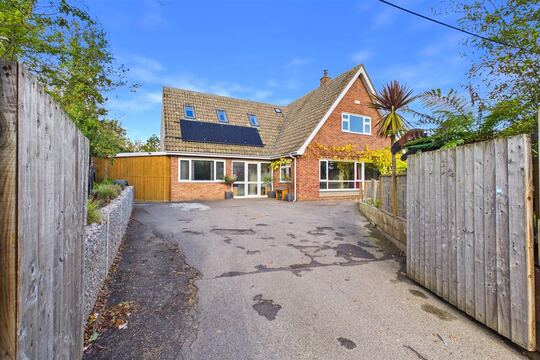
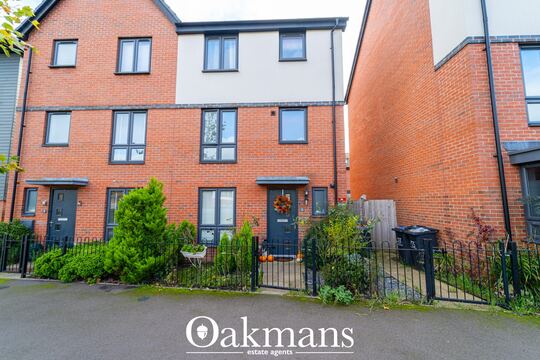
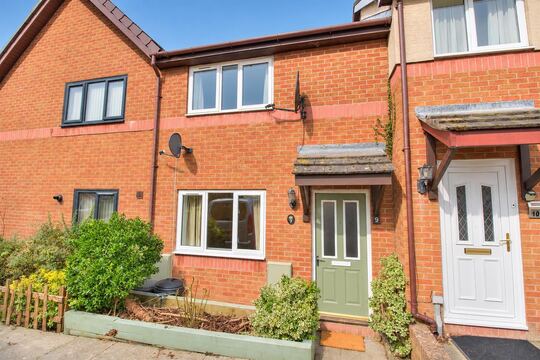
Every sale on the street. Evidence within a mile.
Type the subject address and the Comparable Tool returns every sold property and rental listing within a mile — nearest first, matched by UPRN, enriched with Land Registry tenure. Pick 3, rate each on size, condition, fittings and location, and a weighted valuation range and a branded PDF are ready to send.
The radius sweep
One search. A mile of evidence.
See the completed example: transactions ordered nearest-first, an outlier unticked, and the weighted range beneath. This is the shape of the tool — with generic streets standing in for real data.
Every comp arrives with its distance, transaction date and source. You tick what belongs, untick what doesn't, and your note travels into the appendix.
Nearest evidence weighs most. The spread of your comps widens or tightens the range — and the final figure is always yours to override.
How it works
From address to appendix in five moves.
The Comparable Tool isn't a portal search with a print button. It's a valuation workflow: fetch, curate, rate, decide, evidence — with your professional judgement required at every gate.
Subject lookup — address to UPRN
You enter the property address and it resolves to a UPRN against Land Registry and our property database — bedrooms, property type and floor area (where known) come from the same authoritative record as the sold prices. No re-keying, and no guessing which "14 Alder Grove" the portal meant.
The fetch — sold and rental, nearest first
One search returns sold properties (24 months by default) and rental listings within a 1-mile radius, filtered by bedrooms and type and ordered by distance. Each sold comp is enriched with Land Registry tenure data. Rural subject with thin evidence? Widen the radius — up to a hard cap of 5 miles — and the tool tells you when it has clamped a wider request, so your appendix describes the search that actually ran.
Curation — tick, untick, annotate
You select 3 comps and rate every one on four axes: size, condition, fittings and location. Spot an outlier — a sale inflated by an extension the record doesn't show? Untick it and leave a note; the reasoning prints in the PDF. The tool won't let a report submit until every selected comp is rated.
The range — weighted, cross-checked, yours
A weighted average forms from your selection — nearest evidence weighs most, asking-price comps are discounted slightly as forward-looking, and the range widens with the spread of your comp prices. A £-per-square-foot view built from the same comps gives you a second angle. Then you decide: enter a range or an exact figure, set the market direction and write your rationale. The tool supports the calculation; the opinion of value is yours.
The PDF — numbered and branded
Generate, and your selected comps render in a standalone Comparable Marketing Report or Surveyor Valuation Report. Transaction dates, distances, sources and your notes appear against every comp.
Evidence you can defend
Every comp shows its provenance.
Two things separate a comparable schedule from a portal screenshot: knowing the price and the property attributes describe the same building, and recording why each comp made the cut.
Matched by UPRN, not by address string
Every comparable is keyed to a UPRN — the unique property reference shared by HM Land Registry, the EPC register and OS AddressBase. The sold price, tenure, bedrooms and floor area against each comp come from the same matched record, so "Flat 2, 14 Alder Grove" never borrows the price of the house next door.
Curation is recorded, not implied
The schedule keeps score: what you ticked, what you unticked and why. Per-comp notes, a pinned primary reference and your four-axis ratings all land in the numbered appendix — so a reader (or a PI assessor) can reconstruct your reasoning years later.
You stay the valuer
Four axes, one direction, your rationale.
The tool refuses to submit a valuation report until the professional work is actually done. These aren't optional extras — they're gates.
Size
How does each comp compare to the subject on accommodation and floor area? Bigger, smaller, like-for-like — rated per comp, not assumed from the bedroom count.
Condition
A refurbished comp against an unmodernised subject skews everything. Your condition call on every comp is captured alongside its price.
Fittings
Kitchens, bathrooms, finish quality. The difference between two identical floorplans is often £20,000 of fit-out — so it gets its own axis.
Location
Same street beats same postcode. Corner plot, main road, school catchment — your location rating records the judgement a distance figure can't.
Gate 1
At least 3 comps ticked, every one rated on all four axes
Gate 2
A market direction chosen — rising, flat or softening
Gate 3
Your written rationale and your figure — range or exact
Valuation craft, kept
The judgement stays. The legwork goes.
Knowing which sale to trust is the craft of valuation. Hunting that sale across three portals and a spreadsheet is not. The tool moves the second part out of your day.

1 · At the kerb
Comps before you knock
Run the fetch from the car. By the time you're at the door you know what the street has sold for, which sale looks odd, and what the rental layer says.

2 · At the desk
Curate like you always have
Tick the sales that genuinely compare. Rate each on size, condition, fittings and location. Untick the extension-inflated outlier — and say why, once, in writing.

3 · In the report
Evidence the client can read
The evidence lands in a branded PDF — numbered, dated, sourced. The buyer of that bay-fronted semi sees exactly why your figure is your figure.
Inside the maths
Nearest first. Weighted honestly.
The weighted average isn't a black box. Comps are ordered by distance from the subject, and each one's weight decays with its position in your selection — the chart below shows the shares for an illustrative five-comp pick.
Share of the weighted average, five comps selected (illustrative — weights follow the tool's nearest-first decay)
Asking prices discounted
Include a live for-sale listing as a comp and its asking price is trimmed slightly in the average — listed prices run optimistic.
Spread widens the range
Tightly clustered comp prices produce a tight range. A wide spread widens it — the tool won't fake confidence your evidence doesn't have.
£/sqft cross-check
With floor areas on the comps and the subject, a £-per-square-foot view forms alongside — a second angle on the same evidence.
Provenance
Where every number comes from.
Comparable evidence is only as strong as its source — so the sources are stated, including the caveats.
Sold prices — HM Land Registry
Price Paid Data ingested daily and joined to the property graph by UPRN, with tenure enrichment per transaction. Covers England and Wales. Land Registry itself publishes with a 1–3 month lag — normal for sold-price evidence, and worth a note when very recent sales matter.
Rental listings
Aggregated agent rental listings normalised by bedrooms, property type and rent, refreshed as agents publish. For buy-to-let instructions the rental layer sits in the same panel as the sold comps, with average yield context alongside capital value.
Live for-sale listings
Active asking prices with floor areas and bedroom counts where the agent has provided them — a forward-looking supplement when recent sold data is thin, such as new-build valuations. Treated as supporting context and discounted in the weighted average.
Property attributes
Bedrooms, type, build age and EPC floor area from our property database — the same records behind home.co.uk's public sold-prices pages — cross-referenced by UPRN so the attributes describe the property that actually transacted.
Surveying in Scotland? Sold-price comps draw on HM Land Registry, which covers England and Wales; Registers of Scotland publishes separately and isn't yet included — the panel will tell you rather than padding the list.
Second opinions, on tap
Three views of the same evidence — then your call.
Before you commit a figure, the tool lets you triangulate. Each view needs at least three selected comps with prices — no comps, no opinions.
The weighted range
Nearest-first weighted average of your ticked comps, range widened by their price spread.
£ per square foot
Where floor areas exist on the comps and the subject, a £/sqft view forms from the same selection — the fastest way to spot a comp whose price and size don't agree. Works for rental comps too, as a £-per-month view.
The AI council
An AI second opinion reasons over your selected comparables and reports back — alongside, never instead. It reads the same three-plus comps you picked; it cannot add evidence you didn't select, and its view never overwrites yours.
The last word is a form you fill in, not a button you accept: your figure (range or exact), your market direction, your written rationale. That's what prints.
Instruction types
One tool, every instruction.
Different instructions call for different comp strategies. The same panel adapts — radius, window, sources and output format.
| Instruction | Comp strategy | Radius | Output |
|---|---|---|---|
| Level 2 / Level 3 survey | Sold + rental comps | 1 mile | Standalone PDF sent with the survey |
| Standalone mortgage valuation | Sold comps, formal tone | 1 mile, widen if needed | Surveyor Valuation Report PDF |
| Help to Buy | Sold comps, dated evidence | 1–3 miles | Surveyor Valuation Report PDF |
| Pre-market appraisal / vendor pack | Sold + rental + asking prices | 1 mile | Comparable Marketing Report PDF |
| Buy-to-let appraisal | Sold + rental together, yield context | 1 mile | Standalone PDF with yield context |
| Rural (thin comp set) | Widened radius + live listings | 3–5 miles | Appendix with radius note |
| New-build (limited sold data) | Live for-sale supplement, wider window | 1–3 miles | Appendix with data-window note |
| Unusual property (barn, listed) | Widened radius, per-comp rationale | 3–5 miles | Appendix with per-comp notes |
All instruction types share the same comp panel and weighted range. The output format and explanatory notes adapt to the instruction.
Why it matters
The comp panel vs an evening of portal tabs.
| Capability | Comparable Tool | Manual portal research |
|---|---|---|
| Time to a working comp set | ~30 seconds | 20–40 min across portals |
| Sold + rental in one view | Single panel | Separate searches |
| Price ↔ attributes matched | By UPRN, with tenure | Address-string guesswork |
| Weighted valuation range | Calculated from your selection | Spreadsheet by hand |
| Per-comp assessment record | Four axes + notes, enforced | Loose notes, if kept |
| Evidence appendix | One click, in a branded PDF | Copy-paste into Word |
| Data freshness | Land Registry ingested daily | Depends on portal visited |
| Cost per report | Less than £7, pay as you go | Your evening |
Weighing this against pulling SCT-style comparables through Rightmove? See the side-by-side comparison.
What sets it apart
Built around the RICS standard, not around clicks.
Nearest-first, capped honestly
Comparables come back ordered by real distance from the subject. Ask for a 12-mile radius and the tool clamps to its 5-mile cap and says so — the search area in your appendix is the search area that ran.
Three evidence layers in one panel
Sold prices, rental listings and live for-sale asking prices — each labelled by origin, each usable as a comp with its status flagged in the appendix. No second portal, no third tab.
A range that admits uncertainty
The weighted range widens with the spread of your comp prices. Thin, scattered evidence produces a visibly wider range — the tool never manufactures precision your comps don't support.
A branded evidence PDF
Your selected comps print in a numbered, branded PDF, with your notes against every comp.
Standalone for valuation-only work
Mortgage referrals, Help to Buy, pre-marketing appraisals — run the tool without a survey and produce a formal Surveyor Valuation Report or a branded Comparable Marketing Report.
Low density flagged, not hidden
Fewer than a handful of close comps? The panel flags low comp density and prompts a radius extension, so the limitation appears in your narrative instead of surfacing in a complaint.
Primary reference pinning
Mark the strongest match as your primary reference and explain why — closest floor area, most recent sale, best condition match. The note prints beside that comp in the appendix.
12-month trend and volatility
Postcode-level price trend over the last year with a volatility score — stable evidence supports a tight range; a volatile postcode is your cue for a wider range and a sentence of context.
Professional indemnity
Your valuation, fully evidenced.
Comparable evidence is the surveyor's primary defence when a valuation is later questioned. If a client challenges your opinion of value, a documented, numbered appendix — the properties considered, the prices paid, your four-axis assessment of each and the reasoning behind the final range — is far stronger protection than a figure supported by a few portal screenshots.
The Comparable Tool creates this record as part of the report workflow, not as a separate step. Every ticked comp, every rating, every note and your written rationale are captured in the appendix and preserved in the final PDF — exactly as you approved it.
Numbered appendix
Every selected comp appears in a numbered, dated section — a formal record of the properties used to reach your valuation opinion, suitable for disclosure if challenged.
Assessments documented
Size, condition, fittings and location ratings per comp, plus market direction — recorded in structure, not implied in vague prose.
Dates, distances and sources
Each comp shows the transaction date, source attribution and distance from the subject — the provenance of every data point is visible to any reader.
Rationale preserved
The written rationale the tool requires before submission — why these comps, why this figure — forms part of the permanent record in the PDF.
Pricing
Less than £7 a report.
Metered pay-as-you-go. No subscription, no minimum volume, no per-seat licence — you pay when you generate a comparable report, and not before.
Per comparable report, metered — see the full pricing model
Subscription. The tool is included with a verified Home.co.uk surveyor listing
Runs in the same surveyor account as your Level 2 and Level 3 reports
The Comparable Tool runs in the same account as the Level 2 and Level 3 report writers, beside the property data drawer and the environmental report, and runs standalone when the instruction is valuation-only.
Getting started
Your first appendix, this week.
No setup, no import, no training day. If you can pick a comparable, you already know how to use it.
Claim your listing
Most RICS-regulated firms are already listed on Home.co.uk — claim yours free, or register it in the same panel. The Comparable Tool activates with your verified listing.
Start a comparable report
Launch the tool from your Reports page for the address you are valuing.
Fetch, tick, rate
Enter the address, review the nearest-first comps, tick 3, rate each on size, condition, fittings and location, and note any outliers.
Set your figure, generate
Range or exact figure, market direction, rationale — then one click renders the numbered appendix into the PDF.
FAQ
Questions about the Comparable Tool
Data & coverage
Where do the comparables come from?
From our property database — the same data that powers home.co.uk's sold-prices and rental-prices public pages. It aggregates HM Land Registry sold prices, agent-listed rentals and active for-sale listings into a single property graph keyed by UPRN.
How fresh is the data?
Land Registry sold prices are ingested daily — though Land Registry itself publishes with a 1–3 month lag, which is normal for sold-price comps. Rental listings and for-sale listings refresh as agents publish them.
Can I change the search radius?
The default radius is 1 mile, which works for most urban and suburban subjects. For rural subjects where few comps exist within 1 mile, you can widen it — up to a hard cap of 5 miles. If a wider request is clamped to the cap, the panel tells you, and the system flags low comp density so you can note the wider search area in the report.
Can I adjust the time window for sold comparable searches?
Yes. The default search window is 24 months, which covers most standard instructions. For new-build valuations or data-sparse locations you can extend the window; for fast-moving markets where only very recent transactions are relevant, you can narrow it. The time window control appears in the comp panel alongside the radius setting.
Does the Comparable Tool cover properties in Scotland?
The sold-price data is drawn from HM Land Registry Price Paid Data, which covers England and Wales only. For Scottish properties, Registers of Scotland publishes a separate sold prices dataset. The Comparable Tool currently returns sold-comp data for England and Wales; if you are surveying a Scottish property, rental listing and for-sale listing layers may still show where agents have published on home.co.uk, but confirmed sold-price comparables will not be available from the Land Registry layer.
What does the volatility score mean?
The volatility score reflects how consistent recent sold prices in the postcode have been over the last 12 months. A low score means prices have been stable and the comparable evidence is likely reliable. A high score indicates a wider spread of results — perhaps driven by a mix of property types or condition — and may warrant a wider valuation range or an explanatory note in your report.
The weighted range
How is the valuation range calculated?
It starts from a weighted average of the comps you select. The selection is ordered nearest-first and each comp's weight decays with its position, so the closest evidence counts most. Asking-price comps are discounted slightly as forward-looking evidence, and the range widens with the spread of your comp prices — tightly clustered evidence produces a tighter range. The final figure is always yours to override.
Can I override the weighted valuation range with my own professional opinion?
Yes. The weighted valuation range is a calculated starting point, not a locked figure. You can enter your own range or switch to a single exact figure — either satisfies the valuation gate. The tool also requires your written rationale and a market direction before the report submits, so what prints is your professional opinion with the calculation behind it, not the other way round.
How many comparables should I include?
Best practice is 3 to 6 well-matched comparables for most instructions. The Comparable Tool takes 3 sales comparables per report and needs all 3 before a report can be submitted. For rural subjects, 3 comparables with a widened radius and a clear explanatory note in the report is acceptable.
Can I use asking prices as comparable evidence in a RICS survey?
Yes, with caveats. Asking prices are forward-looking indicators rather than confirmed transaction prices, so they should be treated as supporting context rather than primary evidence — and the weighted average discounts them slightly for exactly this reason. The Comparable Tool includes live for-sale listings alongside sold prices in the same panel, which is particularly useful when recent Land Registry sold data is thin. When you include a for-sale listing as a comp, the per-comp note field lets you flag its status clearly in the appendix.
Can I pin one comparable as the primary reference and explain my reasoning?
Yes. Within your comp selection you can mark one property as the primary reference comparable, and a surveyor note field lets you explain why it is the strongest match — closest in floor area, most recent sale, or best condition match. The note appears alongside that comp entry in the numbered appendix so the reader understands the weight given to it.
Does the Comparable Tool work for leasehold property valuations?
Yes. Sold comparables are returned regardless of tenure — and each comp is enriched with Land Registry tenure data, so freehold and leasehold transactions are both identified in the panel. For leasehold subjects, lease length and service charge obligations are material factors that affect value. The per-comp note field lets you flag any comparable that differs materially in tenure — for example, a freehold comp selected for a leasehold subject — and explain why the comparison remains valid or what adjustment has been applied.
Reports & workflow
Can the comparables go in a Level 2 or Level 3 report?
Not inside the survey PDF. The Comparable Tool runs on its own and produces its own PDF; it is not part of the Level 2 or Level 3 report writers.
What are the two output formats?
You can generate a Comparable Marketing Report — a branded, client-facing PDF with property photos and your firm's colours — or a Surveyor Valuation Report, a more formal document suited to mortgage or Help to Buy instructions. You choose the format before generating the PDF.
Can I use the tool without writing a full survey?
Yes. The Comparable Tool runs standalone for valuation-only instructions, mortgage referrals, pre-marketing appraisals or any instruction where comparable evidence alone is needed. The output is a standalone PDF in either the branded marketing or formal surveyor valuation format.
Can I add notes to individual comparables before generating the PDF?
Yes. For each selected comp you can add a brief surveyor note — useful for flagging why a higher-priced sale is included despite an apparent difference, or to note a floor area discrepancy. These notes appear alongside the comp entry in the appendix so the rationale is visible to the reader.
Can I use the tool for a buy-to-let instruction?
Yes. Sold comps and rental comps appear in the same panel, so for buy-to-let instructions you can review both capital value and rental yield context without opening a separate source. The average rental yield across the comp set is shown alongside the comparable sale prices.
Can I use the comparable tool for new-build or unusual property valuations?
Yes, though the approach differs. For new-build valuations where recent Land Registry data is limited, you can widen the time window and supplement with live for-sale listings from the same panel. For unusual properties — barn conversions, listed buildings, large plots — the tool supports a widened search radius and per-comp notes that explain why you included or excluded specific transactions despite apparent differences in type or size. These notes appear in the appendix, giving the reader a clear account of your reasoning.
Standards, PI & practice
Does RICS require comparable evidence in a Home Survey report?
RICS guidance under the Home Survey Standard encourages surveyors to include comparable market evidence to support valuation opinions. The Comparable Tool produces its own PDF of the comparables you selected, which you can send alongside your survey.
Is the Comparable Tool suitable for RICS-regulated Home Survey instructions?
Yes. The tool is designed to support valuation opinions under the RICS Home Survey Standard. The output is a numbered comparable evidence appendix with transaction dates, distances, sources and your per-comp assessments clearly shown. This gives both the surveyor and the reader a transparent, auditable record of the evidence used to support the valuation.
What is a RICS comparable evidence appendix and why do I need one?
A RICS comparable evidence appendix is a numbered section of your survey report that sets out the sold properties and other market transactions you used to support your valuation opinion. Under the RICS Home Survey Standard, your valuation must be transparent and auditable. The Comparable Tool sets out your selected comps in its own PDF, including transaction dates, prices, distances and your notes.
How is the Comparable Tool different from checking sold prices on a property portal?
A property portal shows you raw sold prices with no weighting, no structured per-comp assessment, and no way to generate a formal comparable evidence appendix. The Comparable Tool pulls both sold and rental comps in one panel, computes a weighted valuation range from your selection, captures your ratings on size, condition, fittings and location for every comp, and produces a branded PDF of the evidence.
Does the comparable evidence appendix help with professional indemnity claims?
A properly documented comparable evidence appendix is one of the strongest protections against a PI claim challenging your valuation. It records which properties you considered, the prices paid, the distance from the subject and your per-comp reasoning. The Comparable Tool records it in the PDF it produces.
How should I handle a survey in a rural area with fewer than three recent sold comparables?
The Comparable Tool flags low comp density automatically and prompts you to widen the search radius. For rural instructions, extend the radius up to 5 miles and, if needed, open the time window beyond 24 months. Supplement with live for-sale listings if recent sold data is particularly sparse. Per-comp surveyor notes in the appendix let you explain the widened parameters and any differences in property type or location.
Can using the Comparable Tool support my RICS APC valuation competency evidence?
Yes. For APC candidates pursuing a residential surveying pathway, demonstrating a systematic and transparent approach to valuation methodology is a core competency requirement. Every comparable appendix you produce creates a documented record of your methodology: which comps you selected, how you rated each on size, condition, fittings and location, your market direction call and your written rationale. Over a training period, your account history builds a portfolio of comparable evidence across different instruction types — urban, rural, buy-to-let and unusual property.
More tools
Explore the rest of the surveyor toolkit

Home Academy
Short lessons on Home tools
Learn the steps, try the real tools and follow a first-week path to your first Otto report.

Otto
AI auto-mode RICS report writer
Dictate on-site, upload photos, get a finished, fully-routed Level 2 or Level 3 report in minutes.

Level 2 Report Writer
RICS Home Survey Level 2
Field-by-field RICS Level 2 reports with inline AI suggestions, image gallery, comparables and one-click branded PDF.

Level 3 Report Writer
RICS Building Survey Level 3
Comprehensive Level 3 Building Survey reports with deep technical sections, custom rating scales and AI legal-adviser notes.

Snagging Report Builder
New-build defect tracker
Build professional new-build snagging lists with location-based defect tracking, photos, urgency, status and PDF export.

Schedule of Condition
Room by room, photo by photo
A dated record of a property's condition, every elevation and every room, dictated on site with numbered photos referenced for you and a branded PDF. No ratings, no advice.

AI Dictation
Voice-to-fields routing
Speak observations on-site; AI routes every sentence to the correct RICS field with confidence scores and replayable audio.

Image AI
Auto-categorise survey photos
Upload up to 200 photos; vision AI tags each to the right RICS element, rates condition, extracts defects and picks the best 35 for the report.
Style Profile
Your firm's writing fingerprint
Teach the AI to write like your firm — upload past reports, the AI extracts a 25-dimension writing fingerprint and applies it to every future auto-mode report.

Property Viewer
Pre-survey property intelligence
Look up any UK property and instantly see EPC, energy renovation costs, broadband coverage, environmental risks (flood, radon, mining, landfill), invasive plants, sales history and listing status — all in one dashboard.

Property Data Drawer
EPC + risks + comps in one panel
Open the property data drawer in any report to see EPC, environmental risks, listing history and comparables — copy-paste ready.

Standard Phrases
Reusable language library
Personal, firm-wide and industry-preset phrase libraries — insert with one click and use to train AI routing for voice consistency.
Required photos
Every report leaves with the photos you expect
Set the photos each Level 2 and Level 3 report must contain. Surveyors see a checklist as they write, and a report can't be issued until each photo is there or the reason is written down.

RICS Standards Check
A Home Survey Standard check before you sign
One-click AI check against the RICS Home Survey Standard — flags missing content, weak ratings and structural gaps before you sign the report.

Quote Builder
Clear choices, a date to decide
Send branded survey quotes with up to three options, a PDF and an expiry date. Reuse service templates, track responses and see your win rate.

Home Payments
Paid faster, no invoicing
Home Payments mission control — customers pay at booking through a Stripe-verified checkout, payouts land on a schedule you can see, payment links cover your private work, and there is no invoice chasing ever again.

Bookings CRM
Every job, one pipeline
The surveyor CRM built into the platform — Homemove jobs land pre-paid with customer and property attached, enquiries convert to bookings, and the whole pipeline runs from one screen.

Panel work
Every panel job, every deadline
Run jobs from the other panels you work for beside your own. List each panel with its usual fee and turnaround, add a job in under a minute, and watch every report deadline count down.

Calendars & Requests
A diary that fills itself
Per-surveyor diaries with live availability — keep your dates current and we book real jobs straight in, with inbound availability requests answered in a tap.

The firm inbox that knows the job
A full mail client scoped to your firm — @home.uk purpose mailboxes and per-user addresses, with every thread landing against the booking it belongs to.

Documents & e-sign
Signed before you set foot on site
Terms of engagement sent with the booking, tracked from sent to signed, chased automatically and stored against the job — no more chasing clients to sign.

Insurance & conflict checks
Safe to take the job
Every new job is checked against your firm's own history, so you know when you have surveyed a property before. Your PI insurance is tracked with reminders, and new reports can't be issued once recorded cover has lapsed.

Telephony
The firm number that never misses a job
A phone system built into the platform — take calls in the browser, forward to mobiles, ring the whole team at once, and keep a shared call log with optional recording.

Customer portal
Your client, never in the dark
A white-label portal under your firm's branding and domain — booking status, reminders and secure report delivery, so customers stop asking where things are.

Website builder
Built by asking, not designing
A firm website built and edited by talking to Inigo — brand and theme sync, a real section library, custom domains via CNAME, and enquiries that land in your pipeline.

Campaigns
Win the next job from the last one
Firm email campaigns with per-recipient tracking — sends, opens, clicks and read time — built on consented lists with one-click unsubscribe handled for you.

Reviews & badges
Proof that wins the next booking
Reviews earned on real completed jobs — scored by the homemover, shown on your directory profile — plus embeddable trust badges that carry the proof to your own website.

Performance
See the pipeline, beat the clock
Firm analytics without the spreadsheets — pipeline conversion, team performance and your own turnaround speed, the fourth lever of your rate.

Inigo
The AI assistant for surveyors
Ask in chat, dictate by voice, or click any element for contextual help — grounded answers on valuations, sales history and market data, inside the platform.

AI Training
Teach it your standard
Upload past reports and press Train — the AI learns your firm's defect language, ratings philosophy and phrasing, and Otto writes with it on every job.

Environmental Report
Every risk, one report
A one-click environmental risk report for any property — flood, ground stability, environmental factors and planning constraints, delivered as a PDF.
Free directory listing. Pay-as-you-go toolkit.
Every RICS-regulated surveying firm gets a verified profile, direct bookings from home.co.uk consumers and the surveyor toolkit included with the account. No subscription. No pay-per-lead. No commission on the job. Pay only when you use the premium AI tools.
2 minute setup · Verified against the RICS register · Trusted UK property platform since 1995