 Buy
Buy Rent
Rent Sell
Sell New
New Prices





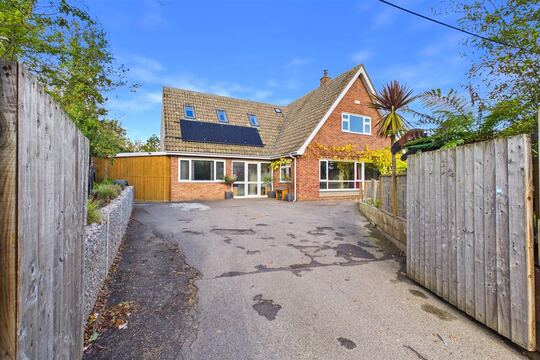
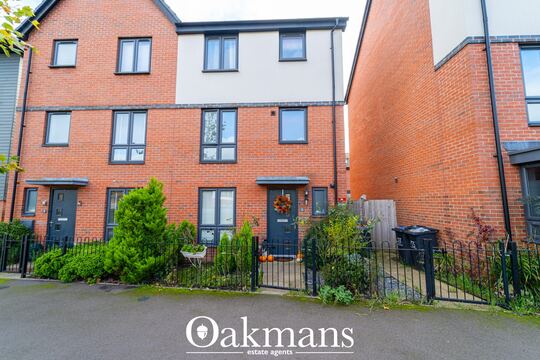
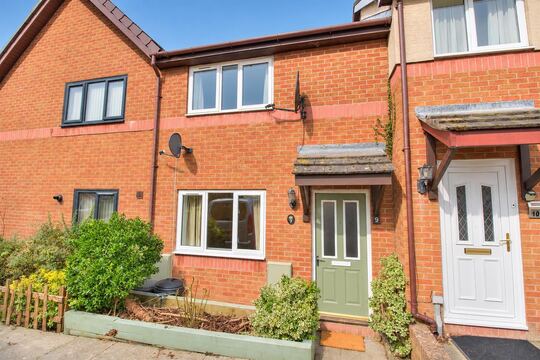

Every risk. One report.
Flood, ground stability, environmental factors and planning constraints — the risks a walk-through can't see, assessed on the property's own title boundary and returned as one client-ready PDF. Ordered in a single click from the Reports page you already write on.
Why it exists
A survey sees the building. This sees everything under it.
Your inspection covers the fabric — the roof, the walls, the services. But the questions that sink purchases late often live somewhere your ladder can't reach: the watercourse two streets away, the ground the foundations sit on, the constraint recorded against the plot in a planning register.
Above the ground
Flood behaviour — rivers, sea and the surface water that pools long before a river ever breaks its banks.
Below the ground
Ground stability and contamination history — the risks no visual inspection can rate, because they are in the geology, not the brickwork.
On paper
Planning constraints recorded against the plot — flagged now, in your client's file, instead of surfacing as a conveyancing shock at week nine.

The prettiest street can carry the quietest risk.
The river that makes the view is also a data layer in the flood model.
The layer fan
Every address sits under layers of risk data.
Flood models, radon maps, ground stability, coal-mining records, energy data — sheet on sheet of national datasets over one front door. This tool collapses them into a single report your client can read.
Illustrative address and example values — the scene above is a visual, not a live lookup. The paid PDF covers flood risk, ground stability, environmental factors and planning constraints; the free Property Viewer screen covers further layers including radon, coal mining and energy.
How it works
One click. The plumbing is ours.
No supplier account, no order form, no invoice chasing. You pick the address and pay; the platform runs the entire order pipeline for you.
Open the quick-start
Environmental Report lives as a quick-start tile on your Reports page — the same page your Otto drafts, Level 2s and snagging reports live on. One click opens the address picker. There's even a deep link (?quick=environmental_report) if you want it on your bookmarks bar.
Pick the property — once
Search the address a single time. The platform resolves it to a UPRN and attaches the order to that property's reference — the same reference your survey, photos and any other reports for the instruction file under. No re-keying, no copy-paste drift between systems.
Pay as you go
The price is shown at checkout before you confirm. Firms on the newer billing stack pay straight from their platform wallet; everyone else pays by card. No subscription, no minimum volume — if you order nothing this month, you pay nothing this month.
The order places itself
The moment payment completes, a background job places the order with Martello — carrying the property's Land Registry title boundary where one exists, so the assessment is located on the actual plot. The pipeline retries automatically on network wobbles and is strictly idempotent: one payment, one order, never doubled. Your report card shows the live status while the assessment runs.
Delivered, filed and flagged
When the assessment completes — typically within 24 hours — the PDF is pulled into secure storage, your Reports list updates, and you're emailed. It files under the same property reference as the rest of the instruction, so the survey and the environmental report leave your office as one coherent client file.
While it runs
You always know where the order is.
The report sits in your Reports list from the moment you pay — its card updates as the order moves, so there's no black box between checkout and delivery.
Payment confirmed at checkout. The card appears in your Reports list immediately, attached to the property's reference.
The status line reads "Order placed with Martello, awaiting report…" — the actual message the platform writes to the card while the assessment runs.
The PDF is fetched into secure storage, the card flips to done, and an email lands in your inbox — typically within 24 hours of ordering.
Card mock-ups are illustrative of the Reports list flow; the in-progress status message is the platform's real wording.
Location precision
Assessed on the boundary, not a postcode pin.
Environmental risk is spatial. A postcode centroid can sit a street away from the plot — on the wrong side of a flood contour. So the order carries the most precise geometry we can resolve for the property, in strict preference order.
Land Registry title polygon
Where the address resolves to a UPRN, the platform fetches the registered title boundary — the actual outline of the plot — and sends that polygon with the order. The assessment runs on the land your client is buying, garden and all.
Precise coordinates
No registered boundary available — some new builds, some complex titles? The order falls back to the property's exact latitude and longitude: still the building itself, never a postcode average.
One payment, one order
The ordering job takes an atomic lock and checks for an existing order number before placing anything. Retries recover from network failures without ever double-placing the order — the kind of billing discipline you'd want but never see on an order form.
Built for the client file
A risk report a buyer can actually read.
Raw environmental data is a wall of datasets and probability bands. The report your client receives is structured the way they think: what was found, what it means, what to do about it — with room for your own professional voice.
Severity, meaning, action
Each risk section pairs its finding with a plain-English explanation and a recommendation — so the buyer learns what "moderate surface water risk" means for their insurance excess, not just that it exists. The values above are illustrative, not a live lookup.
Written for the person paying for it
Buyers don't read probability tables; they read "what does this mean for me?" The report answers in that register, which is why firms can sell it into the client file rather than absorbing it as overhead.
Your judgement stays in the loop
The data report is Martello's; the professional context is yours. Pair the finding with what you saw on site — the report complements the inspection, it never replaces it.
Recommendations, not just ratings
Every category closes with what to do next — check insurance terms, ask the conveyancer a specific question, budget for a specialist check — so the document drives the purchase forward instead of stalling it.
What's covered
Four categories, and why each one matters.
The questions a buyer, a lender or a conveyancer will eventually ask about the property — answered up front, in one document.

Flood risk
The exposure buyers and their lenders ask about first — and the one most likely to move an insurance premium. Crucially it covers surface water as well as rivers and sea: the flooding that happens streets from any watercourse, when heavy rain outruns the drains.
Why it sells: an address can look nowhere near water and still carry a surface-water flag.

Ground stability
Ground movement and stability factors for the site — shrink-swell behaviour, historic workings, made ground. You can rate a crack; you can't see the geology that made it. This section pairs naturally with the movement observations in your own D-section findings.
Why it sells: it answers "will it move again?" with data rather than reassurance.

Environmental factors
Pollution and contamination context around the property — the industrial past of the land and its neighbours, assessed from trusted data sources rather than local rumour. The quiet cul-de-sac on a former works site is exactly the case this section exists for.
Why it sells: contamination history is invisible on site and expensive to discover late.

Planning constraints
Constraints recorded against the plot that could shape what the buyer can do with it — surfaced now, while the client is deciding, instead of by the conveyancer at week nine. For buyers planning an extension, this is often the section they read first.
Why it sells: the cheapest time to learn about a constraint is before exchange.
Produced with Martello, environmental assessment specialists — each category with plain-English findings and recommendations, filed against the same property reference as the rest of your work.
Where it earns its keep
From the misty street to the kitchen table.
Three moments in an instruction where the same report does different work for you.

Before you quote
Screen the ground first
A free look-up in Property Viewer shows the risk layers before you price the job — so a riverside address or a coalfield postcode never ambushes your inspection plan.
During the instruction
Order it in one click
While the survey is in progress, the environmental report runs in parallel — ordered from the same Reports page, attached to the same property reference, back typically within 24 hours.

At handover
Hand over one file
The client gets the survey and the environmental picture together — a fuller answer than the inspection alone, and a genuine add-on line your firm charged for rather than gave away.
Free screen, paid report
Look first, free. Buy only when it's worth buying.
The platform gives you the risk picture for nothing — in Property Viewer and the Property Data Drawer. The paid report is for when the instruction needs a document, not just an answer.
| What you need | Free risk screen | Environmental Report |
|---|---|---|
| Where it lives | Property Viewer + Data Drawer | Client-ready PDF in your Reports list |
| Risk layers shown | Flood (rivers & sea, surface water), radon, coal mining, landfill, road & rail noise, invasive plants | Flood, ground stability, environmental factors, planning constraints — with recommendations |
| Depth | Screening verdicts per layer | Full specialist assessment per category |
| Produced by | Platform risk data (HomeData) | Martello, environmental assessment specialists |
| Can you give it to the client? | For your own triage | Yes — that's the point |
| Turnaround | Instant on screen | Typically within 24 hours |
| Cost | Free with your listing | Pay as you go — price shown at checkout |
The natural rhythm: screen every instruction free, order the PDF when the client file — or the client conversation — needs a document behind it.
Part of the toolkit
It sits beside your survey — and feeds it.
The same environmental risk data flows through the whole platform: into your report editor, into Otto's Section C, and into the free look-up you use before you quote.
Otto — AI report writer
Otto's Section C (About the Property) is synthesised from EPC, UPRN and environmental risk data — flood, subsidence, radon — so the risk picture that justified the add-on also shapes the survey narrative itself.
Property Viewer
The free pre-order screen: EPC, sales history and listing status alongside flood, radon, coal mining, landfill, noise and invasive-plant layers for any UK address. Screen before you order — or before you even book the inspection.
Property Data Drawer
The same risk layers surfaced inside any report you're writing — EPC, environmental risks, listing history and comparables in a side panel, copy-paste ready while you draft.
Comparable Sales Tool
Market context from Land Registry by UPRN — the same property-reference discipline as the environmental report, so every document for an instruction resolves to the same address record.
Pricing
Pay per report. Nothing else.
The Environmental Report is priced per report, with the exact price shown at checkout before you confirm — no charge of any kind until you place an order. Firms on the newer billing stack pay from their platform wallet, the same balance that meters Otto report generation; everyone else pays by card at the point of ordering.
The quick-start itself comes with every claimed firm listing — claiming is free, and the free risk screening in Property Viewer costs nothing regardless of how many addresses you look up. See everything a listing includes on the Join page.
FAQ
Common questions about the Environmental Report
The report & what's in it
What is included in an Environmental Report?
A client-ready PDF covering four risk categories for the property: flood risk, ground stability, environmental factors such as pollution, and planning constraints — each with plain-English findings and recommendations. It is produced with Martello, environmental assessment specialists, from trusted data sources, and the finished report files under the same property reference as the rest of your work for that address.
Who actually produces the report?
The assessment is produced by Martello, environmental assessment specialists. You order and pay through your Home.co.uk surveyor account; the platform places the order with Martello automatically, tracks its status, and files the finished PDF back into your Reports list when Martello completes it — so you get a specialist product without managing a separate supplier relationship.
Is the assessment based on the exact property, or just the postcode?
The exact property, wherever possible. When the order is placed, the platform resolves the address to its UPRN and fetches the Land Registry title boundary — the actual polygon of the plot — and sends that geometry with the order, so the assessment is located on the property's own boundary rather than a postcode centroid. If no title boundary is available, the order falls back to the property's precise coordinates, and as a last resort the full address.
Do RICS home surveys require an environmental report?
We sell it as an optional add-on, not as a compliance product, and we make no claims about what RICS standards require for any given instruction. Many firms offer it alongside a Level 2 or Level 3 survey for the client file, or run it as a pre-inspection risk screen. Whether it is appropriate for an instruction is your professional judgement, guided by current RICS standards and guidance.
Ordering & delivery
How do I order one?
From the quick-start on your Reports page. One click opens the address picker; you search the address once, confirm the price at checkout, and pay by card or from your platform wallet. The order is placed automatically the moment payment completes — there is no form to fill in beyond picking the address, and no separate supplier account to set up.
How quickly does it arrive?
The order is placed automatically the moment your payment completes. The finished PDF lands in your Reports list and you are emailed when it is ready — typically within 24 hours of ordering.
What happens between paying and the PDF arriving?
The moment payment completes, a background job places the order with Martello, attaching the property's title boundary or coordinates. Your report card shows its live status — order placed, awaiting report — while the assessment runs. If the ordering call ever hits a network wobble it retries automatically, and the pipeline is idempotent: an order can never be placed twice for the same report, so a retry can never double-charge an order. When Martello completes the assessment, the PDF is fetched into secure storage, your Reports list updates, and you get an email.
Do I need to have written a survey for the property first?
No. The Environmental Report is its own report type — you can order it for any UK address from the quick-start, with or without a Level 2 or Level 3 survey on the platform. If you do also write the survey here, both documents file under the same property reference, so the whole instruction sits together in one place.
Pricing & the platform
What does it cost?
It is pay as you go — priced per report, with the price shown at checkout before you confirm. Firms on the newer billing stack pay from their platform wallet; everyone else pays by card. There is no charge until you place an order.
Is there a subscription for the Environmental Report?
No. The quick-start comes with every claimed firm listing on Home.co.uk, and each report is paid for individually at the point of ordering. No monthly fee, no minimum volume, no commitment — if you order nothing, you pay nothing.
Can I check a property's environmental risks free before ordering?
Yes. Property Viewer gives you a free risk screen for any UK address: flood (rivers and sea, and surface water), radon, coal mining, landfill, road and rail noise, and invasive plants such as Japanese knotweed — alongside EPC, sales history and listing status. Many firms screen first, then order the client-ready PDF only when the instruction warrants it. The same risk data also appears in the Property Data Drawer inside any report you are writing.
Where does the finished PDF end up?
In your Reports list, filed under the same property reference as anything else you have produced for that address, and stored securely. You are emailed when it is delivered. From there you can download it and pass it to your client alongside the survey — one instruction, one file.
More tools
Explore the rest of the surveyor toolkit

Home Academy
Short lessons on Home tools
Learn the steps, try the real tools and follow a first-week path to your first Otto report.

Otto
AI auto-mode RICS report writer
Dictate on-site, upload photos, get a finished, fully-routed Level 2 or Level 3 report in minutes.

Level 2 Report Writer
RICS Home Survey Level 2
Field-by-field RICS Level 2 reports with inline AI suggestions, image gallery, comparables and one-click branded PDF.

Level 3 Report Writer
RICS Building Survey Level 3
Comprehensive Level 3 Building Survey reports with deep technical sections, custom rating scales and AI legal-adviser notes.

Surveyor Comparable Tool
Sold + rental comps in one click
Auto-fetch sold and rental comparables within a 1-mile radius, weighted valuation range, branded PDF appendix for any survey.

Snagging Report Builder
New-build defect tracker
Build professional new-build snagging lists with location-based defect tracking, photos, urgency, status and PDF export.

Schedule of Condition
Room by room, photo by photo
A dated record of a property's condition, every elevation and every room, dictated on site with numbered photos referenced for you and a branded PDF. No ratings, no advice.

AI Dictation
Voice-to-fields routing
Speak observations on-site; AI routes every sentence to the correct RICS field with confidence scores and replayable audio.

Image AI
Auto-categorise survey photos
Upload up to 200 photos; vision AI tags each to the right RICS element, rates condition, extracts defects and picks the best 35 for the report.
Style Profile
Your firm's writing fingerprint
Teach the AI to write like your firm — upload past reports, the AI extracts a 25-dimension writing fingerprint and applies it to every future auto-mode report.

Property Viewer
Pre-survey property intelligence
Look up any UK property and instantly see EPC, energy renovation costs, broadband coverage, environmental risks (flood, radon, mining, landfill), invasive plants, sales history and listing status — all in one dashboard.

Property Data Drawer
EPC + risks + comps in one panel
Open the property data drawer in any report to see EPC, environmental risks, listing history and comparables — copy-paste ready.

Standard Phrases
Reusable language library
Personal, firm-wide and industry-preset phrase libraries — insert with one click and use to train AI routing for voice consistency.
Required photos
Every report leaves with the photos you expect
Set the photos each Level 2 and Level 3 report must contain. Surveyors see a checklist as they write, and a report can't be issued until each photo is there or the reason is written down.

RICS Standards Check
A Home Survey Standard check before you sign
One-click AI check against the RICS Home Survey Standard — flags missing content, weak ratings and structural gaps before you sign the report.

Quote Builder
Clear choices, a date to decide
Send branded survey quotes with up to three options, a PDF and an expiry date. Reuse service templates, track responses and see your win rate.

Home Payments
Paid faster, no invoicing
Home Payments mission control — customers pay at booking through a Stripe-verified checkout, payouts land on a schedule you can see, payment links cover your private work, and there is no invoice chasing ever again.

Bookings CRM
Every job, one pipeline
The surveyor CRM built into the platform — Homemove jobs land pre-paid with customer and property attached, enquiries convert to bookings, and the whole pipeline runs from one screen.

Panel work
Every panel job, every deadline
Run jobs from the other panels you work for beside your own. List each panel with its usual fee and turnaround, add a job in under a minute, and watch every report deadline count down.

Calendars & Requests
A diary that fills itself
Per-surveyor diaries with live availability — keep your dates current and we book real jobs straight in, with inbound availability requests answered in a tap.

The firm inbox that knows the job
A full mail client scoped to your firm — @home.uk purpose mailboxes and per-user addresses, with every thread landing against the booking it belongs to.

Documents & e-sign
Signed before you set foot on site
Terms of engagement sent with the booking, tracked from sent to signed, chased automatically and stored against the job — no more chasing clients to sign.

Insurance & conflict checks
Safe to take the job
Every new job is checked against your firm's own history, so you know when you have surveyed a property before. Your PI insurance is tracked with reminders, and new reports can't be issued once recorded cover has lapsed.

Telephony
The firm number that never misses a job
A phone system built into the platform — take calls in the browser, forward to mobiles, ring the whole team at once, and keep a shared call log with optional recording.

Customer portal
Your client, never in the dark
A white-label portal under your firm's branding and domain — booking status, reminders and secure report delivery, so customers stop asking where things are.

Website builder
Built by asking, not designing
A firm website built and edited by talking to Inigo — brand and theme sync, a real section library, custom domains via CNAME, and enquiries that land in your pipeline.

Campaigns
Win the next job from the last one
Firm email campaigns with per-recipient tracking — sends, opens, clicks and read time — built on consented lists with one-click unsubscribe handled for you.

Reviews & badges
Proof that wins the next booking
Reviews earned on real completed jobs — scored by the homemover, shown on your directory profile — plus embeddable trust badges that carry the proof to your own website.

Performance
See the pipeline, beat the clock
Firm analytics without the spreadsheets — pipeline conversion, team performance and your own turnaround speed, the fourth lever of your rate.

Inigo
The AI assistant for surveyors
Ask in chat, dictate by voice, or click any element for contextual help — grounded answers on valuations, sales history and market data, inside the platform.

AI Training
Teach it your standard
Upload past reports and press Train — the AI learns your firm's defect language, ratings philosophy and phrasing, and Otto writes with it on every job.
Free directory listing. Pay-as-you-go toolkit.
Every RICS-regulated surveying firm gets a verified profile, direct bookings from home.co.uk consumers and the surveyor toolkit included with the account. No subscription. No pay-per-lead. No commission on the job. Pay only when you use the premium AI tools.
2 minute setup · Verified against the RICS register · Trusted UK property platform since 1995