 Buy
Buy Rent
Rent Sell
Sell New
New Prices





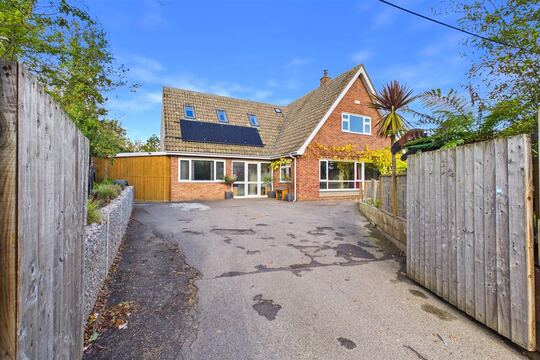
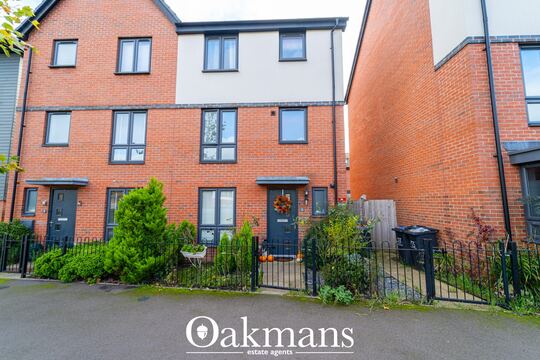
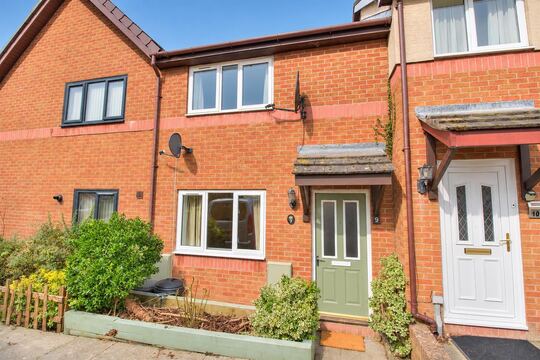
The survey that goes where the light doesn't.
Older, listed, altered or plain unusual — some properties demand a RICS Level 3 Building Survey. This editor gives the deep report a deep structure: all 28 D–G elements with extended narrative, Section H legal-adviser notes synthesised from your findings, a live cost schedule, and a branded PDF that does your depth justice.
When Level 3 is the instrument
Some houses have 150 years of decisions in their fabric.
A Victorian terrace repointed in the wrong mortar. A 1970s flat-roof extension on a 1900 shell. A loft conversion with no paperwork. These are the properties a Level 2 HomeBuyer Report was never designed for — and where the RICS Home Survey Level 3, the Building Survey, earns its fee.
A Level 3 is a full structural narrative: construction and materials described element by element, defects explained with cause and consequence, repair options with timescales, and a legal-adviser briefing your client's solicitor can act on before exchange. It is the most thorough — and the most exposed — report a residential surveyor signs. This editor is built for exactly that weight.

The natural territory of a Building Survey — and of the surveyors who write them.
The depth stack
One building. Six strata. 28 dossiers.
A Level 3 works the building top to bottom — chimney to grounds. Scroll, and watch the editor's D–G element structure light up layer by layer, exactly as you'd walk it.
Stratum 1 · The chimney
Where a Level 3 starts looking
Flaunching, pots, flashings and sulphate attack — described with cause, not just a rating. The dossier below records construction, condition and the repair with its timescale.
Stratum 2 · The roof
Coverings outside, structure within
Slipped slates read from the ground; purlins and rafters read from inside the roof space, torch in hand. The editor keeps the external and internal entries adjacent so the two narratives agree.
Stratum 3 · The walls
The main structural story
Solid brick, cavity, stone or timber frame — every wall entry takes unlimited free-text narrative, so lime mortar and Flemish bond get the technical description they deserve.
Stratum 4 · Floors & ceilings
What the carpets are hiding
Springy boards, sloping thresholds, lath-and-plaster sag. Extended condition notes record what was inspected, what was covered, and what you recommend opening up.
Stratum 5 · The services
Seven entries, one honest caveat
Non-invasive inspection with specialist tests recommended where warranted — dictate the recommendation and Section H picks it up for the solicitor automatically.
Stratum 6 · The grounds
Down to the boundary line
Retaining walls, shared drives, outbuildings on the title. Grounds findings feed Section I (risks) and Section H (boundaries and easements) alongside your legal-adviser notes.
Every stratum resolves into element dossiers — 28 of them across Sections D–G — and every dossier flows onward into Sections B, H, I and K. That's the spine of the whole report.
The element dossier
Not a comment box. A case file.
A Level 2 element entry is a comment and a traffic light. A Level 3 entry is a dossier: how the element is constructed, what condition it is in, an extended note explaining cause and consequence, and the repair recommendation with its timescale — which then feeds the Section K cost schedule.
- 1 Construction — materials and method, in your words, at any length. Non-standard construction is a first-class citizen, not an "other" box.
- 2 Condition — what you observed, with the rating on your scale (RICS 1/2/3 or your firm's own).
- 3 Extended note — cause, consequence and any specialist investigation to commission before exchange.
- 4 Repair & timescale — what to do and when, ready to be costed in Section K's short-term or long-term schedule.
Photos from Image AI attach to each dossier automatically — tagged D1–G3, condition-rated, defect-flagged.
Construction
Cut-timber purlin roof, slate coverings on battens
Condition
Deflection to the rear slope between purlins
Extended note
Structural assessment advised before exchange
Repair & timescale
Strengthen rafters — short-term, Section K costed
One element of 28 — every D–G entry carries this depth
Section H · Issues for legal advisers
The cross-reference nobody loves writing.
Writing Section H by hand means holding all 28 element findings in your head at once — did the rear addition get a building-regs note? Did the uPVC windows get a FENSA line? The auto-populator reads every D–G finding and drafts H1, H2 and H3 for you, so the legal brief can never contradict the body of the report.
D4 · MAIN WALLS
Rear addition noted
D5 · WINDOWS
uPVC replacements
F6 · DRAINAGE
Shared run suspected
Section H · Issues for legal advisers
Drafted from your D–G findings
H1 · Regulations
Confirm Building Regulations approval for the rear addition
H2 · Guarantees
Request FENSA certificates for the replacement windows
H3 · Other matters
Confirm responsibility for the shared drainage run
You review and edit every note before sign-off
H1 · Regulations
Extensions, conversions and structural alterations you noted in D–G become building-regulations and planning enquiries. Conservation-area and listed-building constraints slot in here too.
H2 · Guarantees
Inferred from the condition findings: replacement windows suggest FENSA certificates, a new boiler suggests Gas Safe records, damp-treatment evidence suggests a damp-proofing guarantee to request.
H3 · Other matters
Boundaries, shared drainage, rights of way — plus environmental matters like flood risk, mining and invasive plants drawn from the property's risk data where available.
Typical saving: 20–30 minutes of manual cross-referencing per report — and you review and edit every note before sign-off. If you change a condition rating later, H deliberately holds until you re-synthesise or edit it: a legal brief should reflect final findings, not a live draft.
The inspection behind the report
Torchlight work deserves better than a Word template.
You crawl the roof space, probe the voids and read the fabric. The editor's job is to make sure none of that effort is lost between the loft hatch and the PDF.

The roof space
Dictate from the dark
Speak your E1 observations where you make them — AI Dictation routes each sentence to its element field, so the purlin deflection is on record before you're back down the ladder.

The voids
Record what you couldn't reach
Limitations matter as much as findings in a Level 3. Note restricted access and the specialist investigation to commission — Section H briefs the solicitor and Section M briefs the client, automatically in step.

The fabric
Explain cause, not just symptom
A hairline crack in a stone lintel is a paragraph, not a tick-box. Unlimited element narrative plus photo evidence tagged to D4 by Image AI — the dossier carries your reasoning.
Pre-filled from the property record
Sections I and J arrive already researched.
Once the UPRN resolves, the property data layer supplies sourced environmental risk data and the government EPC record — so the risks and energy sections start from evidence, not boilerplate.
Section I · Risks
I1, I2 and I3 pre-drafted from sourced data
Risk levels are stated from the data — "low radon potential, source zone referenced" rather than "you should check the radon map". Where the data shows low risk, the draft says so positively instead of hedging. Your D–G findings are folded in, so the risks section stays consistent with the condition narrative.
You review and edit every I-field before sign-off — the draft is a first pass over sourced evidence, not a published statement.
Section J · Energy
EPC fields fetched from the government register
Where a certificate exists for the UPRN, rating, score, floor area, heating type and main fuel pre-fill on report creation. Every field stays editable — if the certificate predates the retrofit you found on site, your inspection wins.
Illustrative values shown. No certificate on record? The fields stay blank for your inspection findings.
Custom rating scales
Your firm's rating language, snapshotted per report.
Some Building Survey practices rate on a 5-point scale rather than the RICS 1/2/3. Define yours once in firm settings and the whole editor rebuilds around it — dropdowns, AI prompts, auto-population outputs, the PDF key.
- ●Per-firm rating definitions stored against your account
- ●Snapshotted at report creation — revising the scale later never rewrites the condition language of older reports. On the day a report is questioned, it reflects the criteria in force on the day it was signed.
- ●AI prompts rebuild with your terminology, so auto-populated text speaks your scale
- ●Otto auto-mode honours the snapshot during routing
Scale frozen at creation · later edits to firm settings apply to new reports only
Short-term repairs (within 12 months)
Long-term repairs (1–5 years)
Section K · Remedial costs
A cost schedule the client can take to a builder.
Level 3 clients expect numbers as well as narrative. Section K structures repair items into short-term and long-term categories, each item carrying a cost range and linking back to the element it came from. Totals recalculate live as you add items — no spreadsheet on the side, no risk of the schedule and the report disagreeing.
- ●Short-term (within 12 months) and long-term (1–5 years) categories with separate auto-totals
- ●Minimum-to-maximum ranges for items whose scope awaits further investigation
- ●Embedded in the branded PDF beside the condition narrative and photo appendix
- ●Otto auto-mode can propose initial cost items from your dictated observations
The full spine
A to O — every section, and who writes it.
Fifteen sections make a Building Survey. You write the ones only a surveyor can; the editor drafts, pre-fills or totals the rest — and everything passes through your hands before sign-off.
Inspection details
Inspector, client and inspection date — pre-filled from your account profile and the UPRN lookup.
Overall opinion
Opening assessment and priority items — drafted from your D–G condition ratings.
About the property
Construction, services and environment — pre-populated from UPRN data, listing description and site photos.
Outside the property
D1–D9: chimneys, roof coverings, rainwater goods, walls, windows, doors, conservatories, joinery.
Inside the property
E1–E9: roof structure, ceilings, walls, floors, fireplaces, fittings, woodwork, bathrooms.
Services
F1–F7: electricity, gas/oil, water, heating, water heating, drainage, common services.
Grounds
G1–G3: garage, outbuildings and the grounds themselves.
Issues for legal advisers
H1 Regulations, H2 Guarantees, H3 Other matters — synthesised from your D–G findings.
Risks
I1 building, I2 grounds, I3 people — pre-drafted from sourced environmental data plus your findings.
Energy matters
EPC rating, efficiency score, floor area, heating and fuel — fetched from the government register by UPRN.
Remedial costs
Short-term and long-term repair schedule with live auto-totalled cost ranges.
Surveyor declaration
Name, RICS number, qualifications and firm — pre-filled from your profile; you confirm and sign.
Recommendations
The plain-English action list for the client — repairs in priority order, investigations, solicitor items.
Service description
Scope, limitations, standard terms and the repair-timescale table for the PDF.
Appendices
Comparable sales within a mile, the element-referenced photo gallery, supporting documents.
Skip a section and the dynamic table of contents drops it automatically — no orphan entries. The RICS Standards Check flags anything the RICS Home Survey Standard requires that you haven't completed.
The write-up, timed
Where the evening used to go.
A manual Level 3 write-up is a 4–6 hour desk job. The editor attacks the parts that aren't surveying — the cross-referencing, totalling and formatting — and leaves the professional judgement to you.
Professional protection
Your most exposed report. Your most defensible.
A Level 3 carries the highest fee and the highest liability in residential practice. Every structural feature of this editor exists to keep the record clean — not just to save the evening.
Section H can't contradict the body
The legal-adviser notes are synthesised from your D–G findings — the same D4 wall finding that earns its condition rating is the one that triggers the H1 building-regs note. No hand-written brief drifting out of step with the report.
Sourced risk data, cited
Section I states risk levels from named datasets — flood classification, radon zone, mining, knotweed — so you can demonstrate exactly what the assessment relied on if it is questioned later.
Rating scale frozen in time
Custom rating definitions are snapshotted per report at creation. If your firm revises its scale next year, this year's reports still reflect the criteria in force on the day of inspection.
The AI drafts; you decide
Auto-populated Sections B, C, H and I and every inline rewrite require your explicit acceptance before entering the report. Nothing publishes itself. You remain the professional of record on every page.
The right signatory, every time
Section A and the Section L declaration pull the signing surveyor's name, RICS number and qualifications from their profile — not from whoever last opened the report during QA.
A second pair of RICS eyes
The RICS Standards Check reviews any section against the RICS Home Survey Standard before sign-off — missing required content, weak ratings, structural gaps — while it's still cheap to fix.
An audit trail of accepted suggestions and auto-populated fields is kept in your account history — useful for PI records and APC competency evidence alike.
Level 2 vs Level 3
Same elements. Different depth.
Both report types walk the same D1–G3 elements — what changes at Level 3 is how much each element carries. Here is the difference, element for element.
| Per element / per report | Level 2 HomeBuyer | Level 3 Building Survey |
|---|---|---|
| Element entry | Comments + condition rating | Full dossier — construction, condition, extended note, repair & timescale |
| Defect treatment | Identified and rated | Explained — cause, consequence, repair options |
| Sections | A–J | A–O, including costs, recommendations and appendices |
| Legal-adviser brief | Not included | Section H — synthesised from D–G findings |
| Repair costs | Not included | Section K schedule with live auto-totals |
| Rating scales | RICS 1/2/3 or firm scale | RICS 1/2/3 or firm scale, snapshotted per report |
| Property profile | Conventional, well-maintained stock | Older, listed, altered, unusual |
| Manual write-up | 2–3 hours | 4–6 hours |
| With this toolkit | 15–45 min | 30–75 min |
Who it's for
Built for the surveyors who take the hard instructions.
Level 3 work is a specialism and a margin product — a higher fee through the same pipeline. The editor is designed to protect both the craft and the evening. See the demand side on Compare Surveyors, where homebuyers request Building Survey quotes directly.
Period and listed-property specialists
Victorian terraces, Georgian townhouses, listed farmhouses. Unlimited element narrative handles lime mortar and timber frame properly, and conservation constraints go straight into Section H1 — without squeezing your expertise into fields built for modern stock.
Sole practitioners on deadline
A Building Survey write-up is a 4–6 hour desk job under a Word workflow. On-site dictation, Section H synthesis and one-click PDF bring typical desk time under 75 minutes — more instructions without longer turnarounds.
Building Survey teams at practices
Several surveyors, one house style. The firm Style Profile, shared custom rating scales and the Standards Check enforce consistency before the principal ever sees the draft — QA time drops with every report.
APC candidates building evidence
The structured A–O sections and the Standards Check create an auditable record that each required field was completed and reviewed — and the account history shows how AI assistance was used and checked rather than relied upon, ready for assessment.
Or let Otto drive
Dictate the inspection. Otto writes the Level 3.
Everything on this page also runs in Otto auto-mode: upload your walk-through audio and photos, and Otto routes every sentence to its D–G element, fires the Section B, C, H and I auto-populators, honours your rating-scale snapshot and hands you a fully-routed Level 3 draft in 15–30 minutes. You review, edit and sign in this editor.
Meet Otto, the AI report writerAudio → routed D–G elements
Sentence-level, confidence-scored
Sections B, C, H, I
Auto-populated in parallel
Level 3 turnaround
15–30 minutes to editable draft
Lever ③
The higher-fee report that also lifts your rate.
From 1 August 2026 four levers set your rate on both Homemove panel work and private bookings: a live diary, a pipeline running through our CRM, reports written on our tech, and fast turnarounds. Writing a Level 3 in this editor — or letting Otto populate it from your dictation — is lever ③, exactly as for a Level 2. See the full maths on the rate ladder on the Join page.
A Level 3 instruction typically carries a higher fee than a Level 2 through the same pipeline — and because the toolkit collapses the write-up from hours to minutes, faster delivery on the bigger report also moves lever ④. Performance tracks your Level 3 turnaround alongside everything else.
Getting started
Your first Level 3 in four steps.
The editor is included with a verified Home.co.uk surveyor listing — no separate subscription to start.
Claim your firm
Most RICS-regulated firms are already listed — search by name or postcode and claim yours, or register it in the same panel. Verification unlocks the report tools.
Open a Level 3
Choose Level 3 Building Survey, enter the address and pick your rating scale. UPRN, EPC and risk data pre-fill Sections A, C, I and J before you type a word.
Work the strata
Dictate or type your D1–G3 dossiers, attach photos via Image AI, then trigger auto-population — Sections B, H and I draft themselves from your findings.
Check, sign, export
Run the RICS Standards Check, confirm the Section L declaration and export the branded PDF — cost schedule, photo appendix and comparables included.
FAQ
Level 3 Building Survey questions
The Level 3 report
What is a RICS Level 3 Building Survey?
The RICS Home Survey Level 3 — commonly called a Building Survey — is the most thorough RICS survey: a full structural narrative on the property's construction, materials and condition, with technical recommendations, repair priorities and an in-depth legal-adviser briefing. It's aimed at older, listed, altered, larger or unusual properties where a Level 2 isn't enough.
What does Section M (Recommendations) include in a Level 3 Building Survey?
Section M is the plain-English recommendations section — a prioritised list of actions the client should take after reading the report. Unlike the element-by-element narrative in Sections D–G, Section M is written for the client: what to repair and in what order, any specialist investigations to commission before exchange, and matters to raise with the solicitor. In the Level 3 editor, many surveyors draft Section M last, once the full picture from Sections D–K is clear — though you can complete it at any stage. It is included in the branded PDF immediately after the technical sections.
What is Section L (surveyor declaration) in a Level 3 Building Survey?
Section L is the formal surveyor declaration — the statement confirming that the report was prepared by a RICS-qualified surveyor following a personal inspection in accordance with the RICS Home Survey Standard. The Level 3 editor provides structured fields for the declaration: name, RICS membership number, qualifications, firm, address and inspection date. In Otto auto-mode, these fields are pre-filled from your Home.co.uk account profile. You review and confirm the completed declaration before exporting the final branded PDF.
What is the remedial cost schedule (Section K)?
Section K is a structured table of repair items split into short-term (within 12 months) and long-term (1–5 years) categories. Each item has a description and a cost range — minimum to maximum — which the editor auto-totals per category. This gives clients a financial summary alongside the condition narrative and is included in the final PDF.
How are comparables used in Level 3?
Where market context is required, the comparable sales appendix shows sold and rental comparables within a 1-mile radius and a weighted valuation range — typically referenced in the recommendations section and included in Section O of the PDF.
Auto-population & AI drafting
What is Section H, and why is it auto-populated?
Section H is the Issues for Legal Advisers section: H1 Regulations, H2 Guarantees, H3 Other matters. The auto-populator examines all D-G condition findings and synthesises legal-adviser notes (e.g. "Recommend solicitor confirm party-wall award for the rear extension noted at E5") — saving roughly 20–30 minutes of manual cross-referencing while keeping the body of the report and the legal-adviser brief consistent.
Is Section I (Risks) auto-populated?
Yes. Once the UPRN is resolved, the property data layer supplies environmental risk data — flood risk (rivers and sea, surface water), radon, coal mining, landfill sites, Japanese knotweed and noise — which is used to pre-draft I1 (Risks to the building), I2 (Risks to the grounds) and I3 (Risks to people). The AI also draws on your D-G findings, so the risks section stays consistent with the condition narrative. You review and edit before sign-off.
Is Section J (energy) completed automatically?
Where an EPC certificate is registered for the property's UPRN, the editor pre-fills the Section J energy fields from the government EPC register — current rating, efficiency score, floor area, heating type and main fuel. All fields are editable: if the certificate is out of date or doesn't reflect what you found on inspection, update the fields to match your observations. Where no certificate exists, the fields are blank and you complete Section J from scratch based on your inspection.
How does Section C (About the property) get pre-populated?
Section C — construction type, services, garage, grounds and environment — is pre-populated from three sources: UPRN lookup data (address, postcode, property type, construction era), the estate agent listing description where available, and the results of the photo AI analysis (construction materials visible in site photos). The pre-populated text is a starting point, not a final draft. Review each field and update it to reflect what you found on inspection — non-standard construction in particular will typically need more technical detail than the pre-populated baseline provides.
Can AI write a RICS Level 3 Building Survey report automatically?
No — and that is by design. The RICS Home Survey Standard requires a RICS-qualified surveyor to inspect the property, form professional judgements and sign off the report. The AI in the Level 3 editor is a drafting and cross-referencing tool: it populates Section H from your D–G condition findings, pre-drafts Section I from property data, and offers inline rewrites in your firm's voice. Every suggestion requires your explicit acceptance before it enters the report. Your professional judgement and sign-off remain the final act — which is both the RICS requirement and your PI protection.
What changes in Section H if I update a condition rating after auto-population?
If you update a D–G condition rating or narrative after Section H has been auto-populated, the H fields do not update automatically — you would need to re-trigger the auto-population or edit H manually. This is intentional: Section H is a legal-adviser brief and should reflect the final, reviewed condition findings rather than live-updating mid-draft. The RICS Standards Check will prompt you to review Section H if it detects significant condition changes since the last synthesis.
On site & in the team
Can I dictate a Level 3 Building Survey on site?
Yes. The AI Dictation tool works for both Level 2 and Level 3. On site, speak your observations element by element — "D1 chimney stacks, pointing eroded on the east stack, condition 3, recommend repointing" — and voice transcription routes each sentence to the correct RICS field in the Level 3 editor. You return to the desk with a populated first draft rather than a blank page. Otto auto-mode takes this further, running the full pipeline including Section H synthesis from your dictation alone.
Does the Level 3 editor support listed buildings and unusual construction?
Yes. Every D–G element field accepts free-text observations of unlimited length, so you can describe Flemish-bond brickwork, lime-mortar pointing, hand-made clay tiles, or timber-frame construction in as much technical detail as the property demands. For listed buildings, add conservation-area or listed-building consent constraints directly to Section H1 (Regulations). The standard RICS element codes (D1–G3) still structure the report; the narrative within each field is entirely yours.
Can I use the Level 3 editor across multiple site visits to the same property?
Yes. Level 3 surveys of complex or large properties sometimes require more than one visit — to inspect areas that were inaccessible on the first visit, or to return after a specialist has cleared an access route. The Level 3 report is saved to your Home.co.uk surveyor account at every step, so you can open it, record additional observations from the follow-up visit, and continue without losing earlier work. Between visits, the RICS Standards Check shows which sections are complete and which are outstanding — giving you a clear agenda for the return visit before you arrive on site.
Can colleagues review or contribute to the same Level 3 report?
Yes. Reports are saved to your Home.co.uk surveyor account and accessible to any authorised team member at your firm. A colleague can open the same report to QA specific sections, run the RICS Standards Check, or complete outstanding elements before the lead surveyor signs off and exports the PDF. Section A pre-fills from the signing surveyor's profile, not the person who last accessed the report.
Can I flag items needing specialist investigation before exchange of contracts?
Yes. For any element where a non-invasive inspection raises a concern but the full extent or cause cannot be determined without further access or testing, record the specialist investigation recommendation alongside your condition observation in the relevant D–G field — for example, noting that a structural engineer should assess the rear extension at D4 before exchange. The Section H auto-populator reads these recommendations and drafts the appropriate H1 Regulations note so the solicitor is made aware. Section M (Recommendations) then consolidates all specialist investigation items in plain English, giving the client a clear action list.
Can I run a Level 3 in Otto auto-mode?
Yes. Otto supports both Level 2 and Level 3. For Level 3, Otto additionally fires the Section H and Section I auto-populators and respects your firm's custom rating scale, producing a fully-routed draft from your on-site dictation and photos.
Professional protection & data
Does using AI suggestions affect my professional indemnity insurance?
The editor is designed around the principle that the AI drafts, you decide. Every AI suggestion — whether an inline rewrite, an auto-populated Section H note, or a pre-drafted Section I risk — requires your explicit acceptance before it enters the report. The AI has no authority to publish or sign off; you remain the professional of record. Most PI insurers focus on whether the report was inspected, prepared and signed off by a qualified RICS surveyor — conditions the tool is designed to support. That said, your specific policy wording governs, so check with your insurer if you are uncertain. If a complaint arises, the audit trail (who accepted each suggestion, which fields were auto-populated and then edited) is available in your account history.
What happens if I skip a section?
Skipped sections are dropped from the dynamic table of contents automatically — no orphan entries pointing nowhere. The RICS Standards Check will flag any section required under the RICS Home Survey Standard that hasn't been completed, so you can add content or mark it not applicable before sign-off.
How does the Level 3 editor differ from a Word template?
A Word template is a blank document — you fill every section manually, cross-reference Section H by hand, build the cost schedule in a spreadsheet, and rebuild the table of contents each time. The Level 3 editor provides structured fields for every RICS section (A–O), auto-populates Section H from your D-G findings, auto-drafts Section I from property environmental data, maintains a live remedial cost schedule in Section K, regenerates the table of contents as you write, and exports a fully formatted branded PDF in one click.
What are the main advantages of dedicated building survey software over a Word template for Level 3 reports?
For Level 3, the structural advantages are significant. Section H is populated from your D–G condition findings — eliminating manual cross-referencing across twelve or more element fields. Section K repair cost totals update automatically as you add items. The table of contents regenerates as you write and removes sections you have not completed — no orphan entries to tidy manually. The RICS Standards Check replaces a manual read-through against the RICS Home Survey Standard before sign-off. Because the report is stored in your surveyor account, you can share it securely by link, access it between site visits, and export a branded PDF in one click. For practices doing more than a handful of Level 3s per month, the time saving per report consistently exceeds two hours — which compounds quickly across the team.
Where is my report data stored?
Reports are stored in your Home.co.uk surveyor account under your firm. You can export PDF or HTML at any time, archive completed reports, and revoke share-link access. Audio dictations are held in secure cloud storage against your account.
More tools
Explore the rest of the surveyor toolkit

Home Academy
Short lessons on Home tools
Learn the steps, try the real tools and follow a first-week path to your first Otto report.

Otto
AI auto-mode RICS report writer
Dictate on-site, upload photos, get a finished, fully-routed Level 2 or Level 3 report in minutes.

Level 2 Report Writer
RICS Home Survey Level 2
Field-by-field RICS Level 2 reports with inline AI suggestions, image gallery, comparables and one-click branded PDF.

Surveyor Comparable Tool
Sold + rental comps in one click
Auto-fetch sold and rental comparables within a 1-mile radius, weighted valuation range, branded PDF appendix for any survey.
Snagging Report Builder
New-build defect tracker
Build professional new-build snagging lists with location-based defect tracking, photos, urgency, status and PDF export.

Schedule of Condition
Room by room, photo by photo
A dated record of a property's condition, every elevation and every room, dictated on site with numbered photos referenced for you and a branded PDF. No ratings, no advice.

AI Dictation
Voice-to-fields routing
Speak observations on-site; AI routes every sentence to the correct RICS field with confidence scores and replayable audio.

Image AI
Auto-categorise survey photos
Upload up to 200 photos; vision AI tags each to the right RICS element, rates condition, extracts defects and picks the best 35 for the report.
Style Profile
Your firm's writing fingerprint
Teach the AI to write like your firm — upload past reports, the AI extracts a 25-dimension writing fingerprint and applies it to every future auto-mode report.

Property Viewer
Pre-survey property intelligence
Look up any UK property and instantly see EPC, energy renovation costs, broadband coverage, environmental risks (flood, radon, mining, landfill), invasive plants, sales history and listing status — all in one dashboard.

Property Data Drawer
EPC + risks + comps in one panel
Open the property data drawer in any report to see EPC, environmental risks, listing history and comparables — copy-paste ready.

Standard Phrases
Reusable language library
Personal, firm-wide and industry-preset phrase libraries — insert with one click and use to train AI routing for voice consistency.
Required photos
Every report leaves with the photos you expect
Set the photos each Level 2 and Level 3 report must contain. Surveyors see a checklist as they write, and a report can't be issued until each photo is there or the reason is written down.

RICS Standards Check
A Home Survey Standard check before you sign
One-click AI check against the RICS Home Survey Standard — flags missing content, weak ratings and structural gaps before you sign the report.

Quote Builder
Clear choices, a date to decide
Send branded survey quotes with up to three options, a PDF and an expiry date. Reuse service templates, track responses and see your win rate.

Home Payments
Paid faster, no invoicing
Home Payments mission control — customers pay at booking through a Stripe-verified checkout, payouts land on a schedule you can see, payment links cover your private work, and there is no invoice chasing ever again.

Bookings CRM
Every job, one pipeline
The surveyor CRM built into the platform — Homemove jobs land pre-paid with customer and property attached, enquiries convert to bookings, and the whole pipeline runs from one screen.

Panel work
Every panel job, every deadline
Run jobs from the other panels you work for beside your own. List each panel with its usual fee and turnaround, add a job in under a minute, and watch every report deadline count down.

Calendars & Requests
A diary that fills itself
Per-surveyor diaries with live availability — keep your dates current and we book real jobs straight in, with inbound availability requests answered in a tap.

The firm inbox that knows the job
A full mail client scoped to your firm — @home.uk purpose mailboxes and per-user addresses, with every thread landing against the booking it belongs to.

Documents & e-sign
Signed before you set foot on site
Terms of engagement sent with the booking, tracked from sent to signed, chased automatically and stored against the job — no more chasing clients to sign.

Insurance & conflict checks
Safe to take the job
Every new job is checked against your firm's own history, so you know when you have surveyed a property before. Your PI insurance is tracked with reminders, and new reports can't be issued once recorded cover has lapsed.

Telephony
The firm number that never misses a job
A phone system built into the platform — take calls in the browser, forward to mobiles, ring the whole team at once, and keep a shared call log with optional recording.

Customer portal
Your client, never in the dark
A white-label portal under your firm's branding and domain — booking status, reminders and secure report delivery, so customers stop asking where things are.

Website builder
Built by asking, not designing
A firm website built and edited by talking to Inigo — brand and theme sync, a real section library, custom domains via CNAME, and enquiries that land in your pipeline.

Campaigns
Win the next job from the last one
Firm email campaigns with per-recipient tracking — sends, opens, clicks and read time — built on consented lists with one-click unsubscribe handled for you.

Reviews & badges
Proof that wins the next booking
Reviews earned on real completed jobs — scored by the homemover, shown on your directory profile — plus embeddable trust badges that carry the proof to your own website.

Performance
See the pipeline, beat the clock
Firm analytics without the spreadsheets — pipeline conversion, team performance and your own turnaround speed, the fourth lever of your rate.

Inigo
The AI assistant for surveyors
Ask in chat, dictate by voice, or click any element for contextual help — grounded answers on valuations, sales history and market data, inside the platform.

AI Training
Teach it your standard
Upload past reports and press Train — the AI learns your firm's defect language, ratings philosophy and phrasing, and Otto writes with it on every job.

Environmental Report
Every risk, one report
A one-click environmental risk report for any property — flood, ground stability, environmental factors and planning constraints, delivered as a PDF.
Free directory listing. Pay-as-you-go toolkit.
Every RICS-regulated surveying firm gets a verified profile, direct bookings from home.co.uk consumers and the surveyor toolkit included with the account. No subscription. No pay-per-lead. No commission on the job. Pay only when you use the premium AI tools.
2 minute setup · Verified against the RICS register · Trusted UK property platform since 1995