 Buy
Buy Rent
Rent Sell
Sell New
New Prices





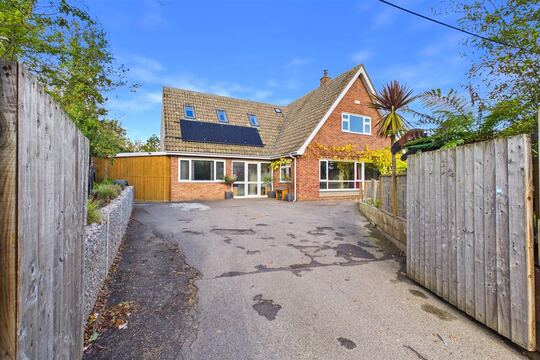
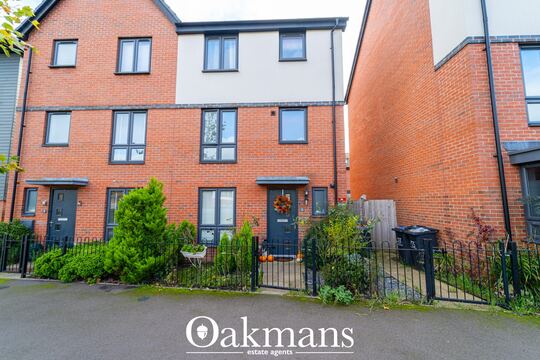
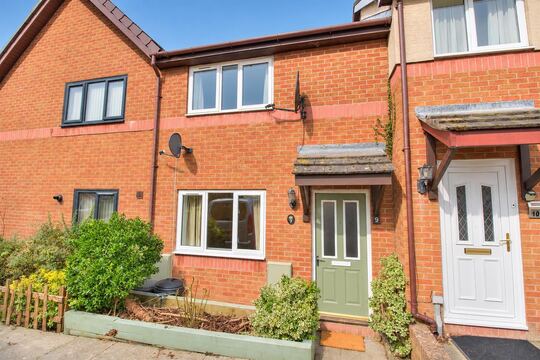

Your client, never in the dark.
The moment a survey is booked, your client gets a portal under your firm's name — booking confirmed, inspection date, report delivered. They check their phone instead of ringing your office, and everything they see carries your logo, your colours and your domain.
How the white-label works
Four steps to a portal that's yours.
The tech façade must not fall away after booking. A client who books with your firm should see your firm — from the first confirmation email to the moment the report downloads. Here's how the portal disappears behind your brand.
Claim your firm — the portal already exists
Every verified firm gets its own portal address on its firm subdomain from day one — the same identity that powers your firm's @home.uk Mail. There is nothing to install and nothing to configure to get started: the portal is live, with clean neutral defaults, the moment your account is.
Brand it — logo, colours, favicon
Upload a portal logo and a square icon that becomes the browser favicon, then set your brand colours. Every screen your client sees takes them on. Clear any of them and the portal falls back to sensible defaults — it never looks half-configured, and no design work is required.
Put it on your own domain
Point a hostname you own — say, app.your-firm.co.uk — at the portal with a single CNAME record. We verify it and sort the SSL certificate automatically, and from then on your clients never leave your domain. Pair it with a site from the Website Builder and one name carries your whole front of house.
The emails follow suit
Confirmation, receipt, reminders, report-ready — every email in the client journey goes out under your firm's name, and every link in them lands on your branded portal. The loop never breaks: your client books with your firm, hears from your firm, and downloads from your firm.
What your client sees
One link. The whole job, live.
Scroll the four moments of a survey and watch the portal your client holds in their hand keep pace — under your firm's name, not ours.
Firm, client and property shown are illustrative.
Moment 1 · The minute it's booked
Booking confirmed — in writing, instantly
The moment the job lands in your Bookings CRM, your client gets a branded confirmation — and, where payment was taken, a receipt. The email links straight to the portal, where the date, the time and the property are already in plain sight. From the very first touch, it looks like your firm.
Moment 2 · The day before
Surveyor on the way — nobody's surprised
A day-before reminder goes out automatically, and the portal shows the visit coming up. Your client knows exactly when to expect you — no "is it still happening tomorrow?" call, no answerphone tennis. A morning-of note is there in the journey builder too, if your firm wants one.
Moment 3 · Survey day
Inspection done — the status moves the same day
You inspect as normal; the portal does the telling. As the job moves through your pipeline, the client's view moves with it — inspection complete, report in progress. The days between the visit and the report are where clients used to be left in the dark. Not any more.
Moment 4 · The one they're waiting for
Report ready — one tap, securely
When your firm releases the report, a report-ready email lands and the download lights up on the portal. The link is signed and valid for 30 days, every click serves the PDF over a fresh short-lived URL, and there's no account or password anywhere in the journey. The most common call a survey firm takes — "where's my report?" — answers itself.
White-label by design
Your name on the door. Your phone off the hook.
Two things make the portal earn its keep: it wears your identity everywhere a client looks, and it answers the questions that used to become phone calls.
One identity, every surface
Logo, brand colours, favicon and domain sync from your portal settings to everything the client touches — the browser tab, the portal header, the emails in between. Add one CNAME record and even the address bar reads as your firm, padlock and all.
The loop that quiets the phone
Every status-chasing call starts as a question a client can't answer themselves. Put the answer where they'll look — a live status on your branded portal — and the call never gets made. Your office line goes quiet for the right reason.
The emails around the portal
Six emails. All from your firm.
The portal is where clients check; the journey emails are what bring them there. Every one goes out under your firm's name, on a schedule you control.
A journey you control, not a black box
Every email in the journey — confirmation, receipt, the day-before reminder, report-ready, even cancellation — comes from a customer journey you control in your workflow settings. Sensible defaults are already switched on; add the morning-of note or others from the journey builder, or clone any email and rewrite it in your firm's voice.
The journey runs off your pipeline in the Bookings CRM, and terms of engagement travel with it via Documents & e-sign — one thread from booking to report, with nothing typed twice.
Report delivery, precisely
Secure enough for a survey. Simple enough for a client.
A survey report carries findings a seller might rather bury and a buyer paid good money for. Here's exactly how the portal handles delivery.
Through your client's eyes
They book. They breathe. The report finds them.
Buying a home is the most stressful purchase most people ever make. A firm whose updates arrive before the worry does is the firm they recommend.

1 · The booking
Booked over breakfast
A quote from your embedded form, a slot from your real diary, a confirmation before the tea's gone cold. Your firm's name on every screen.

2 · The wait
They check, they don't call
Mid-conveyancing nerves at 7pm? The portal answers in one glance — inspection complete, report in progress. Your office hears nothing about it.

3 · The delivery
Read on the sofa that evening
The report-ready email lands the moment you release it. One tap, opened in the browser, read with the kettle on — no attachment roulette.
What it kills
Three interruptions you stop fielding.
Clients left in the dark deal with it the same way, every time: they phone you. The portal answers those calls before they happen.

"Where's my report?"
The single most common call a survey firm takes. With release-gated delivery and a report-ready email the moment you approve it, the answer arrives before the question.
"Did you get my email?"
Status lives on the portal, not in an inbox thread. Confirmations, reminders and updates go out on schedule from your customer journey — nobody waits on a reply to know where things stand.

PDF-by-email chaos
No more bounced attachments, wrong versions or reports forwarded into the void. One secure link serves the released report, inline in the browser, for the client it was meant for.
How it compares
A branded portal vs the old ways.
Most firms deliver by email attachment; some bolt on generic client-portal software. Neither keeps your brand on the journey — or your phone quiet.
| Capability | Your branded portal | PDF by email | Generic portal software |
|---|---|---|---|
| Carries your brand & domain | Logo, colours, favicon, CNAME | Your signature, at best | Often their brand, their domain |
| Client login required | None — signed links | None | Typically account + password |
| Booking status visible to the client | Live, from your pipeline | Only if someone writes an email | Updated by hand |
| Report delivery | Release-gated · signed link · 30 days | Attachment — size limits, wrong versions | Manual upload |
| Forwarded-link protection | Fresh short-lived URL per click | None — the PDF is loose | Varies |
| Reminders & confirmations | Journey emails, defaults on | Typed by hand, when remembered | Varies |
| Clients book against real diaries | Optional live slots | No | Rarely |
| Cost to your firm | Included with your account | Free — paid for in phone calls | A separate subscription |
Inside the portal
Everything a client needs. Nothing they have to ask for.
Booking status, in plain sight
Where the job stands — confirmed, inspection date, complete, report ready — visible the moment your client wonders. "Just checking in" calls stop landing on your office line.
Live booking slots
Optionally let clients book against your surveyors' real diaries — slots driven by actual availability in Calendars. On by default; switch it off any time.
Secure report downloads
Signed links, a 30-day window, a fresh short-lived URL on every click, and no client account anywhere. The full detail is in the delivery spec above.
Release control
Nothing reaches the client until your firm releases it — held back per booking, for as long as you need, without explaining why.
Your services, your shop window
Scope the portal to surveys only, open up the full moving journey — mortgages, legal, removals, broadband and more — or pick a custom set.
An embeddable quote form
Drop a quote form on your own website showing exactly the survey types you offer. Enquiries land straight in your pipeline, not an inbox.
Chat, fronted by you
The portal chat carries your name, your photo and your opening message — a real conversation with your firm, not an anonymous widget.
Branding that falls back gracefully
Logo, favicon and colours are yours to set; clear any of them and clean neutral defaults return. The portal never looks half-configured.
The firm side
Set it once. It's yours.
Everything on this page is self-service from your portal settings: upload the logo, pick the colours, choose the services, paste one CNAME record. There's no onboarding call and no designer's invoice — a sole practitioner can wear the same polish as a national brand by Friday.
And the identity compounds. The same domain that runs your portal can carry a site from the Website Builder and your firm's @home.uk Mail — so booking, email and tracking all answer to one name. Yours.

Choosing the brand colour is the hardest part of setup.
Part of the toolkit
The client-facing face of your whole operation.
The portal doesn't stand alone — it shows your clients what the tools below already know.
Bookings CRM
The pipeline the portal reads from. Move a job through your stages and the client's view moves with it — status on the portal is never a second system to update.
Calendars & Requests
The diaries behind the portal's live booking slots. Clients pick from times your surveyors can actually honour — and the slot lands in the right diary automatically.
Documents & e-sign
Terms of engagement signed before the visit, travelling on the same thread as the booking. The portal and the paperwork tell the client one consistent story.
Payments
Where payment is taken at booking, the receipt goes out with the confirmation — one branded thread from card to confirmation, no separate invoice chase.
Website Builder
A firm website on the same domain as the portal, with the quote form embedded. A client can go from first Google to booked survey without ever leaving your name.
Your firm's @home.uk address — the same identity the portal subdomain is built on. Journey emails, your replies and the portal all speak from one place.
FAQ
Common questions about the Customer Portal
Branding & domain
Is the portal branded as my firm?
Yes. The portal carries your logo, your own icon as the browser favicon and your brand colours, and it runs on your firm's own subdomain — or on your own custom domain once you add a CNAME record and we verify it. Your clients see your firm throughout, not ours.
How do I put the portal on my own domain?
Point a hostname you own — for example app.your-firm.co.uk — at the portal with a single CNAME record from your portal settings. We verify the record and issue the SSL certificate automatically. From then on your clients never leave your domain. If you skip this step, the portal simply runs on your firm's subdomain instead.
What happens if I don't upload a logo or set brand colours?
The portal falls back to clean, neutral defaults — it never looks broken or half-configured. Upload a logo, a square icon for the favicon and your colours whenever you are ready; clear any of them and the defaults return. No design work is required to go live.
What clients see
Do my clients need an account?
No. Your clients follow secure links from the emails they already receive — there is no username or password to set up. Report downloads use signed links, so the link itself proves they are the intended recipient.
What exactly can my clients see?
Clients see the status of their own booking — confirmed, inspection date and time, inspection complete, report ready — plus any documents your firm has released to them, and the services you have chosen to show. They see nothing about other clients, your pipeline or your pricing beyond what you quote them.
Can clients book directly against our diaries?
Yes, optionally. Live booking slots are driven by your surveyors' real diaries in Calendars, so a client can pick a time you can actually honour. The toggle is on by default and you can switch it off at any time from your portal settings.
Can I choose which services the portal shows?
Yes. Scope the portal to surveys only, open up the full moving journey — mortgages, legal, removals, broadband and more — or pick a custom set. Your portal, your shop window.
Reports & security
Where do reports live and how do clients get them?
You stay in control of release. When your firm releases a report, the client gets a report-ready email with a secure download link that stays valid for 30 days. Each click serves the PDF over a fresh short-lived link, so a forwarded or leaked link never grants indefinite access — and you can hold a report back on any booking until you are ready.
What happens if a client forwards their report link?
The link in the report-ready email is signed and time-boxed: it stays valid for 30 days, and every click mints a fresh short-lived URL to serve the PDF. A forwarded link therefore never grants indefinite access — nothing lingers on the open internet, and once the window closes the link is dead.
Can I hold a report back on a specific job?
Yes. Nothing reaches the client until your firm releases it, and release is controlled per booking — so you can hold any individual report back, for as long as you need, without explaining why. The report-ready email only goes out when you say so.
Setup & cost
What does the customer portal cost?
The customer portal is part of the platform — it is included with your firm's account, alongside the rest of the surveyor toolkit. There is no separate portal subscription. See what else is included on the Join page.
How long does setup take?
The portal exists from the day your firm's account is verified, on your firm's subdomain, with neutral defaults. Branding — logo, favicon, colours — is a few minutes of self-service in your portal settings. A custom domain takes as long as adding one CNAME record at your DNS provider plus our automatic verification and SSL issue.
Does the portal work with the rest of the toolkit?
Yes — it is the client-facing face of the same system. Status comes straight from your pipeline in the Bookings CRM, terms of engagement travel via Documents & e-sign, live slots come from Calendars, and the same domain identity can carry your firm's website and @home.uk mail — one name across booking, email and tracking.
More tools
Explore the rest of the surveyor toolkit

Home Academy
Short lessons on Home tools
Learn the steps, try the real tools and follow a first-week path to your first Otto report.

Otto
AI auto-mode RICS report writer
Dictate on-site, upload photos, get a finished, fully-routed Level 2 or Level 3 report in minutes.

Level 2 Report Writer
RICS Home Survey Level 2
Field-by-field RICS Level 2 reports with inline AI suggestions, image gallery, comparables and one-click branded PDF.

Level 3 Report Writer
RICS Building Survey Level 3
Comprehensive Level 3 Building Survey reports with deep technical sections, custom rating scales and AI legal-adviser notes.

Surveyor Comparable Tool
Sold + rental comps in one click
Auto-fetch sold and rental comparables within a 1-mile radius, weighted valuation range, branded PDF appendix for any survey.
Snagging Report Builder
New-build defect tracker
Build professional new-build snagging lists with location-based defect tracking, photos, urgency, status and PDF export.

Schedule of Condition
Room by room, photo by photo
A dated record of a property's condition, every elevation and every room, dictated on site with numbered photos referenced for you and a branded PDF. No ratings, no advice.

AI Dictation
Voice-to-fields routing
Speak observations on-site; AI routes every sentence to the correct RICS field with confidence scores and replayable audio.

Image AI
Auto-categorise survey photos
Upload up to 200 photos; vision AI tags each to the right RICS element, rates condition, extracts defects and picks the best 35 for the report.
Style Profile
Your firm's writing fingerprint
Teach the AI to write like your firm — upload past reports, the AI extracts a 25-dimension writing fingerprint and applies it to every future auto-mode report.

Property Viewer
Pre-survey property intelligence
Look up any UK property and instantly see EPC, energy renovation costs, broadband coverage, environmental risks (flood, radon, mining, landfill), invasive plants, sales history and listing status — all in one dashboard.

Property Data Drawer
EPC + risks + comps in one panel
Open the property data drawer in any report to see EPC, environmental risks, listing history and comparables — copy-paste ready.

Standard Phrases
Reusable language library
Personal, firm-wide and industry-preset phrase libraries — insert with one click and use to train AI routing for voice consistency.
Required photos
Every report leaves with the photos you expect
Set the photos each Level 2 and Level 3 report must contain. Surveyors see a checklist as they write, and a report can't be issued until each photo is there or the reason is written down.

RICS Standards Check
A Home Survey Standard check before you sign
One-click AI check against the RICS Home Survey Standard — flags missing content, weak ratings and structural gaps before you sign the report.

Quote Builder
Clear choices, a date to decide
Send branded survey quotes with up to three options, a PDF and an expiry date. Reuse service templates, track responses and see your win rate.

Home Payments
Paid faster, no invoicing
Home Payments mission control — customers pay at booking through a Stripe-verified checkout, payouts land on a schedule you can see, payment links cover your private work, and there is no invoice chasing ever again.

Bookings CRM
Every job, one pipeline
The surveyor CRM built into the platform — Homemove jobs land pre-paid with customer and property attached, enquiries convert to bookings, and the whole pipeline runs from one screen.

Panel work
Every panel job, every deadline
Run jobs from the other panels you work for beside your own. List each panel with its usual fee and turnaround, add a job in under a minute, and watch every report deadline count down.

Calendars & Requests
A diary that fills itself
Per-surveyor diaries with live availability — keep your dates current and we book real jobs straight in, with inbound availability requests answered in a tap.

The firm inbox that knows the job
A full mail client scoped to your firm — @home.uk purpose mailboxes and per-user addresses, with every thread landing against the booking it belongs to.

Documents & e-sign
Signed before you set foot on site
Terms of engagement sent with the booking, tracked from sent to signed, chased automatically and stored against the job — no more chasing clients to sign.

Insurance & conflict checks
Safe to take the job
Every new job is checked against your firm's own history, so you know when you have surveyed a property before. Your PI insurance is tracked with reminders, and new reports can't be issued once recorded cover has lapsed.
Telephony
The firm number that never misses a job
A phone system built into the platform — take calls in the browser, forward to mobiles, ring the whole team at once, and keep a shared call log with optional recording.

Website builder
Built by asking, not designing
A firm website built and edited by talking to Inigo — brand and theme sync, a real section library, custom domains via CNAME, and enquiries that land in your pipeline.

Campaigns
Win the next job from the last one
Firm email campaigns with per-recipient tracking — sends, opens, clicks and read time — built on consented lists with one-click unsubscribe handled for you.

Reviews & badges
Proof that wins the next booking
Reviews earned on real completed jobs — scored by the homemover, shown on your directory profile — plus embeddable trust badges that carry the proof to your own website.

Performance
See the pipeline, beat the clock
Firm analytics without the spreadsheets — pipeline conversion, team performance and your own turnaround speed, the fourth lever of your rate.

Inigo
The AI assistant for surveyors
Ask in chat, dictate by voice, or click any element for contextual help — grounded answers on valuations, sales history and market data, inside the platform.

AI Training
Teach it your standard
Upload past reports and press Train — the AI learns your firm's defect language, ratings philosophy and phrasing, and Otto writes with it on every job.

Environmental Report
Every risk, one report
A one-click environmental risk report for any property — flood, ground stability, environmental factors and planning constraints, delivered as a PDF.
Free directory listing. Pay-as-you-go toolkit.
Every RICS-regulated surveying firm gets a verified profile, direct bookings from home.co.uk consumers and the surveyor toolkit included with the account. No subscription. No pay-per-lead. No commission on the job. Pay only when you use the premium AI tools.
2 minute setup · Verified against the RICS register · Trusted UK property platform since 1995