 Buy
Buy Rent
Rent Sell
Sell New
New Prices





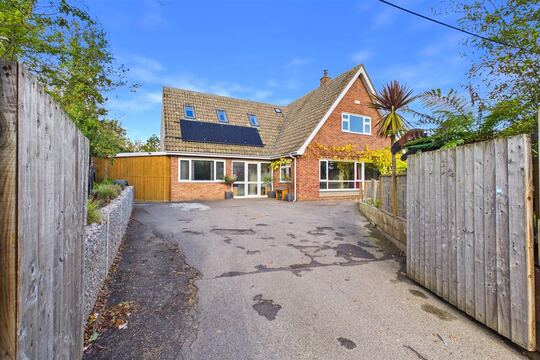
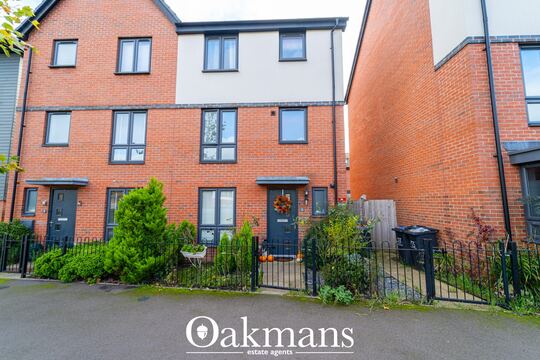
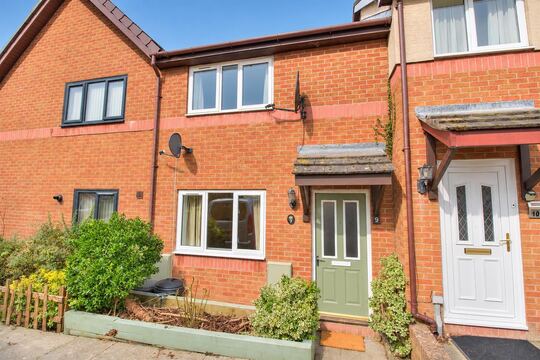

The property record, already pulled.
Open any RICS Level 2 or Level 3 report and the drawer is already full: EPC certificate, flood zone, radon, subsidence, the estate agent's photos and nearby sold prices — every source keyed to the property's UPRN, every field copy-paste ready. The eight portal tabs you used to keep open? Closed for good.
How it works
From an address to a loaded drawer.
No lookups to trigger, no imports to run. The drawer starts filling itself the moment your report exists.
You open the report
Create a new RICS Level 2 or Level 3 report — or open one you started yesterday. That is the whole trigger. The drawer issues its lookups in the background while the editor loads, so by the time you are looking at Section A the data is already sitting in the panel. Many surveyors open the report the evening before the inspection purely to read the drawer — the same habit the standalone Property Viewer serves before a job is even booked.
The address resolves to one UPRN
The subject address is resolved to its Unique Property Reference Number — the government's persistent ID for every addressable property in Great Britain. Every lookup that follows is keyed to that number, not to an address string, so a converted Victorian villa returns data for your flat, not the one downstairs. Where no UPRN exists (very new plots, some unregistered addresses), the drawer says so plainly and falls back to a labelled postcode-and-street match for the listing.
Four sources load in parallel
The property record (35+ fields from our property database), the latest EPC certificate from the UK Government's OpenData register, the environmental risk profile (flood, surface water, subsidence, radon, contaminated land, ground stability) and the most recent estate agent listing all fetch simultaneously — plus coordinates for the map widget and sold comparables within a mile. Each source caches independently per UPRN: EPC for 30 days, everything else for an hour, so a property you revisit loads in under a second.
You copy — or Otto writes
Every field carries a copy control, so the EPC's exact registered wall description drops into your D2 narrative in one click. Or skip the clicking entirely: when you run Otto auto-mode, the drawer's data becomes the primary input for Section C — nine fields synthesised in one pass, each with a confidence score and a citation back to the source that produced it.
The drawer pull
Keep scrolling. Each tray slides out.
This is what sits beside every report field: six trays of reference data, pulled once, keyed to one UPRN. On this page you pull them open by scrolling — in the editor, they are simply already open.
Illustrative data, laid out the way the drawer presents it.
Property data
Section C · About the property — reference panel
Current rating
D → potential B
Floor area
96 m²
Main heating
Gas boiler + radiators
EPC register · 30-day cache
Age band
1930–1949
Built form
End-terrace
Walls
Solid brick, as built
Property record · UPRN
Rivers & sea
Medium
Surface water
Low
Section I wording
Ready to draft
Environmental data
Radon band
Low
Advisory
Standard wording available
Environmental data
Subsidence
Low
Contaminated land
None recorded
Ground stability
Stable
Environmental data
Last marketed
5 months ago
Gallery
Up to 40 photos
Description
Room-by-room, in full
Listing archive · UPRN match
Trust the match
One key. Zero guesswork.
Address strings lie — flat conversions, renumbered streets, "The Old Post Office". The UPRN doesn't. Everything in the drawer hangs off that one national identifier, and everything tells you where it came from.
You type the address
14 Mill Lane, Shrewsbury
Resolved to one UPRN
The property's unique national ID
Property record
35+ fields
EPC register
Latest certificate
Environmental risks
Flood · radon · ground
Listing archive
Photos + description
Four parallel lookups, one key — no fuzzy address matching.
Address in, UPRN out
The address you type is resolved to a single UPRN before any data is fetched. Four lookups then run in parallel against that key — property record, EPC register, environmental risks and the listing archive — so the wrong-flat problem that plagues address matching simply cannot happen on a UPRN-exact result.
Provenance on every row
Each field in the drawer is chip-labelled with its source — EPC register, property record, listing archive, environmental data — and carries a retrieval timestamp behind the scenes. When a PI question surfaces months later, the audit trail shows exactly which authoritative source you relied on and when it was consulted.
Before you even arrive
Walk in already briefed.
The drawer changes the shape of the job. The reading happens the night before; the site visit confirms rather than discovers; the write-up starts from a full record instead of a blank page.

1 · The night before
Read the drawer with your tea
Open tomorrow's report and the drawer is already full. EPC says solid walls and storage heaters; risks say Flood Zone 2. You know what you're walking into.

2 · At the front gate
Confirm, don't discover
The age band, built form and as-marketed photos are in your head before the key turns. Your inspection time goes on condition — not on working out what the building is.

3 · Back at the desk
Write from a full record
Every factual field — floor area, wall description, flood zone, radon band — is one click from its section. The typing you do is judgement, not transcription.
In the drawer
Five tabs. Sixty-plus data points.
Everything is keyed to the subject UPRN and loaded automatically when the report opens. The Risks tab is built for while you write — if you want the same risk data packaged as a polished, client-facing document, that's the Environmental Report tool.
And don't confuse the drawer with Property Viewer: Viewer is the standalone dashboard you check before quoting a job; the drawer lives inside the report editor for the moment you're actually writing it.

Property record
35+ fields · 1-hour cacheUPRN-keyed snapshot from our property database: property type, built form, construction age band, bedrooms, bathrooms, floors, habitable rooms, EPC floor area, predicted floor area, construction and roof material, roof shape, windows, fireplaces, extensions, basement, solar panels, garden, parking, land area, building height, council tax band, predicted price and average area price.
EPC certificate
25+ fields · 30-day cacheLive data from the UK Government OpenData EPC register: current and potential rating and efficiency score, floor area, wall, roof, floor and window descriptions with energy efficiency ratings, main heating and controls, hot water and lighting type, main fuel, mains gas flag, annual heating, hot water and lighting costs in £, and CO2 emissions in tonnes per year.
Environmental risks
Flood · subsidence · radon · landFlood risk (rivers and sea), surface water flooding, subsidence risk, radon risk, contaminated land and ground stability — each expressed as low, medium or high severity. Feeds directly into Otto auto-mode's Section C local environment paragraph, including the correct Flood Zone designation and radon advisory statement.
Listing
Photos · description · key metricsMost recent estate agent listing, matched UPRN-exact first (agent CRM feeds — up to 40 gallery photos), falling back to a labelled postcode and street-name match from listing archives. Address, status, price, tenure, floor area, EPC rating, council tax band, parking and the full description — "as marketed" context against "as found" condition.
Comparables
Sold · rental · 1-mile radiusRecent sold and rental comparables within a 1-mile radius — a quick market sanity-check without leaving the report. For a full weighted valuation with adjustable parameters and a formatted comparison table, step up to the dedicated Comparable Sales tool.
Map + Street View
Always onAn embedded OpenStreetMap widget centred on the property with a ~200 m bounding box, plus one-click deep links to Street View and Google Maps — all derived from the UPRN's coordinates.
Where it pays off
Section C, written from the drawer.
When you run Otto auto-mode, the Section C auto-populator draws on three sources this drawer surfaces — and shows its working on every field.
UPRN / EPC data
Property type, age band, walls, roof, heating, floor area and EPC rating — from the property record and EPC certificate via UPRN lookup. Direct-from-register values score highest confidence.
Image AI summaries
Categorised photo summaries from your inspection feed wall construction, roof condition, heating type and outbuilding details into the construction paragraph. See the Image AI tool.
Listing description
The estate agent's room-by-room walkthrough is the primary source for the accommodation grid: room counts per floor, conservatory, utility room and WC.
Nine Section C fields tracked by the auto-populator
Confidence 0–1 per fieldHow the confidence score reads
Straight from the EPC or UPRN record
Multiple corroborating sources agree
Reasonable inference from partial data
Educated guess — flagged for your review
Fields below 0.5 are highlighted in the Section C editor so you know exactly which values to verify before signing off.
RICS Home Survey Standard
Which sections does the drawer feed?
The five tabs map directly onto the RICS sections that demand property-specific data — so you fill the report from evidence, not from memory.
| RICS section | Drawer tab | What it provides |
|---|---|---|
| Section A | Property record | Property type, floor area, council tax band, construction age band and UPRN — carried into the report so you are not transcribing the title sheet by hand. |
| Section C | Record + EPC + Listing | All nine accommodation fields auto-populated by Otto auto-mode, each with a confidence score and source citation. |
| Sections D–G | Listing (photos) | Up to 40 as-marketed photos beside your own survey photos — for spotting post-marketing changes and condition discrepancies across elements D1–G3. |
| Section H | Environmental risks | Subsidence classification, contaminated land status and ground stability for legal issues relating to the site and its surroundings. |
| Section I | Environmental risks | Flood Zone designation, surface water risk, radon band and subsidence for the risks-to-purchaser narrative — with the standard specialist-advice advisory ready to draft. |
The tabs you close forever
Six lookups, zero portals.
Every source below used to be its own browser tab, its own search box, its own transcription job. The drawer fetches all of them the moment your report opens.
| The manual lookup | In the drawer |
|---|---|
| UK Government EPC register | EPC tab — every field pre-loaded, 30-day cache |
| Environment Agency flood map | Risks tab — Flood Zone designation + surface water severity |
| UK radon advisory maps | Risks tab — radon band with standard advisory ready |
| Ground stability / contaminated land data | Risks tab — subsidence, contamination and stability flags |
| Property portal listing search | Listing tab — UPRN-exact match, up to 40 photos |
| HM Land Registry sold prices | Comps tab — sold and rental within 1 mile |
In practice
A 1930s end-of-terrace, near the River Severn.
How the drawer threads through a real Level 2 job — from the night before to the finished Section C.
The evening before — she reads the drawer
Helen opens tomorrow's report from the sofa. EPC: current rating D, potential B, solid-wall construction, electric storage heaters, no cavity fill noted. Risks: rivers and sea — Medium; surface water — Low; radon — Low. She already knows this is a Flood Zone 2 conversation and plans her ground-floor checks accordingly.
On site — confirming, not discovering
Two hours of inspection. The listing photos from five months ago showed a refitted kitchen and a rear conservatory — she clocks the conservatory as a later addition the moment she sees it, because she was expecting it. Her dictation focuses on condition, not on establishing basic facts.
At the desk — the drawer beside the sections
She pastes the EPC floor area into the accommodation grid in one click and lifts the registered wall wording — "solid brick, as built, no insulation" — straight into her D2 narrative as the certificate description she is verifying against. The conservatory goes into the accommodation grid from the listing tab.
Without the drawer
- EPC portal, flood map and listing portal in three separate tabs
- Manual transcription of ratings, areas and wording — ~15 minutes
With the drawer
- Everything pre-loaded when the report opened last night
- Copy-clicks and one Otto pass — under two minutes
Otto drafts Section C from the combined record
One auto-mode pass and the local environment paragraph lands with the Flood Zone 2 designation and the standard advisory to seek further enquiries before legal commitment — drawn from the same risk values she read on the sofa. She reviews the two fields flagged below 0.5 confidence, adjusts one sentence, and moves on to her condition narrative.
Built for surveyors, not for buyers
Eight things a property portal won't give you.
UPRN-exact matching
Keyed to the UK's unique property reference, not a fuzzy address string. You always get data for the correct unit in a converted building or the right flat in a block — never a neighbouring property with a similar address.
Confidence score on every auto-filled field
Each Section C field Otto populates carries a score from 0 to 1. Fields below 0.5 are highlighted in the editor so review effort lands exactly where the data is weakest.
PI provenance trail built in
Source label and retrieval timestamp recorded against every fact the drawer surfaces. If a claim challenges a factual statement years later, the log shows which authoritative source you relied on — and when.
Inside the report editor
Not a separate portal, not a third-party tab. The drawer sits beside the sections you are writing, so the data arrives at your keyboard rather than in another window.
Per-source independent caching
EPC 30 days; record, risks, listing and coordinates 1 hour — each cached separately per UPRN. A freshly lodged EPC never invalidates the risks snapshot, and revisited properties load in under a second.
Feeds Otto auto-mode directly
The drawer's record and EPC data are the primary input for Section C synthesis — combined with categorised photo summaries and the listing description in a single automated pass. See the full Otto pipeline.
Honest about what's missing
No UPRN? No EPC? The drawer says so explicitly with a labelled unavailable state — which is itself reportable ("no EPC lodged for this property"). It never silently substitutes a near-match.
Map, Street View and coordinates included
An OpenStreetMap embed centred on the property plus Street View and Google Maps deep links — the orientation pass you do before any visit, one click from the report.
Under the bonnet
How each source is fetched and cached
You remain responsible for verifying data on site — the drawer supplies reference data to support your professional judgement, not to replace it.
Part of the toolkit
The drawer feeds the whole report workflow.
Property data is the quiet layer underneath most of the surveyor toolkit — these are the tools that draw on it or extend it.
Property Viewer
The pre-survey sibling: a standalone dashboard for scoping and quoting a job before you visit — same data instinct, before the report exists. The drawer takes over once you are writing.
Otto — AI report writer
Auto-mode uses the drawer's record and EPC data as the primary input for Section C synthesis, alongside dictation routing and photo categorisation.
Environmental Report
Packages the same flood, subsidence and radon data from the Risks tab into a standalone, client-facing document.
Comparable Sales
The full weighted valuation tool — adjustable comparable selection, distance filters and a formatted comparison table extending the drawer's quick 1-mile comps.
Image AI
Categorises your survey photos by RICS element — its summaries join the drawer's data as Section C source number two.
Level 2 Report Writer
The RICS Level 2 editor where the drawer lives — every Home Survey opens with the panel already loaded.
Level 3 Report Writer
The Building Survey editor — the EPC's construction detail cross-references your element narrative across Sections D–G.
Snagging Report Builder
New-build inspections use the same UPRN-keyed record as a baseline against the developer's specification.
AI Dictation
Dictate observations on site; the drawer fills the factual gaps so your words can stay about condition.
Getting started
Nothing to install. Nothing to configure.
The drawer is part of the report editor itself — it comes with the account, at no extra charge.
Claim your listing
Sign up for a free Home.co.uk Surveyors account — most RICS-regulated firms are already listed, so you just claim yours. All report tools, including the drawer, activate with the account.
Get your free accountOpen any report
Create a Level 2 or Level 3 report, or open an existing one. The drawer starts fetching in the background the moment the editor loads — by Section A the data is there.
Write from the record
Click any tab, copy any field, or run Otto auto-mode and let Section C write itself from the combined sources.
See Otto auto-modeFAQ
Common questions about the Property Data Drawer
Getting started & coverage
What is the Property Data Drawer?
A reference panel built into every Home.co.uk RICS Level 2 and Level 3 report editor. Keyed to the subject UPRN, it surfaces five data sources — property record, EPC certificate, environmental risks, estate agent listing with photos, and sold comparables — all fetched and cached automatically when you open a report. No separate logins, no government portal tabs, no copy-pasting from external tools.
Is it included with a Home.co.uk Surveyors account or is it a paid add-on?
Included as standard — not a separate add-on or pay-per-use feature. The drawer is built into both the Level 2 and Level 3 report editors, so every report you open has access to all five tabs. There is no additional charge for property record lookups, EPC register queries or environmental risk data.
What is a UPRN and why does it matter for my RICS survey?
A UPRN (Unique Property Reference Number) is the UK government's persistent identifier for every addressable property in Great Britain — a fixed numeric code that identifies a specific property regardless of how the address is written. It matters because it lets the drawer match your subject property precisely across multiple independent databases — the EPC register, our property database, sold price records and environmental risk data — without address matching that can return the wrong flat in a converted building. All five tabs are keyed to the UPRN where one is available.
Can I look up a property's data before I visit for an inspection?
Yes — many surveyors find this the most useful habit the drawer creates. Because data is fetched when the report editor opens, you can create the report the evening before and review the EPC, flood zone, radon band, contaminated land status and listing photos before you leave for site. You arrive knowing whether the property sits in Flood Zone 2 or 3 and can plan your element checks accordingly. Nothing replaces on-site inspection — but you go better prepared and transcribe less afterwards.
Does the drawer work for leasehold flats and apartments?
Yes — the UPRN covers all residential property types including leasehold flats. For flats, the property record shows the floor level, habitable rooms and EPC floor area specific to that individual unit rather than the whole building. Where an EPC exists for the flat specifically it is retrieved by UPRN exact match; where only a building-level certificate is available, the drawer notes this clearly so you can record the position accurately.
EPC & the property record
Does the drawer replace looking up the EPC manually?
Yes. The EPC tab fetches the most recent domestic Energy Performance Certificate from the UK Government's OpenData EPC register automatically and caches it for 30 days per UPRN. You see every field your report needs — current and potential rating, floor area, walls, roof, heating, annual costs — without visiting the register separately. If no certificate exists, the tab shows an explicit not-found state you can record in your report.
What EPC information does the drawer show?
The full dataset from the most recently lodged certificate: current energy rating (A–G) and efficiency score, potential rating and score, total floor area, property type and built form, construction age band, wall description and energy rating, roof description and rating, floor and window descriptions, main heating type and controls, hot water system, lighting, main fuel type, mains gas flag, annual heating, hot water and lighting costs in pounds, and CO2 emissions in tonnes per year. Where multiple certificates exist, the most recent lodgement is selected automatically.
How accurate is the EPC construction data for pre-1919 properties?
EPC certificates for pre-1919 properties are often assessed under RDSAP, which relies on assumptions about construction type, wall thickness and insulation that may not reflect what is on site. For Victorian and Edwardian terraces in particular, the EPC wall description is a useful starting point but you should always verify construction on site and note any discrepancy in your Section D or E narrative. The drawer shows the registered wording precisely, so you have the certificate description to hand when recording a departure.
Can I check the EPC data against what I see on site?
Yes — that is one of its key purposes. The EPC tab shows the registered certificate data: wall type, roof description, floor type, heating system and build age band. After the inspection you compare the registered description against your own observations field by field. If the EPC records cavity fill but you observed solid masonry, you note the discrepancy in your element commentary — with the exact registered wording you are departing from right beside you. Auto-populated fields are flagged with their confidence score so you can see which values came from the register versus your own photo summaries.
How much time does the automatic EPC lookup actually save?
A manual EPC lookup means opening the Government portal in a separate tab, searching by address, verifying the correct certificate and transcribing the rating, floor area, wall description, heating type and annual costs — typically five to eight minutes per report. With the drawer those fields are pre-loaded when the editor opens. Add the flood-map, radon and listing lookups it also replaces and most surveyors reclaim around fifteen minutes of portal time per report.
Risks, listing & comparables
Which environmental risks are covered?
Flood risk (rivers and sea), surface water flooding, subsidence risk, radon risk, contaminated land and ground stability — each expressed as low, medium or high severity rather than a raw technical score. When you run Otto auto-mode, these values write the Section C local environment paragraph, including the correct Flood Zone designation and the standard radon advisory.
What flood zone designations does the drawer provide for Section I?
The Environment Agency designation — Zone 1 (low probability), Zone 2 (medium) or Zone 3 (high) — along with surface water severity, presented in the same terms used in RICS Home Survey Standard Section I. Otto auto-mode drafts the correct zone wording and the standard advisory recommending the purchaser seek specialist advice before legal commitment into both the Section C environment paragraph and the Section I narrative. You review and adjust before sign-off.
How does subsidence data help me complete Section H?
Section H covers legal issues relating to the site and its surroundings, including ground conditions. The Risks tab shows the subsidence classification — low, medium or high — plus contaminated land and ground stability, sourced via the property UPRN. It gives you an authoritative reference without opening a specialist search tool; it does not replace a full specialist environmental search, but it flags the properties where one may be particularly warranted so you can recommend it clearly.
What does the listing tab show and where does the data come from?
The most recent estate agent listing for the subject property. For properties listed through Home.co.uk's agent CRM feeds, it matches by UPRN exact match and includes up to 40 gallery photos with captions. For properties in listing archives only, it shows the text description and key metrics matched by postcode and street name — and labels the match quality (exact UPRN, house number, or street-level) so you can judge the confidence of what you are looking at.
Can I see comparable sales without leaving the report editor?
Yes. The Comps tab shows recent sold and rental comparables within a 1-mile radius — a quick sanity-check while you write. For a full weighted valuation with adjustable comparable selection and a formatted comparison table, use the dedicated Comparable Sales tool — both are included in the account.
Sections, compliance & data
How does the drawer help me complete Section C faster?
Otto auto-mode uses the drawer's UPRN and EPC data, Image AI photo summaries and the listing description to synthesise all nine Section C fields in one pass, each with a confidence score and source citation. For properties with an EPC, a CRM listing and categorised photos, Section C can be completed in under two minutes. See the Otto page for the full pipeline.
Does the drawer work with Level 3 Building Survey reports?
Yes — it is built into both editors. For Level 3, the EPC's detailed construction data (wall type and insulation, roof construction, floor type, heating system and controls) provides a cross-reference for the condition element narrative across Sections D–G, and the environmental risks support the more detailed Section I risk narrative expected at Level 3.
Does the drawer support RICS Home Survey Standard compliance?
The Standard requires specific property attributes in Sections A and C and reporting of known environmental risks in Sections H and I. The drawer assembles the principal reference sources for those sections: the UPRN-keyed record and EPC for construction data, and the risks panel for flood zone, radon and contaminated land. You remain responsible for on-site verification and professional judgement — but you arrive at the keyboard with the reference data already loaded rather than assembling it from portals after the inspection.
Does the drawer help protect my professional indemnity position?
A documented source for every factual statement is good practice from a PI perspective. The drawer records the data source — EPC register, property database, listing archive or environmental risk data — and a retrieval timestamp for each fact it surfaces. If a claim ever challenges a factual element of your report, the log provides clear evidence of the authoritative source relied upon and when it was consulted. On-site verification and sign-off remain yours.
How current is the data shown in the drawer?
Property record and environmental risks: cached 1 hour per UPRN. EPC certificate: 30 days. Listing and coordinates: 1 hour. Each source caches independently — a freshly lodged EPC does not invalidate the risks cache. Need a forced refresh? Clear the report's cached data from the report settings panel and the drawer re-fetches everything.
What happens if there is no UPRN or EPC for the property?
The drawer handles missing data gracefully. Without a UPRN, the record, EPC, risks and comparables tabs show an unavailable state with a clear explanation. With a UPRN but no EPC, the EPC tab shows an explicit not-found state — itself useful to record in the report. The listing tab falls back to a labelled postcode and street-name search, and the Section C auto-populator will still run on categorised image summaries alone.
How does the drawer support a new-build or snagging inspection?
Even with no sold history, the record shows the predicted floor area and construction age band registered against the UPRN — a baseline to compare with the developer's specification. If an EPC has been lodged (required for new-build dwellings before first occupation), the EPC tab shows the predicted rating, specified heating system and construction details. The risks tab is particularly relevant for new-builds on brownfield sites or in flood-risk areas. Pairs naturally with the Snagging Report Builder.
More tools
Explore the rest of the surveyor toolkit

Home Academy
Short lessons on Home tools
Learn the steps, try the real tools and follow a first-week path to your first Otto report.

Otto
AI auto-mode RICS report writer
Dictate on-site, upload photos, get a finished, fully-routed Level 2 or Level 3 report in minutes.

Level 2 Report Writer
RICS Home Survey Level 2
Field-by-field RICS Level 2 reports with inline AI suggestions, image gallery, comparables and one-click branded PDF.

Level 3 Report Writer
RICS Building Survey Level 3
Comprehensive Level 3 Building Survey reports with deep technical sections, custom rating scales and AI legal-adviser notes.

Surveyor Comparable Tool
Sold + rental comps in one click
Auto-fetch sold and rental comparables within a 1-mile radius, weighted valuation range, branded PDF appendix for any survey.

Snagging Report Builder
New-build defect tracker
Build professional new-build snagging lists with location-based defect tracking, photos, urgency, status and PDF export.

Schedule of Condition
Room by room, photo by photo
A dated record of a property's condition, every elevation and every room, dictated on site with numbered photos referenced for you and a branded PDF. No ratings, no advice.

AI Dictation
Voice-to-fields routing
Speak observations on-site; AI routes every sentence to the correct RICS field with confidence scores and replayable audio.

Image AI
Auto-categorise survey photos
Upload up to 200 photos; vision AI tags each to the right RICS element, rates condition, extracts defects and picks the best 35 for the report.
Style Profile
Your firm's writing fingerprint
Teach the AI to write like your firm — upload past reports, the AI extracts a 25-dimension writing fingerprint and applies it to every future auto-mode report.

Property Viewer
Pre-survey property intelligence
Look up any UK property and instantly see EPC, energy renovation costs, broadband coverage, environmental risks (flood, radon, mining, landfill), invasive plants, sales history and listing status — all in one dashboard.

Standard Phrases
Reusable language library
Personal, firm-wide and industry-preset phrase libraries — insert with one click and use to train AI routing for voice consistency.
Required photos
Every report leaves with the photos you expect
Set the photos each Level 2 and Level 3 report must contain. Surveyors see a checklist as they write, and a report can't be issued until each photo is there or the reason is written down.

RICS Standards Check
A Home Survey Standard check before you sign
One-click AI check against the RICS Home Survey Standard — flags missing content, weak ratings and structural gaps before you sign the report.

Quote Builder
Clear choices, a date to decide
Send branded survey quotes with up to three options, a PDF and an expiry date. Reuse service templates, track responses and see your win rate.

Home Payments
Paid faster, no invoicing
Home Payments mission control — customers pay at booking through a Stripe-verified checkout, payouts land on a schedule you can see, payment links cover your private work, and there is no invoice chasing ever again.

Bookings CRM
Every job, one pipeline
The surveyor CRM built into the platform — Homemove jobs land pre-paid with customer and property attached, enquiries convert to bookings, and the whole pipeline runs from one screen.

Panel work
Every panel job, every deadline
Run jobs from the other panels you work for beside your own. List each panel with its usual fee and turnaround, add a job in under a minute, and watch every report deadline count down.

Calendars & Requests
A diary that fills itself
Per-surveyor diaries with live availability — keep your dates current and we book real jobs straight in, with inbound availability requests answered in a tap.

The firm inbox that knows the job
A full mail client scoped to your firm — @home.uk purpose mailboxes and per-user addresses, with every thread landing against the booking it belongs to.

Documents & e-sign
Signed before you set foot on site
Terms of engagement sent with the booking, tracked from sent to signed, chased automatically and stored against the job — no more chasing clients to sign.

Insurance & conflict checks
Safe to take the job
Every new job is checked against your firm's own history, so you know when you have surveyed a property before. Your PI insurance is tracked with reminders, and new reports can't be issued once recorded cover has lapsed.

Telephony
The firm number that never misses a job
A phone system built into the platform — take calls in the browser, forward to mobiles, ring the whole team at once, and keep a shared call log with optional recording.

Customer portal
Your client, never in the dark
A white-label portal under your firm's branding and domain — booking status, reminders and secure report delivery, so customers stop asking where things are.

Website builder
Built by asking, not designing
A firm website built and edited by talking to Inigo — brand and theme sync, a real section library, custom domains via CNAME, and enquiries that land in your pipeline.

Campaigns
Win the next job from the last one
Firm email campaigns with per-recipient tracking — sends, opens, clicks and read time — built on consented lists with one-click unsubscribe handled for you.

Reviews & badges
Proof that wins the next booking
Reviews earned on real completed jobs — scored by the homemover, shown on your directory profile — plus embeddable trust badges that carry the proof to your own website.

Performance
See the pipeline, beat the clock
Firm analytics without the spreadsheets — pipeline conversion, team performance and your own turnaround speed, the fourth lever of your rate.

Inigo
The AI assistant for surveyors
Ask in chat, dictate by voice, or click any element for contextual help — grounded answers on valuations, sales history and market data, inside the platform.

AI Training
Teach it your standard
Upload past reports and press Train — the AI learns your firm's defect language, ratings philosophy and phrasing, and Otto writes with it on every job.

Environmental Report
Every risk, one report
A one-click environmental risk report for any property — flood, ground stability, environmental factors and planning constraints, delivered as a PDF.
Free directory listing. Pay-as-you-go toolkit.
Every RICS-regulated surveying firm gets a verified profile, direct bookings from home.co.uk consumers and the surveyor toolkit included with the account. No subscription. No pay-per-lead. No commission on the job. Pay only when you use the premium AI tools.
2 minute setup · Verified against the RICS register · Trusted UK property platform since 1995