 Buy
Buy Rent
Rent Sell
Sell New
New Prices





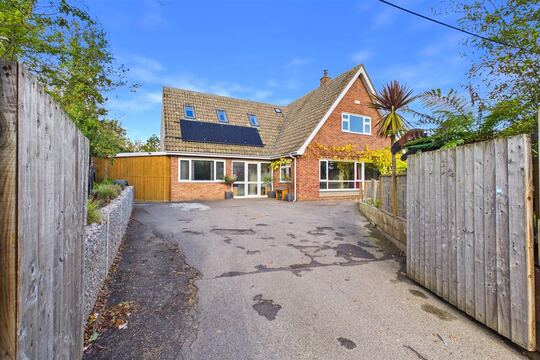
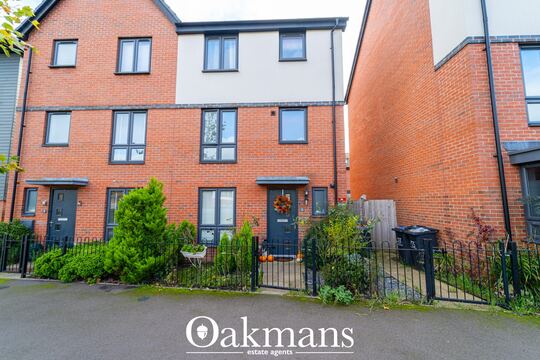
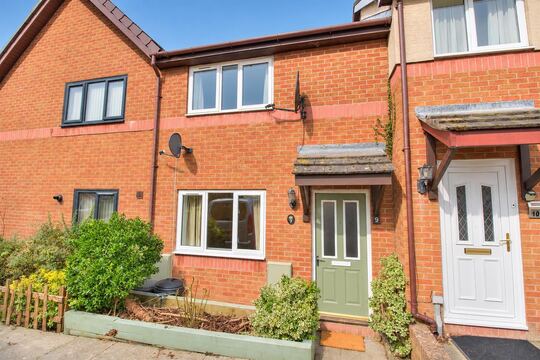
200 photos. They sort themselves.
Shoot freely on site, upload the lot. The vision AI tags every image to its RICS element, assigns a condition rating, writes a professional caption, extracts a defect list — and picks the best ~35 for the report, defect-first, with every section covered.
How Image AI works
Five steps from camera roll to report appendix.
Everything runs server-side, in parallel. You photograph the property the way you always have — the sorting, rating, captioning and selecting happen while you drive to the next job.
Upload the whole roll
Drag up to 200 photos into the report's Photos tab — JPEG, PNG, TIFF or HEIC, in any order, straight off the phone or camera card. iPhone HEIC files convert to JPEG automatically server-side and every photo lands in secure cloud storage with an image record created pending classification. No pre-labelling, no renaming, no folders.
Vision AI reads every photo
The vision AI processes the batch in parallel. Each image comes back with a RICS section code (D, E, F, G or I), an element code (D2 Roof coverings, F1 Electricity…), a condition rating (1/2/3 or your firm's custom scale), a professional caption in surveyor language, a defect list with urgency tags, a survey-relevance flag and an orientation check. If you've already dictated findings — see the AI Dictation tool — your written D–G context is passed to the vision AI so photo ratings don't contradict your own.
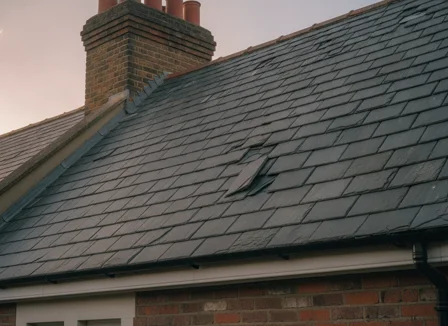
IMG_0142.heic
“Slipped and cracked slates to the front elevation near the eaves.”
One pass · every photo in the batch
Every answer is validated
Each AI response is checked against the full RICS element catalogue (D1–D9, E1–E9, F1–F7, G1–G3, I1–I4). Out-of-range codes are nullified rather than silently dropped, upside-down or 90°-rotated shots are flagged for correction, and furniture-only or accidental photos are marked for exclusion. Nothing enters the report on a malformed answer.
The best ~35 are selected
A multi-phase scoring algorithm picks the report set. Phase 1: the top-scoring image from every populated section, so no section goes unillustrated. Phase 2: remaining slots fill from the highest scorers across the whole roll. Phase 3: the defect boost — any section containing a rating-3 (Serious Defects) element gets at least two photos, so problem areas carry the strongest visual evidence. The target is configurable from 25 to 50 and you can re-run selection at any time without re-categorising.
Photos flow into the report
Selected photos land in the Level 2 or Level 3 report writer with captions pre-positioned against their elements, and defect lists feed Section B priority items in Otto auto-mode. The exact same photo pass runs inside Otto's full pipeline — Image AI is that step, available standalone.
Order from chaos
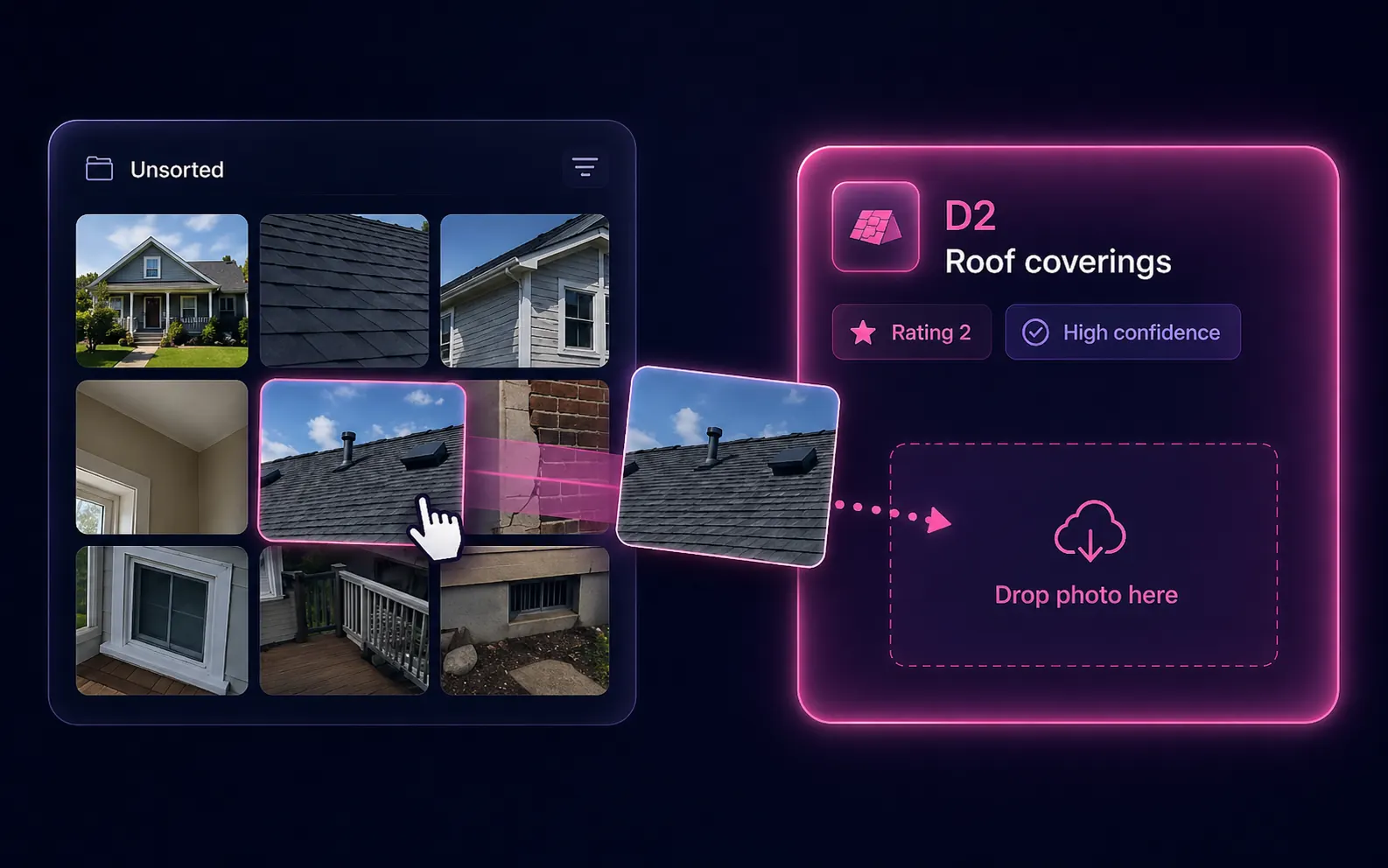
Watch a camera roll sort itself.
This is the moment surveyors describe as the drudge-work disappearing: an unsorted heap becomes labelled element buckets — and the accidental shots take themselves out.
Illustrative — on a real report the same pass covers all 32 element codes, with a confidence score on every assignment and full drag-and-drop override.
The new photo workflow
Shoot freely. Never sort again.
The camera roll stops being a chore you owe yourself at the end of the day. Photograph everything that matters; the sorting is no longer your job.

1 · On site
Shoot everything that matters
Room by room, in your usual rhythm. No stopping to label, no mental map of what goes where. Over-shooting is fine — the relevance filter and best-35 selection handle the excess.

2 · The defects
Every defect, framed
Cracked render, slipped slates, damp staining — shoot them close and shoot them wide. The AI extracts each visible defect with an urgency tag, and the defect boost makes sure serious findings get the space they deserve in the report.

3 · Back at the desk
Review, don't sort
Open the gallery to find the work already done: every photo coded, rated, captioned. You spend ten minutes on the handful the AI was unsure about — not eighty sorting the lot.
Selection you can defend
A funnel with rules — and a surveyor at the end.
The best-35 selection isn't a black box. Three explicit phases decide what makes the report — and every single decision is yours to override.
~35 selected for the report
Configurable 25–50 · re-run any time without re-categorising
The best-35 funnel
200 photos in, ~35 out. Relevance filtering removes furniture and accidentals, every survivor is scored 0–100, the coverage pass guarantees each populated section at least one photo, and the defect boost gives rating-3 sections at least two. Set the target anywhere from 25 to 50.
You sign off, always
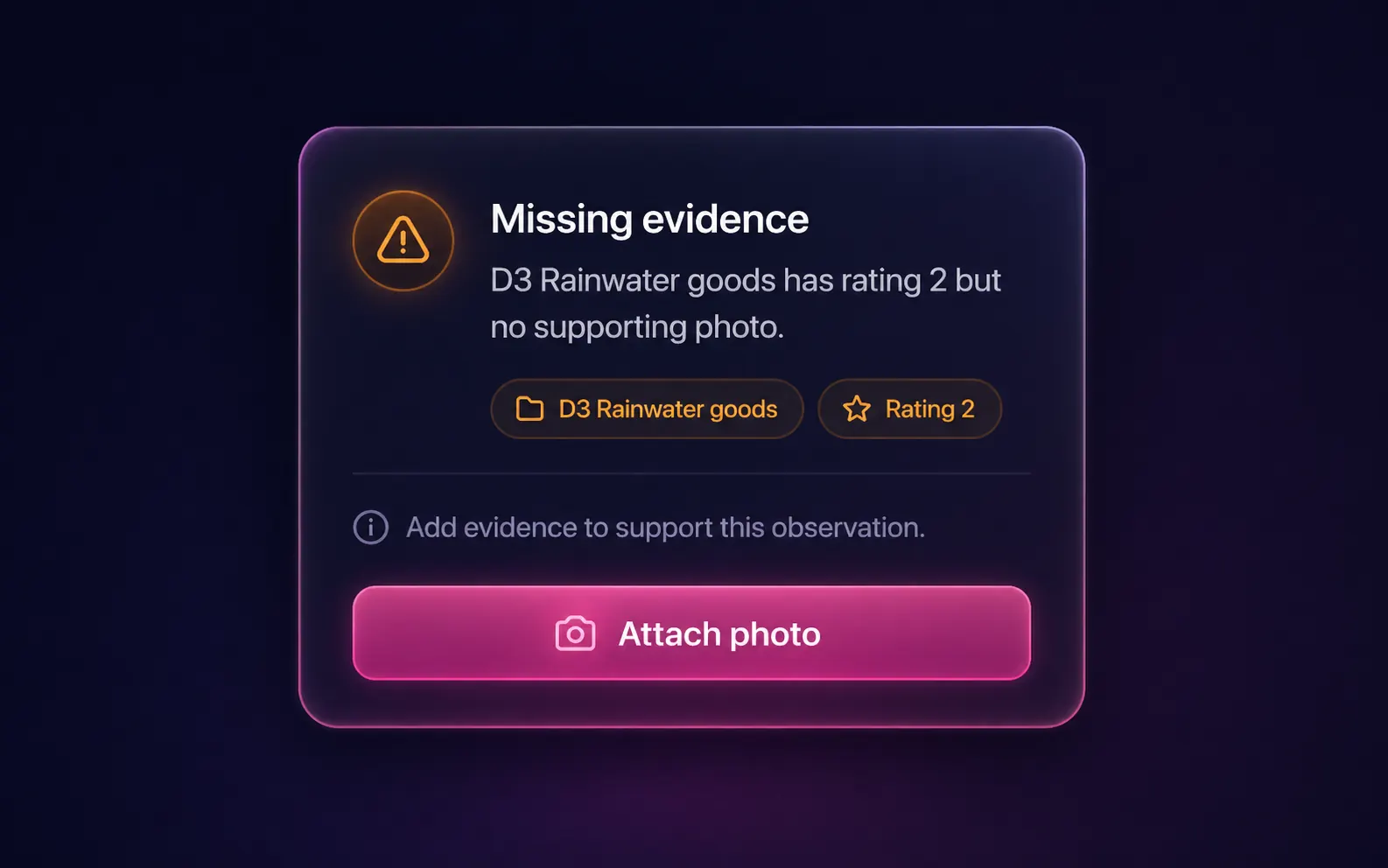
Drag any photo to a different element, mark front elevation, bulk-reassign with section dropdowns or eye-toggle inclusion — every override survives a re-run. And if you've rated an element 2 or 3 without a supporting photo, the missing-evidence checker flags it before you sign off.
Element coverage
All 32 RICS residential element codes, automatically mapped.
Image AI routes every photo against the full RICS Home Survey Standard element catalogue — external fabric, internal condition, building services, grounds and the risk sections. No pre-labelling required.
External fabric
- D1Chimney stacks
- D2Roof coverings
- D3Rainwater fittings
- D4Main walls
- D5Windows
- D6External doors
- D7Conservatory & porches
- D8Other joinery & finishes
- D9Other external
Internal condition
- E1Roof structure
- E2Ceilings
- E3Walls & partitions
- E4Floors
- E5Fireplaces
- E6Built-in fittings
- E7Woodwork
- E8Bathroom fittings
- E9Other internal
Building services
- F1Electricity
- F2Gas & oil supply
- F3Water supply
- F4Heating
- F5Water heating
- F6Drainage
- F7Common services
Grounds
- G1Garage
- G2Outbuildings
- G3Grounds & boundary
Risks
- I1Risks to the building
- I2Risks to the grounds
- I3Risks to people
- I4Other risks
Every assignment carries a confidence score from 0 to 100. Low-confidence assignments surface at the top of the review queue so you can confirm or reassign in seconds — in practice roughly 10% of a 200-photo upload needs any manual attention.
Professional indemnity
Photo evidence that holds up.
Gaps in photographic evidence — rated defects with no supporting photo — are a common source of PI disputes. Three Image AI features close those gaps automatically on every report.
Missing-evidence checker
Any element you've rated 2 or 3 without a supporting photo is flagged before you sign off. Rated-but-unphotographed defects are caught automatically on every report — not just the ones where you remember to check manually. One tap jumps to the gallery filtered to that element.
Section-coverage guarantee
The selection algorithm refuses to leave a populated element section without at least one photo in the appendix. No section goes unillustrated — no gap in the photographic evidence trail that could be questioned under a PI claim or complaint.
Defect-priority boost
Sections containing a rating-3 (Serious Defects) element automatically receive at least two selected photos. Your most significant findings carry the strongest photographic backing — the standard RICS and PI insurers expect for serious defect conclusions.
The RICS Home Survey Standard requires photographic evidence for rated defects. Image AI makes that requirement automatic rather than a checklist you have to remember.
A real-world afternoon
214 photos, signed off in 22 minutes.
A Level 2 survey on a 1930s semi-detached. How the photo work actually goes.
Photograph freely on site
Room by room, 214 photos on an iPhone — a mix of HEIC and JPEG. No stopping to label or sort. Chimneys, roof coverings, the consumer unit, damp patches on the party wall, bathroom sealant, boiler — all captured in the usual inspection rhythm.
Upload the whole batch
Back at the desk, all 214 photos into the report in one drag. HEIC files convert automatically; the vision AI starts on the full batch in parallel.
later, every photo is classified
Element code, condition rating, caption, defect list and relevance flag on all 214. Twelve photos — furniture shots, a blurry ceiling take, two accidentals — are flagged for exclusion. Thirty-five are selected, every populated section covered.
What the AI did
- 214 photos coded, rated and captioned in one parallel pass
- Best 35 selected — rating-3 sections given at least two photos each
What the surveyor did
- Swapped one chimney shot for a wider frame — a five-second drag
- Cleared a missing-evidence flag on E3 by attaching the damp-stain photo
Open the report writer to find the photos placed
Sections D, E, F and G already carry their photos with captions pre-positioned. Section B priority items list the two rating-3 elements with defect language drafted. The surveyor edits for tone and judgement, not structure.
Draft with the client the same day
Photo preparation that would have taken 80–120 minutes by hand done in 22 — including the review and both overrides. The recovered time went into better narrative, not admin.
The time saving
Where the minutes come from.
Task-by-task, for a 200-photo report. Image AI doesn't replace your eye for a defect — it replaces tagging, captioning, filtering and shortlisting.
How it compares
Image AI vs the alternatives.
General photo AI labels a kitchen "kitchen". A survey report needs D–G element codes, condition ratings and defensible evidence — a different job entirely.
| Capability | Image AI | Manual |
|---|---|---|
| RICS element codes (32, D1–I4) | Every photo | By hand |
| Condition rating (1/2/3) | Inferred per photo | By hand |
| Professional caption | Surveyor language | By hand |
| Defect list with urgency tags | Per photo | Rarely done |
| Survey-relevance filter | Automatic | Often forgotten |
| Missing-evidence checker | Before sign-off | Memory |
| Section-coverage guarantee | Built into selection | Memory |
| Confidence score + review queue | 0–100 per photo | n/a |
| Photo prep, 200 photos | ~3 min | 80–120 min |
What makes it different
Vision AI trained for surveys.
Recognises 80+ survey subjects by name
Chimney, boiler, consumer unit, external wall, damp patch and more. For photos with a single clear subject the element code lands in under a second; for multi-element shots it weighs element name, location, material and visible defect pattern to choose the best match.
Surveyor-context awareness
The vision AI receives your typed D–G findings as routing context, so it won't contradict you. If you've rated an E5 element 1 (Good), the photo AI won't propose 3 (Serious Defects) from a single ambiguous photo.
Defect extraction with urgency
For each photo: specific defects ("cracked mortar at corner joint", "moss growth on east-facing tiles"), each tagged immediate / short-term / routine. Defect lists feed Section B priority items automatically in Otto auto-mode.
Per-photo confidence, 0–100
Confidence shows inline in the gallery, and only genuinely uncertain shots surface in the review queue — typically about 10% of the upload. You review those, not the 180 the AI was sure about.
Orientation detection
Upside-down or 90°-rotated photos are flagged before they reach the report — common with quick phone shots taken at chimney level or under stairs.
Parallel processing speed
The whole batch processes simultaneously rather than one photo at a time: 2–3 minutes for 200 photos, compared with 30–40 minutes of manual element tagging for the same set.
Configurable selection target
Default is the best 35; a slider sets anywhere from 25 to 50 depending on report depth and client preference. Re-run selection at any time without re-categorising the underlying photos.
Section-coverage guarantee
The scoring algorithm refuses to leave a populated section without at least one photo. Even a defect-free element gets a representative shot in the appendix, so the report stays balanced.
Defect-priority boost
Sections containing a rating-3 (Serious Defects) element get at least two photos. Problem areas get more visual space than pristine ones — the report tells the right story.
Full surveyor override
Drag images between sections, mark front elevation, bulk-reassign with dropdowns, eye-toggle inclusion. The AI suggests; you sign off. Every override is preserved through re-runs.
Survey-relevance filter
Furniture-only shots, accidentals and unrelated photos are flagged for exclusion so they never pollute the PDF. Overridable — useful when an apparent furniture shot is actually a damp-stain photo.
HEIC auto-conversion
iPhone HEIC photos convert to JPEG server-side automatically. JPEG, PNG and TIFF also accepted; no camera settings to change before the inspection.
Who uses it
Anyone who takes photos on site.
From sole practitioners to multi-surveyor practices — if your reports carry photographic evidence, the sorting is no longer your job. Find verified firms using Home.co.uk tools in the surveyor directory.
Sole practitioners
No admin support means photo organisation falls entirely to you — usually 80–120 minutes of sorting before you can start writing. Image AI turns that into a 3-minute upload and a 10-minute review. At two to three surveys a week, that recovered time adds up to a full working day each month.
Otto: the full auto-mode pipeline →Multi-surveyor practices
With several surveyors on the team, photo standards drift — one labels carefully, another relies on memory. Image AI applies one consistent RICS element taxonomy across every report, every surveyor. The same D1–D9, E1–E9 structure in every file, regardless of who was on site.
Style profiles: one report voice →Level 3 building surveyors
Complex or older properties generate more photos — often well over 200 across visits — and condition-3 findings are more frequent. The defect-priority boost ensures serious-defect elements get at least two photos, not one. Pair with the comparables tool for valuation context alongside structural findings.
Comparable sales tool →APC candidates
A structured evidence trail for your APC submission
Every report produced with Image AI creates a documented photo evidence trail — element codes, condition ratings, captions and defect lists — showing exactly how photographic evidence was gathered and linked to written findings. The missing-evidence checker demonstrates a quality-control step applied before sign-off, and the override history shows AI assistance was used and critically reviewed, not relied upon uncritically. For Building Surveying and Residential Survey competencies, that documented approach supports the professional-judgement strand assessors increasingly expect to see addressed in AI-assisted work.
Part of the toolkit
One step in a joined-up pipeline.
Photos, dictation and written findings all flow into the same report. Image AI is the photo pass — these tools sit on either side of it.
The whole pipeline
Otto auto-mode
Dictation, photo categorisation and report generation end-to-end. The exact photo pass on this page runs as one stage of Otto's pipeline — dictate on site and the report is ready by the time you're back at the office.
The step before
AI Dictation
Dictate element findings on site. The transcript lands in the same report your photos are tagged against — giving the vision AI written context when assigning elements and ratings.
The step after
RICS Level 2 Report Writer
Photos, captions and defect lists flow straight in — element write-ups, Section B priority items and the photo appendix populate from your Image AI session.
RICS Level 3 Building Survey Writer
The same categorisation, selection and defect-extraction pipeline feeds the more detailed element-by-element narrative of a Level 3 — where photo volume and rating-3 findings both run higher.
Snagging Report Builder
For new-build inspections, Image AI's per-photo defect and urgency output provides the photographic foundation; the snagging tool structures the full snag list for the developer or client.
Property Viewer
Pull EPC data, flood risk, radon zone, Land Registry title and comparables before you arrive on site — context that also informs the report the vision AI is tagging photos against.
Getting started
From camera roll to report-ready in four steps.
Image AI is included with every verified Home.co.uk surveyor listing — no separate subscription, no setup. Open any report, head to the Photos tab and you're ready.
Claim your firm
Search for your firm by name or postcode — most RICS-regulated firms are already listed, so you just claim yours. Image AI activates once your RICS membership is verified.
Open the Photos tab
Inside any Level 2, Level 3 or snagging report, open the Photos tab. No camera settings and no pre-labelling needed before or during the inspection.
Upload your batch
Drag in up to 200 photos — JPEG, PNG, TIFF or HEIC. iPhone HEIC files convert automatically and the whole batch processes in parallel, in 2–3 minutes.
Review and continue
Check the review queue, drag any photo you'd place differently, resolve missing-evidence flags. Photos, captions and defects flow into the report writer automatically.
FAQ
Common questions about Image AI
Getting started & formats
Do I need to sort or label my photos before uploading?
No. Upload your photos in any order — straight from your phone or camera card. The vision AI determines the correct RICS element, condition rating and caption for each image automatically. The only preparation needed is to ensure HEIC files are not blocked by your device (they are converted automatically server-side).
Does Image AI work with iPhone HEIC photos?
Yes. HEIC files are automatically converted to JPEG server-side before categorisation. No need to change camera settings on your phone before the inspection.
Is there a photo limit per report?
The practical limit is 200 photos per report, categorised in ~2–3 minutes. The selection step targets the best 35 images (configurable between 25 and 50 via the slider) regardless of upload size.
How long does it take to categorise 200 photos?
Typically 2–3 minutes for a 200-photo upload. The vision AI processes images in parallel so turnaround does not increase linearly with photo count up to the 200-photo practical limit.
Can I reuse inspection photos from a previous report?
Photos are scoped to a single report. For the same property you can access previously uploaded images via the property data drawer; the categorisation re-runs against the new report context rather than carrying over old assignments.
How are my inspection photos stored and who can access them?
Photos upload directly to secure cloud storage linked to your Home.co.uk surveyor account. Access is restricted to your own account and the other surveyors in your organisation — your client property photos are never visible to other practices or third parties. Each photo is scoped to the specific report it was uploaded to and is not shared or indexed externally. If you need to remove photos after a report is completed — for data retention or client request purposes — the Photos tab lets you delete individual images or the full batch, which removes both the stored photo and its AI categorisation record from your account.
Categorisation & accuracy
What does Image AI do with my survey photos?
A vision AI processes each photo and returns a RICS section code (D, E, F, G or I), element code (e.g. D2, F1), condition rating (1/2/3), professional caption, defect list with urgency tags and a survey-relevance flag. A scoring algorithm then picks the best 35 for your report, with guaranteed section coverage and a defect-priority boost for rating-3 elements.
What accuracy rate should I expect from Image AI for RICS element classification?
Roughly 90% of a typical 200-photo upload receives a high-confidence assignment (score 80 or above), meaning the element code, condition rating and caption are almost certainly correct with no review needed. Around 8–10% score in the medium-confidence range (50–79) and are worth a glance. Fewer than 5% score below 50 and surface in the review queue as genuine ambiguity cases. The AI is trained specifically on RICS survey contexts — chimney stacks, roof coverings, consumer units, damp patches, bathroom fittings — rather than general photography subjects, which is why accuracy is high for standard survey subjects but tends to dip for unusual or rare elements such as historic materials or very tight-access spaces.
What is a confidence score and when do I need to review an assignment?
Every assignment carries a confidence score from 0 to 100. Scores of 80 or above indicate a near-certain match — the element code, condition rating and caption are almost certainly correct and require no action. Scores between 50 and 79 are medium confidence, usually correct but worth a glance. Scores below 50 indicate genuine ambiguity — these surface at the top of the review queue so you can confirm, reassign or exclude the photo in seconds. In practice roughly 10% of a 200-photo upload needs any manual attention; the rest flows through automatically.
What happens if I photograph a whole room rather than a specific element?
The vision AI identifies the dominant subject in each photo. If the room shot contains a clearly identifiable element — boiler, consumer unit, window, staircase — it routes to that element code. If the shot is genuinely room-level with no dominant subject, the AI routes to the most prominent element visible (e.g. E3 Internal walls for a general room shot). Confidence scores tend to be lower for these, surfacing them in the review queue. Drag-and-drop reassignment takes a few seconds if you prefer a different element.
How does Image AI categorise photos of damp staining or moisture damage?
The vision AI identifies damp staining as a visible defect regardless of which element the photo shows. A damp patch on an internal wall routes to E3 Walls and partitions with "damp staining" in the defect list and an urgency tag of immediate or short-term depending on severity. Penetrating damp on external render routes to D4 Main walls; ceiling staining from a roof leak routes to E2 Ceilings. Photos where damp is the dominant subject tend to receive high confidence scores because the defect is visually clear, and a condition rating of 2 or 3 is assigned depending on the extent visible in the image. The missing-evidence checker will also flag any element where your written findings note damp but no supporting photo has been attached.
What if the AI mis-categorises a photo?
Every assignment is overridable. Drag photos between sections, mark front elevation, bulk-reassign with section dropdowns and toggle inclusion via the eye icon. The photo AI suggests; the surveyor signs off. Overrides are preserved through re-runs.
Selection, evidence & PI
Can Image AI help satisfy RICS photo evidence requirements?
Image AI supports RICS photo evidence requirements in two concrete ways. First, the missing-evidence checker alerts you if you have rated an element 2 or 3 but have not attached a supporting photo — so rated-but-unphotographed defects are caught before you sign off. Second, the section-coverage guarantee means every populated element section in the report has at least one photo, which avoids gaps in photographic evidence that could be questioned in a PI claim.
How does Image AI protect against PI claims related to photo evidence?
Three features work together. The missing-evidence checker flags any element rated 2 or 3 without a supporting photo before you sign off the report. The section-coverage guarantee ensures every populated element section has at least one photo in the report appendix — no gaps that could be questioned in a dispute. The defect-priority boost automatically allocates at least two photos to sections with rating-3 (Serious Defects) elements, so your most significant findings carry the strongest visual evidence. RICS Home Survey Standard requires photographic evidence for rated defects; Image AI makes compliance automatic rather than a manual checklist item.
Will the AI invent defects that are not in the photo?
The defect list is generated from what the vision AI observes in each individual image. Vision AI tends to under-report rather than over-report defects, so you should still review the list — especially for photos where a condition rating of 3 (Serious Defects) was returned.
How does Image AI handle accidental or irrelevant shots?
Each photo receives a survey-relevance flag. Furniture-only shots, ceiling or floor accidentals and unrelated images are excluded from the report selection by default. You can override any exclusion — useful if an apparent furniture shot is actually a damp-stain or defect photo.
How is Image AI different from general-purpose AI photo recognition?
General-purpose photo AI assigns consumer labels — kitchen, garden, roof — which bear no relation to the RICS element catalogue. Image AI maps every photo against RICS element codes D1–D9, E1–E9, F1–F7 and G1–G3 specifically. It assigns a RICS condition rating (1/2/3), generates a survey-appropriate professional caption and extracts a defect list in surveyor language. The missing-evidence checker, section-coverage guarantee and defect-priority boost are specific to the survey reporting workflow — they exist because RICS photo evidence requirements are more precise than a generic image labelling task.
Levels, workflow & career
Does Image AI work with RICS Level 3 Building Survey photos?
Yes. The photo categorisation pipeline runs identically for Level 3 Building Surveys. Element codes, condition ratings and defect lists flow into the expanded Level 3 report sections. The section-coverage guarantee and defect-priority boost apply equally — particularly useful for complex or older properties where Serious Defect (rating 3) elements are more common.
Is Image AI useful for new-build snagging inspections?
Yes. Image AI categorises, captions and extracts defects from snagging inspection photos in the same way as RICS Level 2 and Level 3 photos — giving you a photo-by-photo snag record with per-defect urgency tags (immediate, short-term or routine). The missing-evidence checker also applies, so any element you have rated without a supporting photo is flagged before sign-off. For structuring and presenting the full snagging list to a developer or client, pair Image AI with the Snagging Report Builder.
Does Image AI work with the RICS Standards Checker?
Yes — they run at different stages of the same report. Image AI runs first, categorising and selecting photos before or during element write-ups. Once your element narratives are drafted, the RICS Standards Checker reviews the full report text for rating contradictions, missing specialist referrals and language that falls outside the RICS Home Survey Standard. Running Image AI first means photo evidence and written findings are aligned before the compliance pass — reducing the chance of a photo-rated element conflicting with your written condition rating.
Which RICS element codes does Image AI support?
Image AI covers all 32 residential RICS element codes across five survey sections. Section D (external fabric): D1 Chimney stacks through D9 Other external. Section E (internal condition): E1 Roof structure through E9 Other internal. Section F (building services): F1 Electricity through F7 Common services. Section G (grounds): G1 Garage, G2 Outbuildings, G3 Grounds and boundary. Section I (risks): I1 Risks to the building, I2 Risks to the grounds, I3 Risks to people, I4 Other risks. The full catalogue is shown in the element coverage section above.
Can photo evidence from Image AI support my RICS APC submission?
Yes. Every report produced with Image AI creates a structured photo evidence trail — RICS element codes, condition ratings, captions and defect lists — that documents how photographic evidence was gathered and linked to written findings. For APC candidates working toward Building Surveying or Residential Survey competencies, the missing-evidence checker demonstrates a quality-control step applied before sign-off: rated-but-unphotographed elements are flagged and must be resolved, showing professional diligence rather than accidental omission. The override history — photos the AI assigned one way and you reassigned — shows AI assistance was used and critically reviewed, not relied upon uncritically.
More tools
Explore the rest of the surveyor toolkit

Home Academy
Short lessons on Home tools
Learn the steps, try the real tools and follow a first-week path to your first Otto report.

Otto
AI auto-mode RICS report writer
Dictate on-site, upload photos, get a finished, fully-routed Level 2 or Level 3 report in minutes.

Level 2 Report Writer
RICS Home Survey Level 2
Field-by-field RICS Level 2 reports with inline AI suggestions, image gallery, comparables and one-click branded PDF.

Level 3 Report Writer
RICS Building Survey Level 3
Comprehensive Level 3 Building Survey reports with deep technical sections, custom rating scales and AI legal-adviser notes.

Surveyor Comparable Tool
Sold + rental comps in one click
Auto-fetch sold and rental comparables within a 1-mile radius, weighted valuation range, branded PDF appendix for any survey.

Snagging Report Builder
New-build defect tracker
Build professional new-build snagging lists with location-based defect tracking, photos, urgency, status and PDF export.

Schedule of Condition
Room by room, photo by photo
A dated record of a property's condition, every elevation and every room, dictated on site with numbered photos referenced for you and a branded PDF. No ratings, no advice.

AI Dictation
Voice-to-fields routing
Speak observations on-site; AI routes every sentence to the correct RICS field with confidence scores and replayable audio.
Style Profile
Your firm's writing fingerprint
Teach the AI to write like your firm — upload past reports, the AI extracts a 25-dimension writing fingerprint and applies it to every future auto-mode report.

Property Viewer
Pre-survey property intelligence
Look up any UK property and instantly see EPC, energy renovation costs, broadband coverage, environmental risks (flood, radon, mining, landfill), invasive plants, sales history and listing status — all in one dashboard.

Property Data Drawer
EPC + risks + comps in one panel
Open the property data drawer in any report to see EPC, environmental risks, listing history and comparables — copy-paste ready.

Standard Phrases
Reusable language library
Personal, firm-wide and industry-preset phrase libraries — insert with one click and use to train AI routing for voice consistency.
Required photos
Every report leaves with the photos you expect
Set the photos each Level 2 and Level 3 report must contain. Surveyors see a checklist as they write, and a report can't be issued until each photo is there or the reason is written down.

RICS Standards Check
A Home Survey Standard check before you sign
One-click AI check against the RICS Home Survey Standard — flags missing content, weak ratings and structural gaps before you sign the report.

Quote Builder
Clear choices, a date to decide
Send branded survey quotes with up to three options, a PDF and an expiry date. Reuse service templates, track responses and see your win rate.

Home Payments
Paid faster, no invoicing
Home Payments mission control — customers pay at booking through a Stripe-verified checkout, payouts land on a schedule you can see, payment links cover your private work, and there is no invoice chasing ever again.

Bookings CRM
Every job, one pipeline
The surveyor CRM built into the platform — Homemove jobs land pre-paid with customer and property attached, enquiries convert to bookings, and the whole pipeline runs from one screen.

Panel work
Every panel job, every deadline
Run jobs from the other panels you work for beside your own. List each panel with its usual fee and turnaround, add a job in under a minute, and watch every report deadline count down.

Calendars & Requests
A diary that fills itself
Per-surveyor diaries with live availability — keep your dates current and we book real jobs straight in, with inbound availability requests answered in a tap.

The firm inbox that knows the job
A full mail client scoped to your firm — @home.uk purpose mailboxes and per-user addresses, with every thread landing against the booking it belongs to.

Documents & e-sign
Signed before you set foot on site
Terms of engagement sent with the booking, tracked from sent to signed, chased automatically and stored against the job — no more chasing clients to sign.

Insurance & conflict checks
Safe to take the job
Every new job is checked against your firm's own history, so you know when you have surveyed a property before. Your PI insurance is tracked with reminders, and new reports can't be issued once recorded cover has lapsed.

Telephony
The firm number that never misses a job
A phone system built into the platform — take calls in the browser, forward to mobiles, ring the whole team at once, and keep a shared call log with optional recording.

Customer portal
Your client, never in the dark
A white-label portal under your firm's branding and domain — booking status, reminders and secure report delivery, so customers stop asking where things are.

Website builder
Built by asking, not designing
A firm website built and edited by talking to Inigo — brand and theme sync, a real section library, custom domains via CNAME, and enquiries that land in your pipeline.

Campaigns
Win the next job from the last one
Firm email campaigns with per-recipient tracking — sends, opens, clicks and read time — built on consented lists with one-click unsubscribe handled for you.

Reviews & badges
Proof that wins the next booking
Reviews earned on real completed jobs — scored by the homemover, shown on your directory profile — plus embeddable trust badges that carry the proof to your own website.

Performance
See the pipeline, beat the clock
Firm analytics without the spreadsheets — pipeline conversion, team performance and your own turnaround speed, the fourth lever of your rate.

Inigo
The AI assistant for surveyors
Ask in chat, dictate by voice, or click any element for contextual help — grounded answers on valuations, sales history and market data, inside the platform.

AI Training
Teach it your standard
Upload past reports and press Train — the AI learns your firm's defect language, ratings philosophy and phrasing, and Otto writes with it on every job.

Environmental Report
Every risk, one report
A one-click environmental risk report for any property — flood, ground stability, environmental factors and planning constraints, delivered as a PDF.
Free directory listing. Pay-as-you-go toolkit.
Every RICS-regulated surveying firm gets a verified profile, direct bookings from home.co.uk consumers and the surveyor toolkit included with the account. No subscription. No pay-per-lead. No commission on the job. Pay only when you use the premium AI tools.
2 minute setup · Verified against the RICS register · Trusted UK property platform since 1995