













Inside the Snagging Report Builder: structure a site team can close
A snag list is a work list for somebody else, so the Builder spends its effort on structure rather than on writing your prose for you.
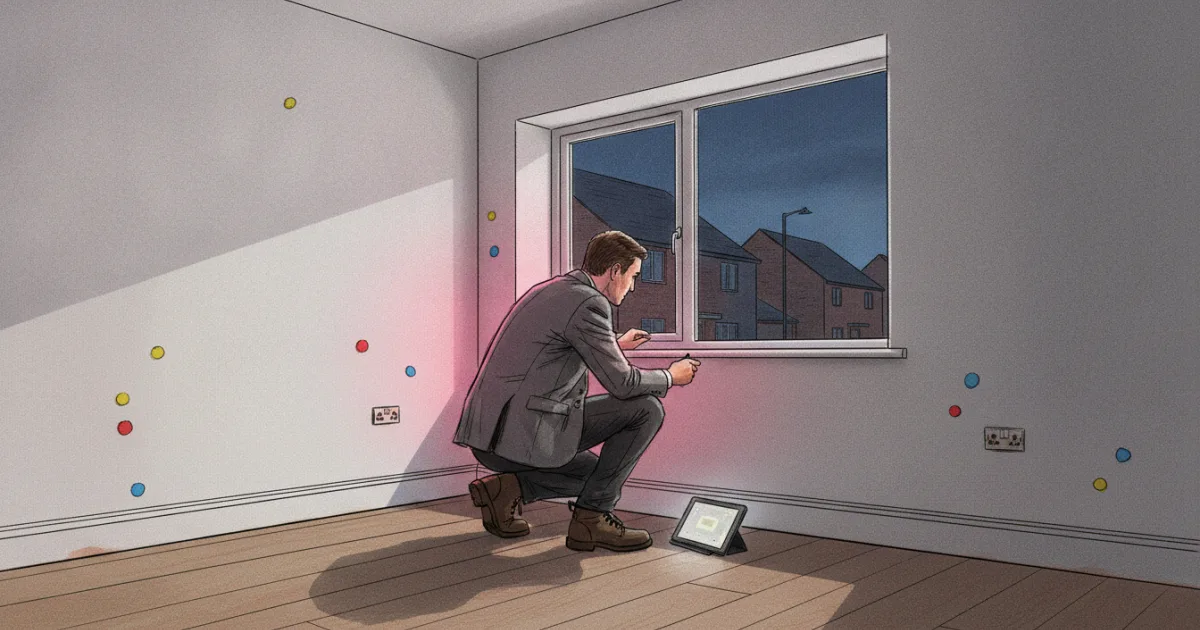
A snagging report is not read the way a survey is read. A survey is read once, closely, by a buyer deciding whether to proceed. A snag list is read many times, in pieces, by a site manager standing in a half-finished hallway with a phone in one hand, hunting for the item that is theirs to fix. The report succeeds or fails on whether they can find that item, close it, and pick up on the next visit where the last one stopped.
So the Snagging Report Builder puts nearly all of its effort into structure and none of it into writing. There is no language model anywhere in the tool. The observation is the surveyor's. What the software contributes is that every observation lands in a fixed place, carries a number, a grade and a state, and comes out as a document another firm can work through in order.
Two locations, and a fixed set of rooms beneath them
Every snag hangs off one of two top-level locations: Internal or External. Nothing else exists at that level, and nothing else can be created there.
Beneath those sit default sub-locations, thirteen internal (Entrance Hall, Kitchen, Living Room and the rest of an ordinary house) and eight external, covering the Front Elevation, the Rear Elevation, the Roof and the Garden. A surveyor can add sub-locations for a layout the defaults do not cover, an annexe or a communal corridor or a plant room, but the new one still belongs to Internal or External. That two-branch tree is not a limitation the interface inherited by accident. It is what makes the rest possible: the numbering scheme, the grouping in the finished PDF, and a document a site team can walk the building against.
A reference number that tells you where to stand
Each snag gets a three-part number in the form X.Y.Z. The first digit is the location, 1 for internal and 2 for external. The second is the position of the sub-location. The third is the item's sequence within that room. Snag 1.4.2 is the second thing logged in the fourth internal room, and a site manager can read that without a key.
Because the reference is a position rather than a permanent label, the tool recomputes the sequence when a snag is deleted or the list is reordered, so a report never goes out with gaps or duplicates in its numbering. One consequence follows from that, and it is better said than left to be discovered: the visible reference describes where an item sits in the current issue of the list, so a site team should quote the number together with the description rather than the number on its own. Underneath, each snag holds its own identifier and the times it was created, last changed and, where it applies, resolved.
Four grades, and two states
Severity is a closed set of four: Critical, Incomplete work, Cosmetic and General comment. The same four are enforced by the interface and then again by the server when a snag is saved, so a report cannot arrive carrying a fifth grade somebody coined on site. The labels do their own defining, and they are cut for a new build rather than for a survey. Unfinished work gets a category of its own, because on a plot walked before completion a great deal of what an inspector sees is not defective, it is absent. The last grade exists so an observation can be recorded without being dressed up as a fault.
Status is a closed set of two: open or resolved. Marking an item resolved stamps the moment it happened and stores it on the snag. There is no middle state, and that is a decision rather than an omission. A middle state invites a site team to move an item to "in progress" and leave it there, which reads as movement without being movement. On a re-walk the honest question is narrow. Is this closed, or is it still open, and since when.
That pairing, four grades and two states, is what makes the finished list triageable. A developer's team can filter to the critical items that are still open and know that the filter is the whole story.
Photographs, and a voice into the description box
There is no cap on how many photographs a snag can carry, anywhere in the tool. A wide shot, a close-up, a tape laid against a gap, a second angle on the sealant line: attach all four. Each file may be up to 10 MB, which is the only limit in the photo path. In the finished report the images sit under the snag they belong to rather than in a pile at the back.
Descriptions can be dictated. The tool opens a dictation panel that uses the browser's own speech recognition, and the text it produces is either inserted at the cursor or replaces what is in the box. The audio never touches Home's servers and no model of ours shapes the wording, but the recognition belongs to the browser: in Chrome and Edge that means the audio is processed by the browser maker's speech service, so a surveyor who would rather it stayed on the device should type instead. It is a keyboard substitute for a surveyor whose hands are holding a torch, not a drafting assistant.
What comes out
Generating the report hands the work to a background job. The job groups the snags by location and sub-location, counts them by grade and by status, lifts the open critical items into an executive summary at the front, and renders a single PDF with each snag's photographs beneath it.
The buyer does not need an account to read it. Every generated report can be given a share link carrying a 64-character token, which opens the report in a browser and nothing else. That matters more than it sounds: the audience for a snag list is a buyer, a developer and often a site manager who will never create a login for a surveying platform, and a document nobody can open is a document that does not do its job.
There is no AI in it, and that is deliberate
We build Otto, which is an AI pipeline for RICS Level 2 and Level 3 reports, with vision models, a drafting model and a deterministic layer that holds the surveyor's dictated ratings exact. So the absence of AI here is a choice, not a gap in the roadmap.
The reason is the shape of the document. A Level 2 or Level 3 report is long-form professional prose: sections that have to read consistently, standard wording that has to be exact, findings that have to be justified in sentences. That is where drafting help earns its place, under controls.
A snag is one short statement about one thing in one room, and the whole file is a few dozen of those. Nobody needs a model to write "hairline crack to plaster above the architrave, first bedroom". The scarce thing in a snagging inspection is the surveyor noticing the crack, and no model in service today is standing in the room. Photo-based defect detection would add a second opinion that the surveyor would then have to check, which is work added rather than work removed, and it would put a machine's guess into a document a developer is being asked to act on. We would rather the tool be honest about its role: your eyes, our structure.
What it costs
Generating the PDF charges the firm £9.99, taken from the same wallet that Level 2 and Level 3 reports draw on. The charge is per generated PDF rather than per instruction, so re-issuing the report after a re-walk is charged again.
The Snagging Report Builder is included in every subscription package, both Trial and Standard, so there is no separate snagging subscription to buy and no add-on. What the per-report charge covers is the generated document, and it is the same billing shape as the rest of the report tools, which keeps a firm's month readable.
On the consumer side, a snagging inspection booked through Compare Surveyors is priced in a band from £449 to £599 including VAT, set by bedroom count and by whether the inspection is before or after completion. We are not publishing the split between that fee and the surveyor here, because the number a surveyor should work from is the one on their own account.
The standards a snag list is argued against, and what the tool does not do about them
New-build workmanship in this country is argued against the NHBC Standards, and any inspector working on a warranted plot is working inside that context. It is the frame around the conversation between a buyer and a developer.
The tool does not touch it. There are no tolerance tables in the software, nothing that grades an item against a scheme, and no scheme-specific paperwork. The inspection type is a free-text field on the report header, where a surveyor types what the visit was, so the wording is theirs. The judgement about whether a gap is within tolerance is the inspector's, made on site, and the software's job is to record it legibly.
Being specific about the rest of the boundary:
- No warranty-scheme paperwork. No cover letter that names a warranty provider, no claim pack, no scheme selection anywhere in the report.
- No Word export. The output is a PDF and a share link.
- No offline mode. There is no offline capture and no later sync in the tool, so a plot in a signal shadow needs a plan of its own.
- No three-stage status workflow. Open and resolved, with a timestamp, and nothing between them.
- No AI defect detection from photographs, and no AI wording of snags.
- No published figures for how long an inspection takes or how many snags a new build carries. We have no measurement of our own to stand behind, so we quote none.
Why this shape
The test we hold the tool to is not how quickly a report can be produced. It is whether the document that arrives can be worked through and closed by somebody who did not attend the inspection. Fixed locations mean the list is walkable. Reference numbers mean an item can be named in an email. A four-grade scale means the team can triage. Two states and a timestamp mean a re-walk has an answer rather than an argument.
That is the same reason we built survey tools inside a property portal rather than shipping a writing assistant: the parts of a surveyor's day worth taking away are the clerical ones. You can see the tool, and the booking route that feeds it, on the Snagging Report Builder page.
Thinking about your next move?
See what your home's worth in seconds, with the UK's longest-running property data behind it.
Get an instant valuation