Buy
Buy Rent
Rent Sell
Sell New
New Prices






Inside the Comparable Tool: a median, not magic
The valuation range is a median of adjusted price per square metre, applied to the subject's floor area. No model picks the number, and every step can be reproduced by hand.
- Default search radius
- 1 mile
- Hard cap on radius
- 5 miles
- Default sold window
- 24 months
- Nearest properties examined
- 400
In this article
The valuation range that the Comparable Tool produces is short enough to write out in one sentence. Take the price per square metre of every comparable the surveyor has selected, adjust each one by the ratings the surveyor gave it, take the median of those figures, then multiply by the subject's floor area. That is the entire calculation. No model picks the number, nothing is weighted by cleverness, and a reader with a calculator can reproduce it from the appendix. This post walks the tool from the address bar to the PDF, including the things it refuses to do.
The search is a spatial query, not a portal trawl
Sold evidence comes from HM Land Registry price paid data, joined to Home's own property records by UPRN so that the price and the attributes describe the same building rather than two addresses that read alike. Candidates are found with a nearest-neighbour query that walks outwards from the subject rather than a bounding box, so the first thing back is the closest transaction available, not the first row a filter happened to match.
The limits are fixed constants in the code, and they matter because they define the search your appendix will go on to describe.
| Setting | Value |
|---|---|
| Default search radius | 1 mile |
| Hard cap on radius | 5 miles |
| Default sold window | 24 months |
| Nearest properties examined | 400 |
| Sold candidates returned | up to 250 |
| Listed candidates returned | up to 100 |
Rental and live for-sale evidence comes from the listings search rather than the Land Registry join, and lands in the same panel as the sold comparables. On top of the geography you can filter by bedroom count, by property type (detached, semi-detached, terraced or flat) and by price band, and swap the panel between sale and rental evidence.
When the pool is thin, the tool offers rather than acts
A fetch that comes back with fewer than five candidates triggers a set of suggestions for widening the net. The tool can propose another mile of radius, another two miles, dropping the property-type filter, dropping the bedroom minimum, or extending the window by a further six months. It offers at most four of those at a time, and it never applies one on its own.
That distinction is deliberate. On a rural instruction the search that ran is the search the surveyor chose, so the parameters written into the report are defensible as a professional decision rather than something the software did quietly in the background.
Ordered by distance, scored for match
Comparable cards come back ordered by distance, nearest first, and that order never moves. Attached to each card is a match score we call the Atlas Score, produced by a least-squares regression across distance, style, property type, tenure, parking, heating, condition, EPC match, bedroom and bathroom differences, floor-area difference, sale recency and photograph count. Its coefficients were calibrated against case files rather than picked by hand.
The score is information, not an ordering. It sits beside each comparable so that two sales at similar distances can be told apart at a glance, but a strong score never promotes a card up the list. Distance stays the spine of the panel, because distance is the one property of a comparable that needs no interpretation.
An AI ranking pass can pre-tick up to ten comparables in one go. Treat that as a starting position. Every tick it makes can be undone, and nothing it picks is exempt from the ratings that follow.
Four ratings, five per cent a step
Every selected comparable is rated on four axes: condition, fittings, location, size. Each step on an axis moves that comparable's price by five per cent for the purposes of the calculation, so the arithmetic carries the surveyor's reading of how the two properties differ.
That is the only adjustment mechanism in the tool. There is no hidden correction for age, no smoothing pass, nothing applied behind the surveyor's back. The mechanism is blunt on purpose, because a blunt mechanism stays legible. Someone reading the appendix in three years can see the sale price, see the ratings against it and rebuild the adjusted figure. An adjustment nobody can reproduce is not evidence.
The range is a median, and the spread sets its width
Each adjusted price is divided by that comparable's floor area to give a price per square metre. The tool takes the median of those figures rather than the mean, so one unusual sale cannot drag the centre of the range towards itself. The median is then multiplied by the subject's floor area to give the expected figure.
Width comes from how far apart those per-square-metre figures sit. The half-width of the range is never tighter than 4 per cent and never wider than 10 per cent, moving with the spread between those two bounds. Tightly clustered evidence produces a tight range. Scattered evidence produces a visibly wider one, which is the correct answer rather than an embarrassment.
Confidence is banded from the same spread.
| Spread across the selected comparables | Confidence |
|---|---|
| 5 per cent or less | High |
| Up to 15 per cent | Medium |
| Wider than 15 per cent | Low |
A range needs at least two priced comparables to compute at all, and a range built on exactly two is capped at medium confidence however closely the pair agree. Two points that agree with each other are not the same thing as a body of evidence that agrees.
The gates before a report can be submitted
Three comparables is the floor for submission. A range can be produced from two priced ones on screen, but the report will not go out on two.
The second gate concerns divergence. The surveyor's figure is the figure that prints, and the tool never overrides it. If that figure sits more than 20 per cent away from the tool's own expected value, though, a written comment is required before the report can be submitted. The purpose is not to argue with the valuer. A surveyor knows things the comparables cannot show, a lease structure or a condition problem behind a door, and the gate exists so that the reason is stated once, in writing, in a document that may be read long after the inspection.
A second opinion over exactly your evidence
There is an optional second opinion. It runs the same three-model council we use elsewhere at Home, described in inside the multi-LLM valuation council, across OpenAI, Google Gemini and xAI Grok.
Two constraints define it. It reads exactly the comparables that were ticked, so it cannot introduce evidence the surveyor did not select. And it needs at least three of them before it will run. Its output sits alongside the deterministic range as a cross-check, never in place of it.
Where it lands, and what it costs
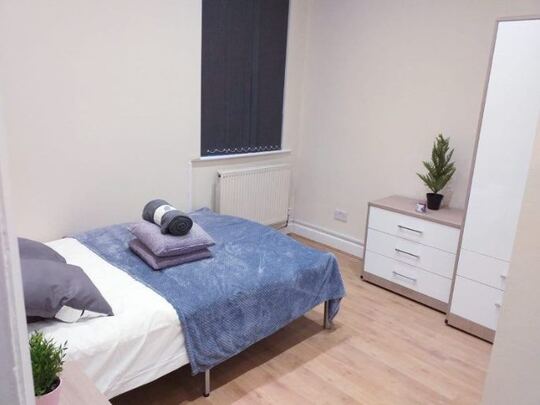
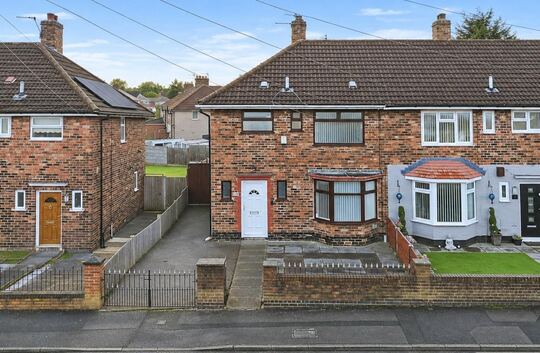
The output is a numbered comparable evidence appendix inside a Level 2 or Level 3 report, or a standalone comparable marketing report or surveyor valuation report PDF where the instruction is valuation-only. Each comparable carries into that appendix with:
- address, property type, bedrooms and bathrooms
- up to three price sources: the Land Registry sold price with its date, the asking price with its status, date added and source, plus a legacy last-sold figure
- EPC floor area and rating, construction age band, window type and any recorded extensions
- Land Registry title class and title number
- garden and parking flags, photographs, and distance from the subject
Tenure is captured against the subject rather than against each comparable, so it frames the instruction rather than every line of evidence.
A comparable report costs £6.99 including VAT, drawn from the firm's wallet balance. Founder firms pay 80 per cent of that rate and standard subscribers pay 90 per cent. There is no separate subscription for the tool.
What it will not do
Every selected comparable counts the same. There is no decay by position in the list, and no comparable counts for more by virtue of being nearest. The median is unweighted, and the nearest-first ordering is a reading aid rather than a weighting.
Asking prices are not discounted automatically. Where a comparable carries more than one price, the tool follows a source priority: the surveyor's own override first, then the Land Registry sold price, then the asking price. Nothing shaves a quiet percentage off a listed price on the theory that vendors are optimistic. If a live asking price looks ambitious, the ratings and the per-comparable note are where that judgement belongs, and both of them print.
There is no AI-written narrative. The narrative card is switched off in the code, and the summary that reaches the output is the numbers.
Published records lag completions. Land Registry publication runs behind the market by weeks to months, so a fast-moving street can hold sales that have completed but not yet surfaced. That is a property of the source rather than a fault in the tool, and it is one reason the window and the radius are the surveyor's to move.
Last, the tool cannot see inside a comparable. It holds a floor area, an age band, an EPC rating, a parking flag. Whether the kitchen was replaced last year, whether the roof is original, whether a corner plot faces the wrong way: none of that is in the record, and none of it is inferred. The Comparable Tool is a search, a calculator and a record of what was chosen. The opinion of value stays where the liability sits.
It runs inside the same report writer as Otto, so the appendix is generated into the survey PDF rather than attached to it. If you are weighing a move from the Rightmove SCT, the side-by-side comparison sets the two out feature by feature.